How to enlarge my browser window to view a story

ineshaddeji
Posted messages
1
Status
Member
-
tiwoui -
tiwoui -
Hello
how to enlarge the window of my browser to view a story
how to enlarge the window of my browser to view a story
2 answers
-
pistouri Posted messages 19010 Registration date Status Contributor Last intervention Ambassador 8 732
Hello,
With Zoom.
1- Keyboard key Ctrl + keyboard key +
To return to 100%
Keyboard key Ctrl + 0 (Zero)
Or Keyboard key Ctrl + keyboard key - (minus)
Info:
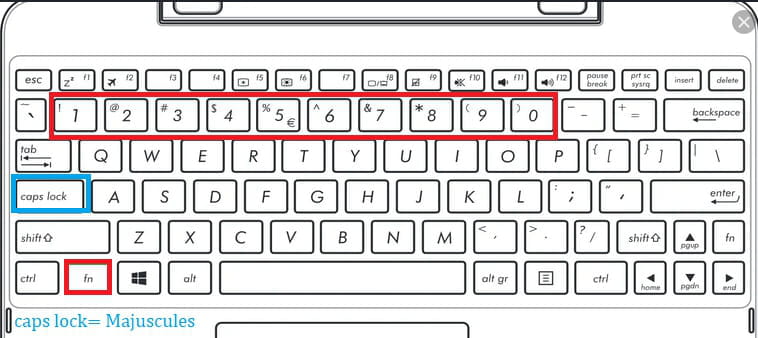
If you don't have a numeric keypad, you need to enter the numbers using the number line at the top of the keyboard while being in uppercase position.
2- In the top right corner of the browsers, go to the small dots with Chrome or the 3 horizontal lines with Firefox, for example.
3- Press the F11 key on the keyboard.
Then do the Keyboard key Ctrl + keyboard key +
Press F11 again to return to normal.
A+
--
pistouri