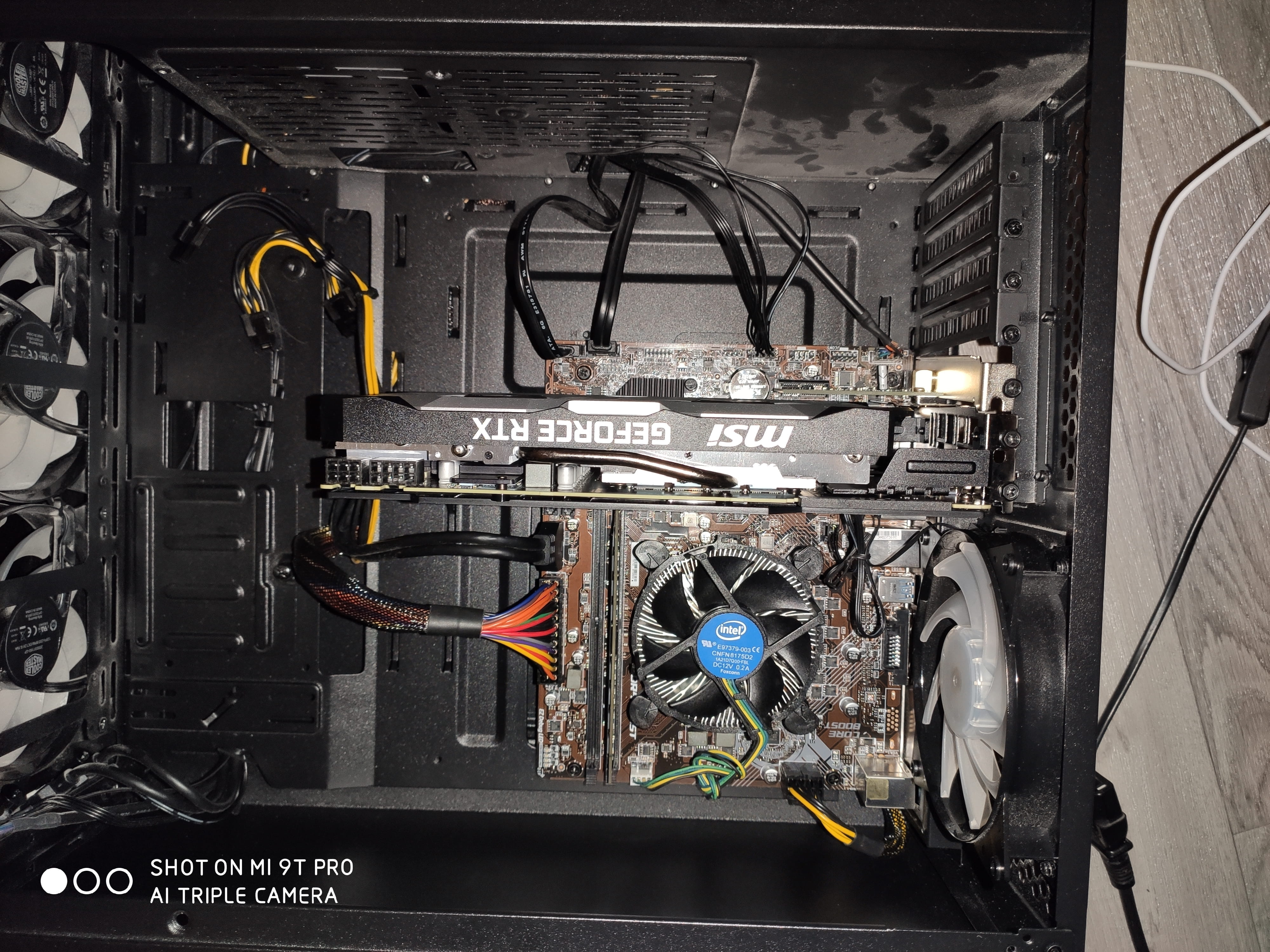
My PC won't turn on after reassembling the motherboard.
Solved
Jeen
-
Jeen67 Posted messages 2 Status Member -
Jeen67 Posted messages 2 Status Member -
Hello,
After reinstalling my motherboard and reconnecting all the components, my computer won't turn on (it doesn't respond at all when I press the power button)! Not being comfortable with wiring, I had to go to my motherboard's website and download the manual to figure out where to connect the components.
I think I've connected everything correctly:
- For the power supply, I connected the ATX cable and the USB 3 cable
- I connected the power/reset pins, etc., to the control panel (JFP1)
For the rest, even though it's connected, if I understand correctly, it shouldn't be necessary for my PC to turn on
PS: my power cable is functional and properly connected, and my power supply is turned ON
Could someone tell me if I've forgotten any essential cable?
After reinstalling my motherboard and reconnecting all the components, my computer won't turn on (it doesn't respond at all when I press the power button)! Not being comfortable with wiring, I had to go to my motherboard's website and download the manual to figure out where to connect the components.
I think I've connected everything correctly:
- For the power supply, I connected the ATX cable and the USB 3 cable
- I connected the power/reset pins, etc., to the control panel (JFP1)
For the rest, even though it's connected, if I understand correctly, it shouldn't be necessary for my PC to turn on
PS: my power cable is functional and properly connected, and my power supply is turned ON
Could someone tell me if I've forgotten any essential cable?
3 answers
-
Hello,
did you plug in the CPU power cable? (not necessary for display, but needed to start
then did you connect the front panel pins in the right place?
what is your motherboard? -
If you're talking about the cable around the CPU cooler, I plugged it in
for the pins, I mentioned earlier that I connected them to the front panel JFP1 (I didn't pay attention to whether they need to be oriented in a particular way)
my motherboard is an MSI H310M PRO-D -