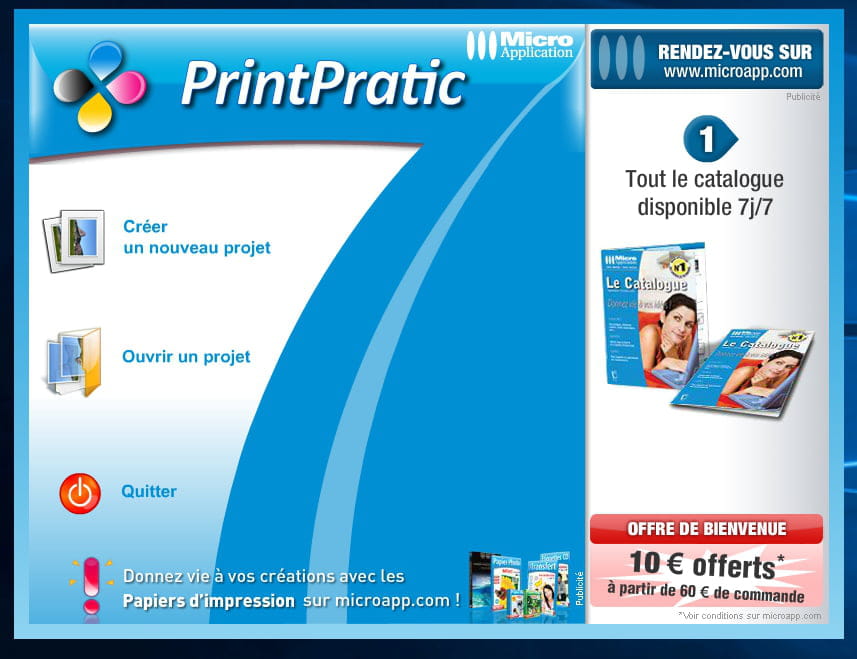
Issue with Printpratic
Hello,
I bought a kit for magnets.
So I installed printpratic, and when I am on the software's entry portal, I have three choices:
- Create a new project
- Resume a project
- Quit
But as soon as I click on Create a new project, nothing happens.
None of the three options work.
Could someone help me?
I am on Windows 10.
Thank you in advance!
Justine
6 answers
-
Last year I could create my PrintPratic labels on W10 and this year
none of the 3 options presented to me open.-
-
@Lachettetou54Hello,
I tried to download the software PrintPratic. I entered my email address but no matter what, I don't receive any link to download it. I really don't know what to do. I have Windows 7. Thank you for your help. -
@Lachettetou54Hello,
I tried to download the PrintPratic software. I entered my email address but nothing happens; I don't receive any link to download it. I really don't know what to do. I have Windows 7. Thank you for your help. -
-
@camille18same thing
-