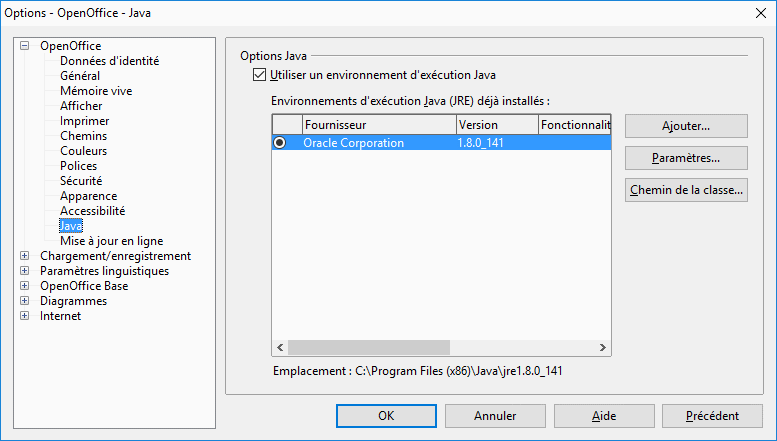
No Java installation could be found.
claude-f60
Posted messages
9
Registration date
Status
Member
Last intervention
-
yclik Posted messages 3882 Registration date Status Member Last intervention -
yclik Posted messages 3882 Registration date Status Member Last intervention -
Despite numerous modifications, I am unable to use the LibreOffice database.
Environment: Windows 10, libreoffice 5.4.5_win_x64.msi, Java: jre1.8.0_161
I am certainly not very skilled, but if you have the solution… Thank you
The help resources on LibreOffice are outdated, and my attempts have been unsuccessful.
Environment: Windows 10, libreoffice 5.4.5_win_x64.msi, Java: jre1.8.0_161
I am certainly not very skilled, but if you have the solution… Thank you
The help resources on LibreOffice are outdated, and my attempts have been unsuccessful.
2 answers
-
Hello,
uninstall ALL your versions of JAVA and install version 8
https://www.java.com/fr/download/win10.jsp
this could be the issue.-
Thank you, I have uninstalled java8update161. If I understood correctly, it is necessary to follow the order 1/java, 2/libreoffice (good method?)
for 2/libreoffice which version to use 5 or 6.
for the moment on windows10 neither java nor libreoffice.
can you clarify the steps to follow because I want to solve this issue. Thank you
-
-
Good evening
Check if Java is properly activated in LibreOffice
Tools>Options +Open Office
Java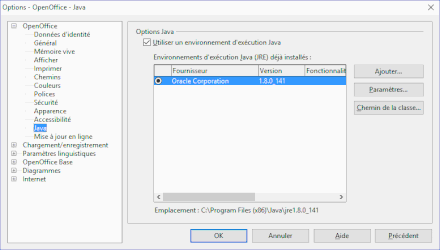
-
-
Good evening
see here -
-
-