Keyboard and emoji viewer - issue

oualidaz
Posted messages
6
Status
Member
-
Anonymous user -
Anonymous user -
Hello,
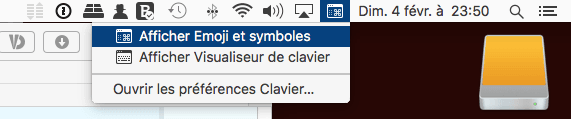
I have a problem with the keyboard and emoji viewer on my Mac; actually, I can't activate it anymore!!
I check the option in: system preferences > keyboard > enable keyboard and emoji viewers. But once I close the window and reopen it, I find that the option is automatically disabled???
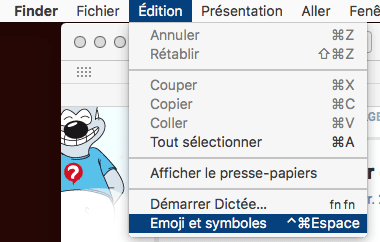
Moreover, the emoji and symbol option doesn't work anymore either (see the photo)
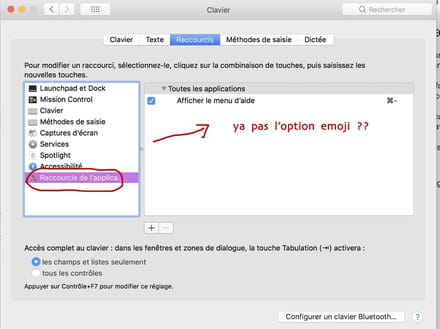
I am on mac high sierra 10.13.3
Thanks :)
Configuration: Macintosh / Chrome 63.0.3239.132
I have a problem with the keyboard and emoji viewer on my Mac; actually, I can't activate it anymore!!
I check the option in: system preferences > keyboard > enable keyboard and emoji viewers. But once I close the window and reopen it, I find that the option is automatically disabled???
Moreover, the emoji and symbol option doesn't work anymore either (see the photo)

I am on mac high sierra 10.13.3
Thanks :)
Configuration: Macintosh / Chrome 63.0.3239.132
5 answers
-
Good evening,
it's not in the application shortcut preferences that you find anything related to the emoji keyboard..
However, by checking this box:

we get this:
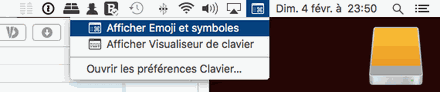
or another option:
Best regards.
--
Always provide your complete system configuration - exact computer model, exact OS version. -
-
Hello,
OK -
Your first screenshot showed a search for emojis in the "Application Shortcuts" window..., which is what surprised me...
That said, your issue is indeed strange. I see that in Chrome (which I don't use), you have this option at the bottom of the "Edit" menu. Usually, this choice is in the bottom of the "Edit" menu.
Just for testing, what happens if you try the same thing from another application, for example TextEdit?
In any case, that doesn't explain why your system doesn't keep the checkbox checked in the system preferences. We can also see that your menu bar shows a flag where you choose your keyboard, while when the checkbox for displaying the keyboard viewer is checked, we should see what I showed above... so indeed, that's not correct.
Maybe a bug in OS X 10.13.3? I had installed it, then reverted to OS X 10.12.6 due to various bugs. However, I re-installed it on an external disk for testing, and as soon as I have a moment, I will test it after booting my Mac from that external disk.
In the meantime, try booting the Mac from the recovery partition and performing a system repair.
https://forums.commentcamarche.net/forum/affich-37641569-entretenir-et-reparer-macos-x-10-12-10-13-et-suivants
@++
--
Always indicate your system configuration completely - exact model of the computer, exact OS version. -
EDIT: I just tested it on OS X 10.13.3, and I had no issues opening and using this emoji palette.
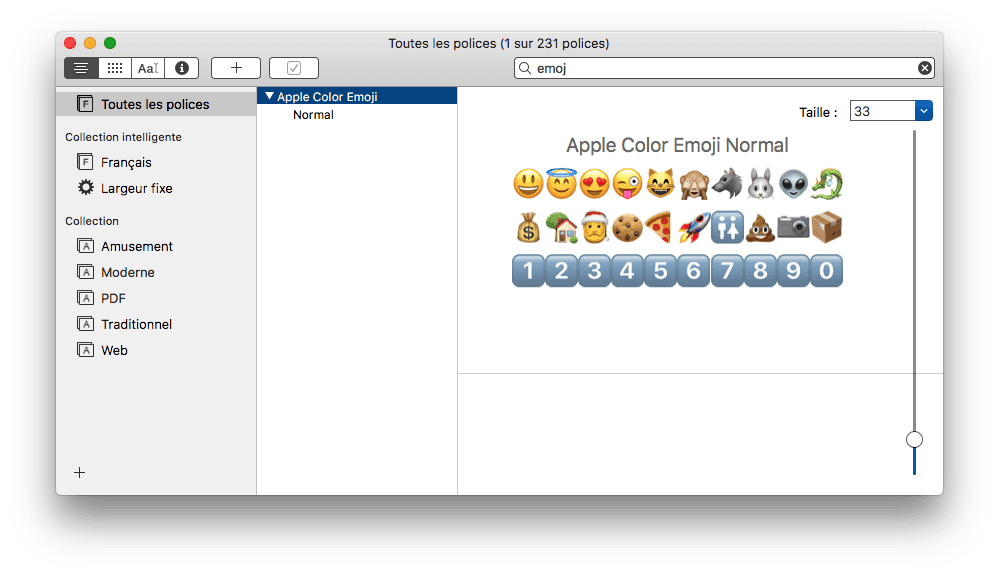
Just in case, can you check if you see this in the "Font Book" application:

?
--
Always provide your system configuration in full - exact computer model, exact OS version. -
Good evening, thank you very much for the explanations.
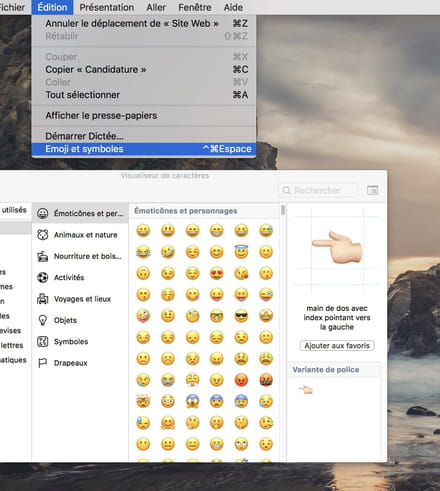
Actually, I tried to clear the caches using CleanMyMac 3. The emoji function worked well in the end. The problem is that the shortcut (^Command Space) doesn't work to open emojis. So I checked in System > Keyboard > Shortcuts, and I found that the shortcut no longer exists.
I decided to reset macOS (Command + R) at startup, and macOS High Sierra 10.13.3 was reinstalled (it's the same version I had before). This time I checked the shortcut (^Command Space) but once again it doesn't work, whereas if I click on Edit > Emoji and Symbols, it works.
Another thing, the option to Show Viewers works just fine :)
-
So everything is fine :)
It is normal not to see the system shortcuts in this window. They are intended to create shortcuts for existing application menus on the Mac. It does not affect the shortcuts originally defined in the system.
For example, in Safari, there is the menu Export as PDF..., if you often use this menu, you can create a shortcut for it by defining it for Safari, and strictly adhering to the spelling of the menu...
Have a nice evening.
-