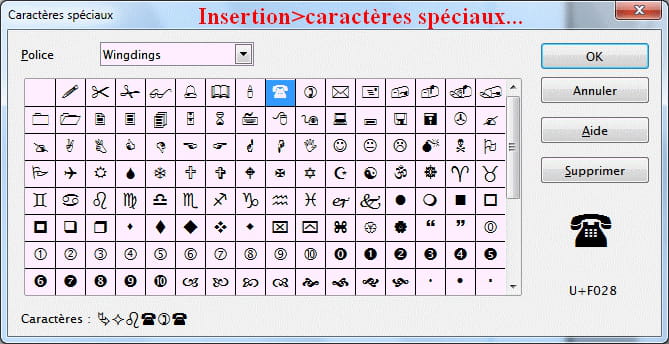
Finding a symbol such as "tel" in Open Office
jamel
-
sab -
sab -
Hello,
How to insert a phone symbol in OpenOffice Writer? I couldn't find it in the list of symbols!
Configuration: Windows / Chrome 49.0.2623.112
How to insert a phone symbol in OpenOffice Writer? I couldn't find it in the list of symbols!
Configuration: Windows / Chrome 49.0.2623.112