HELP! démarrage windows Impossible, mode sans echec obligé
Utilisateur anonyme -
13 réponses
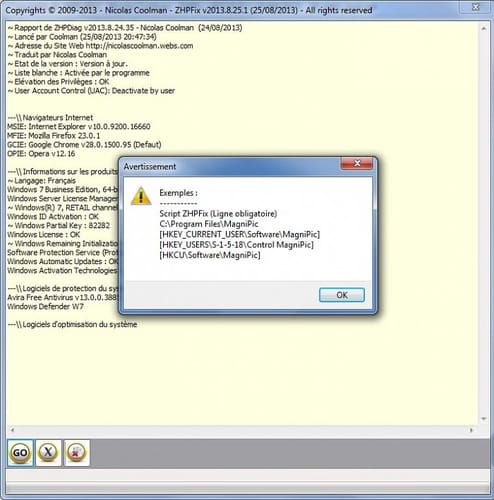
Un utilisateur rencontre un ralentissement sévère du PC, suivi d’un écran bleu bloquant le démarrage et empêchant l’ordinateur de fonctionner normalement, ne démarrant qu’en mode sans échec. Plusieurs outils de nettoyage ont été lancés—CCleaner, AdwCleaner et Malwarebytes—puis un rapport ZHPdiag a été partagé, mais les réponses divergent sur la marche à suivre et l’interprétation des résultats. Parmi les suggestions, certains recommandent une restauration système antérieure, d’autres discutent de l’utilité des outils et encouragent à vérifier les messages d’erreur de la page bleue, voire à partager des rapports. En complément, un rapport détaillé peut montrer des éléments d’analyse et des exemples de captures ou de logs, et la discussion évoque des pistes techniques sans trancher sur une solution.
-
Bonsoir
Possède à une restauration antérieure à l'utilisation de tous ces outils.
Tiens moi au courant;merci
@+
-
Bonjour,
il faudrai que tu nous marque l'erreur de la page bleue du genre "stop: 0x00000..." si possible -
Avec un des logiciel j'ai eu une sauvegarde sous forme "editeur du registre microsoft corporation" je ne sais pas ce que c'est, en cliquant de dessus ça me dit "L'ajout d'informations peut involontairement modifier ou supprimer des valeurs et endommager le fonctionnement de composants etc êtes vous sur de vouloir continuer ?" cela vient de ccleaner je crois. Je vais redémarrer pour essayer de voir l'erreur de la page bleu le problème c'est que ça dure seulement qq secondes.
-
-
Vous n’avez pas trouvé la réponse que vous recherchez ?
Posez votre question -
-
Re
Tu procèdes comme pour accéder au mode sans échec mais tu choisis:
Invite de commande en mode sans échec :
Voici ce que tu dois taper (validez avec la touche Entrée à la fin de chaque ligne).
@ pour espace
cd \
cd@windows
cd@system32
rstrui
Pour obtenir :
C : \windows \system32 > rstrui
Cela te permettra d'accéder à la restauration
Tiens moi au courant;merci
@+
-
Re
Et bien fait ceci (toujours en MSE)
Ouvre ce lien et télécharge ZHPDiag de Nicolas Coolman :
https://www.zebulon.fr/telechargements/securite/systeme/zhpdiag.html
Ou
https://www.commentcamarche.net/telecharger/utilitaires/24803-zhpdiag/
en bas de la page ZHP avec un numéro de version.
Une fois le téléchargement achevé,
Double-clique sur l'icône pour lancer le programme. Sous Vista ; Seven ou Windows 8 clic droit « exécuter en tant que administrateur »
Dans la fenêtre ZHPDiag qui vient de s'ouvrir, clique sur "Configurer"
Clique sur la loupe en bas à gauche sans signe pour lancer l'analyse.
Clique sur OUI à la question "Voulez-vous un rapport full options"
Laisse l'outil travailler, il peut être assez long.
Un rapport s'ouvre. Ce rapport se trouve également sur ton bureau
Pour transmettre le rapport clique sur ce lien:
http://pjjoint.malekal.com/
Si problème utilise un des suivants
https://forums-fec.be/upload
https://www.cjoint.com/
Regarde sur le bureau
Sélectionne le fichier ZHPDiag.txt.
Clique sur "Cliquez ici pour déposer le fichier".
Un lien de cette forme :
http://www.cijoint.com/cjlink.php?file=cj200905/cijSKAP5fU.txt
est ajouté dans la page.
Copie ce lien dans ta réponse.
Merci
@+ -
Re
Utilisation de l'outil ZHPFix :
* Copie tout le texte présent dans l'encadré ci-dessous (tu le sélectionnes avec ta souris / Clique droit dessus et choisis "copier" ou fait Ctrl+C )
-------------------------------------------------------------------------------------------------
Script ZHPFix
G2 - GCE: Preference [User Data\Default] [pmlghpafmmnmmkjdhacccolfgnkiboco] OneClickDownload v.1.3, (Désactivé)
M0 - MFSP: user.js [Marianne - 0] http://ww25.allssearch.com/
M2 - MFEP: prefs.js [Marianne - 0\cacaoweb@cacaoweb.org] [] cacaoweb v1.0.30 (..)
M2 - MFEP: prefs.js [Marianne - 0\plugin@yontoo.com] [] Yontoo v1.20.00 (..)
R0 - HKCU\SOFTWARE\Microsoft\Internet Explorer\Main,BrowserMngr Start Page = https://www.google.com/?gws_rd=ssl
R0 - HKCU\SOFTWARE\Classes\Software\Microsoft\Internet Explorer\Main,Start Page = http://ww25.allssearch.com/
O4 - GS\Desktop [Marianne]: PlantsVsZombies.exe.lnk . (...) -- C:\Program Files (x86)\PopCap\Plants Vs. Zombies\PlantsVsZombies.exe
O42 - Logiciel: Internet Explorer Toolbar 4.6 by SweetPacks - (.SweetIM Technologies Ltd..) [HKLM][64Bits] -- {C3E85EE9-5892-4142-B537-BCEB3DAC4C3D}
O42 - Logiciel: Plants Vs. Zombies - (.PopCap.) [HKLM][64Bits] -- {B5790265-B654-4377-9EF0-085A6AB6FA8E}
O42 - Logiciel: Update Manager for SweetPacks 1.1 - (.SweetIM Technologies Ltd..) [HKLM][64Bits] -- {EA8FA6BE-29BE-4AF2-9352-841F83215EB0}
[HKCU\Software\522d8dfb63dba42]
[HKCU\Software\PopCap]
[HKLM\Software\Wow6432Node\522d8dfb63dba42]
O43 - CFD: 05/12/2012 - 20:50:03 - [0,316] ----D C:\Program Files (x86)\1ClickDownload
O43 - CFD: 13/01/2012 - 22:16:17 - [30,113] ----D C:\Program Files (x86)\PopCap
O43 - CFD: 09/03/2013 - 22:34:38 - [0] ----D C:\Program Files (x86)\TornTV.com
O43 - CFD: 28/02/2013 - 20:12:17 - [6,508] ----D C:\Program Files (x86)\Webplayer setup
O43 - CFD: 14/01/2012 - 00:09:29 - [30,761] ----D C:\ProgramData\PopCap Games
O43 - CFD: 10/12/2012 - 09:02:35 - [2,005] ----D C:\ProgramData\~Browser Manager
O43 - CFD: 13/08/2012 - 02:33:56 - [0,039] ----D C:\Users\Marianne\AppData\Roaming\WebPlayerBdd
O43 - CFD: 09/09/2013 - 18:42:20 - [0] ----D C:\Users\Marianne\AppData\Roaming\Microsoft\Windows\Start Menu\Programs\TornTV.com
O69 - SBI: prefs.js [Marianne - dqx1pfyd.default] user_pref("extensions.crossrider.bic", "13896c02ad6c06347a2b56655f03990c");
O90 - PUC: "475015CE18964854AB355529B9B4C75A" . (.Boxore Client.) -- C:\Windows\Installer\{EC510574-6981-4584-BA53-55929B4B7CA5}\boxore.ico
O90 - PUC: "9EE58E3C298524145B73CBBED3CAC4D3" . (.Internet Explorer Toolbar 4.6 by SweetPacks.) -- C:\Windows\Installer\{C3E85EE9-5892-4142-B537-BCEB3DAC4C3D}\ARPPRODUCTICON.exe
[HKCU\Software\522d8dfb63dba42\history\{16cdff19-861d-48e3-a751-d99a27784753}2.2.643.41]:guid="{16cdff19-861d-48e3-a751-d99a27784753}"
[HKCU\Software\522d8dfb63dba42\history\{16cdff19-861d-48e3-a751-d99a27784753}2.2.643.41]:version="2.2.643.41"
[HKCU\Software\522d8dfb63dba42]
[HKCU\Software\522d8dfb63dba42]:GUID="{16cdff19-861d-48e3-a751-d99a27784753}"
[HKCU\Software\522d8dfb63dba42]:version="2.3.787.43"
[HKLM\Software\Wow6432Node\522d8dfb63dba42]
[HKLM\Software\Wow6432Node\522d8dfb63dba42]:GUID="{16cdff19-861d-48e3-a751-d99a27784753}"
[HKLM\Software\Wow6432Node\522d8dfb63dba42]:version="2.3.787.43"
[MD5.022E3AC2CA03C8EF042680AC0E46894C] [WIS][16/09/2009] (.PopCap - Plants Vs. Zombies.) -- C:\Windows\Installer\2c67b96.msi [28529152]
[MD5.2B4435B8A24C72CB360B64EB4397D43A] [WIS][29/04/2012] (.Boxore OU. - Software Update Helper.) -- C:\Windows\Installer\a3a041.msi [45056]
[HKLM\Software\Google\Chrome\Extensions\pmlghpafmmnmmkjdhacccolfgnkiboco]
[HKLM\Software\Microsoft\Windows\CurrentVersion\Uninstall\{C3E85EE9-5892-4142-B537-BCEB3DAC4C3D}]
[HKLM\Software\Microsoft\Windows\CurrentVersion\Uninstall\{B5790265-B654-4377-9EF0-085A6AB6FA8E}]
[HKLM\Software\Microsoft\Windows\CurrentVersion\Uninstall\{EA8FA6BE-29BE-4AF2-9352-841F83215EB0}]
[HKLM\Software\Microsoft\Windows\CurrentVersion\Installer\UserData\S-1-5-18\Components\D15DAF33C220F91468A1D7D57C31ACD7]
[HKLM\Software\Microsoft\Windows\CurrentVersion\Installer\UserData\S-1-5-18\Components\D6D0EB9FDBD90C04D92A7E729058F10D]
[HKLM\Software\Microsoft\Windows\CurrentVersion\Installer\UserData\S-1-5-18\Components\A189D17A469616C4688D23E192996267]
[HKLM\Software\Microsoft\Windows\CurrentVersion\Installer\UserData\S-1-5-18\Components\98CC8BF5A4A6E6C4ABF7051DDAB8B058]
[HKLM\Software\Microsoft\Windows\CurrentVersion\Installer\UserData\S-1-5-18\Components\7FFA128C2B0FF414D805FC5627883401]
[HKLM\Software\Microsoft\Windows\CurrentVersion\Installer\UserData\S-1-5-18\Components\D3BA76A44C779424889063D5098ED2D6]
[HKLM\Software\Microsoft\Windows\CurrentVersion\Installer\UserData\S-1-5-18\Components\397C771A7BCAC904697C3EC629ED33ED]
[HKLM\Software\Microsoft\Windows\CurrentVersion\Installer\UserData\S-1-5-18\Components\351716A953E21214898904032EAE2E81]
[HKLM\Software\Microsoft\Windows\CurrentVersion\Installer\UserData\S-1-5-18\Components\2E6768B6932D112438F047C54D180635]
[HKLM\Software\Wow6432Node\Google\Chrome\Extensions\pmlghpafmmnmmkjdhacccolfgnkiboco]
[HKLM\Software\Classes\Installer\Features\EB6AF8AEEB922FA4392548F13812E50B]
[HKLM\Software\Classes\Installer\Products\EB6AF8AEEB922FA4392548F13812E50B]
[HKLM\Software\Microsoft\Windows\CurrentVersion\Installer\UserData\S-1-5-18\Products\EB6AF8AEEB922FA4392548F13812E50B]
[HKLM\Software\Wow6432Node\Classes\Installer\Features\EB6AF8AEEB922FA4392548F13812E50B]
[HKLM\Software\Wow6432Node\Classes\Installer\Products\EB6AF8AEEB922FA4392548F13812E50B]
[HKLM\Software\Wow6432Node\Microsoft\Tracing\MyBabylontb_RASAPI32]
[HKLM\Software\Wow6432Node\Microsoft\Tracing\MyBabylontb_RASMANCS]
[HKLM\Software\Wow6432Node\Microsoft\Tracing\Searchqu Toolbar uninstall_RASAPI32]
[HKLM\Software\Wow6432Node\Microsoft\Tracing\Searchqu Toolbar uninstall_RASMANCS]
[HKLM\Software\Wow6432Node\Microsoft\Windows\CurrentVersion\Uninstall\{EA8FA6BE-29BE-4AF2-9352-841F83215EB0}]
[HKLM\Software\Classes\Prod.cap]
[HKLM\Software\Microsoft\Windows\CurrentVersion\Installer\UserData\S-1-5-18\Products\64A6E60055D801F4BB8AC269354B72B8]
[HKLM\Software\Classes\Installer\Features\9EE58E3C298524145B73CBBED3CAC4D3]
[HKLM\Software\Classes\Installer\Products\9EE58E3C298524145B73CBBED3CAC4D3]
[HKLM\Software\Microsoft\Windows\CurrentVersion\Installer\UserData\S-1-5-18\Products\9EE58E3C298524145B73CBBED3CAC4D3]
[HKLM\Software\Wow6432Node\Classes\Installer\Features\9EE58E3C298524145B73CBBED3CAC4D3]
[HKLM\Software\Wow6432Node\Classes\Installer\Products\9EE58E3C298524145B73CBBED3CAC4D3]
[HKLM\Software\Wow6432Node\Microsoft\Windows\CurrentVersion\Uninstall\{C3E85EE9-5892-4142-B537-BCEB3DAC4C3D}]
[HKLM\Software\Microsoft\Windows\CurrentVersion\Installer\UserData\S-1-5-18\Components\02F47BF73B948514FAACADD8CBBDF37D]
[HKLM\Software\Microsoft\Windows\CurrentVersion\Installer\UserData\S-1-5-18\Components\080D9F5E1E95FEE4794CE438E635239E]
[HKLM\Software\Microsoft\Windows\CurrentVersion\Installer\UpgradeCodes\A97CEC23332751B47BA4B95BAA50C9D0]
[HKLM\Software\Microsoft\Windows\CurrentVersion\Installer\UserData\S-1-5-18\Components\1E264E0A5959A1C46BA9175A878B12EA]
[HKLM\Software\Microsoft\Windows\CurrentVersion\Installer\UserData\S-1-5-18\Components\E4748F9A4181FCE46A23C13B517B9420]
[HKLM\Software\Wow6432Node\Microsoft\Tracing\boxore_RASAPI32]
[HKLM\Software\Wow6432Node\Microsoft\Tracing\boxore_RASMANCS]
[HKLM\Software\Wow6432Node\Google\Chrome\Extensions\jbpkiefagocgkmemidfngdkamloieekf]
[HKLM\Software\Microsoft\Windows\CurrentVersion\Installer\UserData\S-1-5-18\Components\38D5CDD0A851B3940A43CC50ABBA251C]
[HKLM\Software\Microsoft\Windows\CurrentVersion\Installer\UserData\S-1-5-18\Components\BA71D41F6CC0B6247B05D473850A8AEA]
[HKLM\Software\Microsoft\Windows\CurrentVersion\Installer\UserData\S-1-5-18\Components\CA0054A5AB3EFFE4CB5660E44A1E7DCC]
[HKLM\Software\Microsoft\Windows\CurrentVersion\Installer\UserData\S-1-5-18\Components\12BF94BD06C95F343A77631402B9556A]
[HKLM\Software\Microsoft\Windows\CurrentVersion\Installer\UserData\S-1-5-18\Components\2124D8A8CF720FD44866190AF560228E]
[HKLM\Software\Microsoft\Windows\CurrentVersion\Installer\UserData\S-1-5-18\Components\27A325ACED8CA4743A30127638591ADB]
[HKLM\Software\Microsoft\Windows\CurrentVersion\Installer\UserData\S-1-5-18\Components\350D17402BD84234EAF7D32F08172D7C]
[HKLM\Software\Microsoft\Windows\CurrentVersion\Installer\UserData\S-1-5-18\Components\3EE8C5F419057E1478A654868CEE60B5]
[HKLM\Software\Microsoft\Windows\CurrentVersion\Installer\UserData\S-1-5-18\Components\4735D908D66E1BA46B6C2D7185A12B2B]
[HKLM\Software\Microsoft\Windows\CurrentVersion\Installer\UserData\S-1-5-18\Components\69D6A6B2ED56AF24EA6335EAD6E91CA4]
[HKLM\Software\Microsoft\Windows\CurrentVersion\Installer\UserData\S-1-5-18\Components\76D8378E2DDAED3428720A631F6E3BF0]
[HKLM\Software\Microsoft\Windows\CurrentVersion\Installer\UserData\S-1-5-18\Components\86EDC790504E1834DBC20C9A04328FD2]
[HKLM\Software\Microsoft\Windows\CurrentVersion\Installer\UserData\S-1-5-18\Components\97C3D0F82E712E241A2F969F45E3351C]
[HKLM\Software\Microsoft\Windows\CurrentVersion\Installer\UserData\S-1-5-18\Components\9A001B259DB7D694E818BE29B973992C]
[HKLM\Software\Microsoft\Windows\CurrentVersion\Installer\UserData\S-1-5-18\Components\9E7F556BF224D804D96A96F0F6344789]
[HKLM\Software\Microsoft\Windows\CurrentVersion\Installer\UserData\S-1-5-18\Components\BAE2EC163C6A68A48921573E0E7E199D]
[HKLM\Software\Microsoft\Windows\CurrentVersion\Installer\UserData\S-1-5-18\Components\BF4F885EDEE45644EB1E0C99E0162399]
[HKLM\Software\Microsoft\Windows\CurrentVersion\Installer\UserData\S-1-5-18\Components\C06C6662FA5B04646829E4A460857770]
[HKLM\Software\Microsoft\Windows\CurrentVersion\Installer\UserData\S-1-5-18\Components\CE21F3FD57B244142880EF15A165A156]
[HKLM\Software\Microsoft\Windows\CurrentVersion\Installer\UserData\S-1-5-18\Components\CEEB3E14ABE8270419B0FD762E18F7C6]
[HKLM\Software\Microsoft\Windows\CurrentVersion\Installer\UserData\S-1-5-18\Components\ED1B5E9A3BDB51349BF96E842C062D98]
[HKLM\Software\Microsoft\Windows\CurrentVersion\Installer\UserData\S-1-5-18\Components\FECBC2BC14DA6CD459BD59A041709836]
C:\Users\Marianne\AppData\Roaming\Mozilla\Firefox\Profiles\0\cacaoweb@cacaoweb.org
C:\Users\Marianne\AppData\Roaming\Mozilla\Firefox\Profiles\0\plugin@yontoo.com
C:\Program Files (x86)\1ClickDownload
C:\Program Files (x86)\PopCap
C:\Program Files (x86)\TornTV.com
C:\Program Files (x86)\Webplayer setup
C:\ProgramData\PopCap Games
C:\Users\Marianne\AppData\Roaming\WebPlayerBdd
C:\Users\Marianne\AppData\Roaming\Microsoft\Windows\Start Menu\Programs\TornTV.com
C:\Users\Marianne\AppData\Roaming\Mozilla\Firefox\Profiles\0\Extensions\plugin@yontoo.com
C:\Users\Marianne\AppData\Roaming\Mozilla\Firefox\Profiles\0\Extensions\cacaoweb@cacaoweb.org
C:\Users\Marianne\AppData\Roaming\Mozilla\Firefox\Profiles\dqx1pfyd.default\bprotector_extensions.sqlite
C:\Users\Marianne\AppData\Roaming\Mozilla\Firefox\Profiles\dqx1pfyd.default\bprotector_prefs.js
C:\Users\Marianne\AppData\Local\Google\Chrome\User Data\Default\Extensions\pmlghpafmmnmmkjdhacccolfgnkiboco
C:\Program Files (x86)\PopCap\Plants Vs. Zombies\PlantsVsZombies.exe
[HKCU\Software\PopCap]
C:\Windows\Installer\{EC510574-6981-4584-BA53-55929B4B7CA5}\boxore.ico
C:\Windows\Installer\{C3E85EE9-5892-4142-B537-BCEB3DAC4C3D}\ARPPRODUCTICON.exe
[HKCU\Software\522d8dfb63dba42]
[HKLM\Software\Wow6432Node\522d8dfb63dba42]
C:\Windows\Installer\2c67b96.msi
C:\Windows\Installer\a3a041.msi
McAfee Security Scan Plus v3.0.318.3
O2 - BHO: MSS+ Identifier [64Bits] - {0E8A89AD-95D7-40EB-8D9D-083EF7066A01} . (.McAfee, Inc. - Quick Browser Identifier for MSS+ Tool.) -- C:\Program Files (x86)\McAfee Security Scan\3.0.318\McAfeeMSS_IE.dll
O4 - GS\Desktop [Public]: McAfee Security Scan Plus.lnk . (.McAfee, Inc. - McAfee.) -- C:\Program Files (x86)\McAfee Security Scan\3.0.318\mcuicnt.exe
O4 - GS\Desktop [Marianne]: BIT.TRIP BEAT.lnk . (...) -- C:\Program Files (x86)\Gaijin Games\BIT.TRIP BEAT\BEAT.exe (.not file.)
O4 - GS\Startup [Public]: McAfee Security Scan Plus.lnk . (.McAfee, Inc. - McAfee Security Scanner Scheduler.) -- C:\Program Files (x86)\McAfee Security Scan\3.0.318\SSScheduler.exe
O39 - APT:Automatic Planified Task - C:\Windows\Tasks\FacebookUpdateTaskUserS-1-5-21-3606964779-2669028928-2217666808-1001Core.job [1086]
O39 - APT:Automatic Planified Task - C:\Windows\Tasks\FacebookUpdateTaskUserS-1-5-21-3606964779-2669028928-2217666808-1001UA.job [1108]
O42 - Logiciel: McAfee Security Scan Plus - (.McAfee, Inc..) [HKLM][64Bits] -- McAfee Security Scan
O43 - CFD: 10/02/2013 - 00:42:22 - [11,498] ----D C:\Program Files (x86)\McAfee Security Scan
O43 - CFD: 01/11/2012 - 22:49:15 - [0,001] ----D C:\ProgramData\McAfee Security Scan
M3 - MFPP: Plugins - [Marianne] -- C:\Program Files (x86)\Mozilla FireFox\searchplugins\yahoo-france.xml
O2 - BHO: (no name) [64Bits] - {318A227B-5E9F-45bd-8999-7F8F10CA4CF5} Clé orpheline
O3 - Toolbar: (no name) [64Bits] - [HKLM]{318A227B-5E9F-45bd-8999-7F8F10CA4CF5} Clé orpheline
[HKCU\Software\YahooPartnerToolbar]
[HKCU\Software\Microsoft\Windows\CurrentVersion\Ext\Stats\{898EA8C8-E7FF-479B-8935-AEC46303B9E5}]
[HKLM\Software\Wow6432Node\Microsoft\Internet Explorer\extensions\{898EA8C8-E7FF-479B-8935-AEC46303B9E5}]
[HKCU\Software\Microsoft\Windows\CurrentVersion\Ext\Stats\{AE805869-2E5C-4ED4-8F7B-F1F7851A4497}]
[HKCU\Software\Microsoft\Windows\CurrentVersion\Ext\Settings\{AE805869-2E5C-4ED4-8F7B-F1F7851A4497}]
[HKLM\Software\Wow6432Node\Microsoft\Windows\CurrentVersion\Explorer\Browser Helper Objects\{AE805869-2E5C-4ED4-8F7B-F1F7851A4497}]
[HKLM\Software\Microsoft\Windows\CurrentVersion\Installer\UserData\S-1-5-18\Components\29799DE249E7DBC459FC6C8F07EB8375]
[HKLM\Software\Microsoft\Windows\CurrentVersion\Installer\UserData\S-1-5-18\Components\0238BBE24EA3A70408B81E4BB89C15E5]
C:\Program Files (x86)\Mozilla FireFox\searchplugins\yahoo-france.xml
[HKCU\Software\YahooPartnerToolbar]
FirewallRAZ
Emptytemp
EmptyCLSID
--------------------------------------------------------------------------------------------
Lance ZHPFix à partir du raccourci sur ton Bureau (si tu es sous Windows Vista ou Windows 7 ou 8, fais le par un clic-droit --> Exécuter en tant qu'administrateur)
Cliquer sur le bouton Importer. Le contenu du Presse-papier vient se coller dans la zone de saisie de ZHPFix
NB (W8) : Dans certains cas le script se colle automatiquement dans la zone de script et ne nécessite pas de cliquer sur le bouton "IMPORTER".
* Clique sur le bouton GO pour lancer le nettoyage.
-> laisse travailler l'outil et ne touche à rien ...
-> S'il t'est demandé de redémarrer le PC pour finir le nettoyage, fais le !
Une fois terminé, un nouveau rapport s'affiche : poste le contenu de ce dernier dans ta prochaine réponse ...
Ce rapport est copié sur le bureau
( ce rapport est en outre sauvegardé dans ce dossier C:/ZHP/ZHPDIAG)
@+ -
Re
Je viens d'essayer et je ne vois aucun problème.
Désinstalle ZHPDiag et reprend ensuite un nouveau téléchargement.
Merci
@+
-
-
-
-
-
Mon ZHPfix ne ressemble pas du tout a celui de cette page ou tout est clair :https://infomars.fr/forum/index.php?showtopic=4189
-
-
-
Tu dois disposer de la dernière avec ZHPDiag.
Ok,on procède autrement.
1)Désinstalle
O42 - Logiciel: Internet Explorer Toolbar 4.6 by SweetPacks - (.SweetIM Technologies Ltd..) [HKLM][64Bits] -- {C3E85EE9-5892-4142-B537-BCEB3DAC4C3D} =>PUP.SweetIM
O42 - Logiciel: Plants Vs. Zombies - (.PopCap.) [HKLM][64Bits] -- {B5790265-B654-4377-9EF0-085A6AB6FA8E} =>Adware.PopCap
O42 - Logiciel: Update Manager for SweetPacks 1.1 - (.SweetIM Technologies Ltd..) [HKLM][64Bits] -- {EA8FA6BE-29BE-4AF2-9352-841F83215EB0} =>PUP.SweetIM
2)Tu reprends avec ADWCleaner dernière version et tu me postes son rapport de nettoyage
3)Tu mets à jour MBAM et tu lances une analyse rapide.
Tu postes son rapport après suppression
Merci
@+
-
-
-
-
Malwarebytes Anti-Malware 1.75.0.1300
www.malwarebytes.org
Version de la base de données: v2013.09.09.08
Windows 7 Service Pack 1 x64 NTFS (Mode sans échec/Réseau)
Internet Explorer 10.0.9200.16660
Marianne :: MARIANNE-PC [administrateur]
09/09/2013 23:10:16
mbam-log-2013-09-09 (23-10-16).txt
Type d'examen: Examen rapide
Options d'examen activées: Mémoire | Démarrage | Registre | Système de fichiers | Heuristique/Extra | Heuristique/Shuriken | PUP | PUM
Options d'examen désactivées: P2P
Elément(s) analysé(s): 292459
Temps écoulé: 5 minute(s), 34 seconde(s)
Processus mémoire détecté(s): 0
(Aucun élément nuisible détecté)
Module(s) mémoire détecté(s): 0
(Aucun élément nuisible détecté)
Clé(s) du Registre détectée(s): 0
(Aucun élément nuisible détecté)
Valeur(s) du Registre détectée(s): 0
(Aucun élément nuisible détecté)
Elément(s) de données du Registre détecté(s): 0
(Aucun élément nuisible détecté)
Dossier(s) détecté(s): 0
(Aucun élément nuisible détecté)
Fichier(s) détecté(s): 0
(Aucun élément nuisible détecté)
(fin)
Impossible d'avoir un rapport avec adwcleaner, j'essaye de faire accélérer la chose je ne suis pas la pour te faire perdre ton temps. -
-
-
-
-
-
J'ai eu ça avec OTL si jamais:
Error: Unable to interpret <Script ZHPFix > in the current context!
Error: Unable to interpret <G2 - GCE: Preference [User Data\Default] [pmlghpafmmnmmkjdhacccolfgnkiboco] OneClickDownload v.1.3, (Désactivé) > in the current context!
Error: Unable to interpret <M0 - MFSP: user.js [Marianne - 0] http://ww25.allssearch.com/ > in the current context!
Error: Unable to interpret <M2 - MFEP: prefs.js [Marianne - 0\cacaoweb@cacaoweb.org] [] cacaoweb v1.0.30 (..) > in the current context!
Error: Unable to interpret <M2 - MFEP: prefs.js [Marianne - 0\plugin@yontoo.com] [] Yontoo v1.20.00 (..) > in the current context!
Error: Unable to interpret <R0 - HKCU\SOFTWARE\Microsoft\Internet Explorer\Main,BrowserMngr Start Page = https://www.google.com/?gws_rd=ssl > in the current context!
Error: Unable to interpret <R0 - HKCU\SOFTWARE\Classes\Software\Microsoft\Internet Explorer\Main,Start Page = http://ww25.allssearch.com/ > in the current context!
Error: Unable to interpret <O4 - GS\Desktop [Marianne]: PlantsVsZombies.exe.lnk . (...) -- C:\Program Files (x86)\PopCap\Plants Vs. Zombies\PlantsVsZombies.exe > in the current context!
Error: Unable to interpret <O42 - Logiciel: Internet Explorer Toolbar 4.6 by SweetPacks - (.SweetIM Technologies Ltd..) [HKLM][64Bits] -- {C3E85EE9-5892-4142-B537-BCEB3DAC4C3D} > in the current context!
Error: Unable to interpret <O42 - Logiciel: Plants Vs. Zombies - (.PopCap.) [HKLM][64Bits] -- {B5790265-B654-4377-9EF0-085A6AB6FA8E} > in the current context!
Error: Unable to interpret <O42 - Logiciel: Update Manager for SweetPacks 1.1 - (.SweetIM Technologies Ltd..) [HKLM][64Bits] -- {EA8FA6BE-29BE-4AF2-9352-841F83215EB0} > in the current context!
Error: Unable to interpret <[HKCU\Software\522d8dfb63dba42] > in the current context!
Error: Unable to interpret <[HKCU\Software\PopCap] > in the current context!
Error: Unable to interpret <[HKLM\Software\Wow6432Node\522d8dfb63dba42] > in the current context!
Error: Unable to interpret <O43 - CFD: 05/12/2012 - 20:50:03 - [0,316] ----D C:\Program Files (x86)\1ClickDownload > in the current context!
Error: Unable to interpret <O43 - CFD: 13/01/2012 - 22:16:17 - [30,113] ----D C:\Program Files (x86)\PopCap > in the current context!
Error: Unable to interpret <O43 - CFD: 09/03/2013 - 22:34:38 - [0] ----D C:\Program Files (x86)\TornTV.com > in the current context!
Error: Unable to interpret <O43 - CFD: 28/02/2013 - 20:12:17 - [6,508] ----D C:\Program Files (x86)\Webplayer setup > in the current context!
Error: Unable to interpret <O43 - CFD: 14/01/2012 - 00:09:29 - [30,761] ----D C:\ProgramData\PopCap Games > in the current context!
Error: Unable to interpret <O43 - CFD: 10/12/2012 - 09:02:35 - [2,005] ----D C:\ProgramData\~Browser Manager > in the current context!
Error: Unable to interpret <O43 - CFD: 13/08/2012 - 02:33:56 - [0,039] ----D C:\Users\Marianne\AppData\Roaming\WebPlayerBdd > in the current context!
Error: Unable to interpret <O43 - CFD: 09/09/2013 - 18:42:20 - [0] ----D C:\Users\Marianne\AppData\Roaming\Microsoft\Windows\Start Menu\Programs\TornTV.com > in the current context!
Error: Unable to interpret <O69 - SBI: prefs.js [Marianne - dqx1pfyd.default] user_pref("extensions.crossrider.bic", "13896c02ad6c06347a2b56655f03990c"); > in the current context!
Error: Unable to interpret <O90 - PUC: "475015CE18964854AB355529B9B4C75A" . (.Boxore Client.) -- C:\Windows\Installer\{EC510574-6981-4584-BA53-55929B4B7CA5}\boxore.ico > in the current context!
Error: Unable to interpret <O90 - PUC: "9EE58E3C298524145B73CBBED3CAC4D3" . (.Internet Explorer Toolbar 4.6 by SweetPacks.) -- C:\Windows\Installer\{C3E85EE9-5892-4142-B537-BCEB3DAC4C3D}\ARPPRODUCTICON.exe > in the current context!
Error: Unable to interpret <[HKCU\Software\522d8dfb63dba42\history\{16cdff19-861d-48e3-a751-d99a27784753}2.2.643.41]:guid="{16cdff19-861d-48e3-a751-d99a27784753}" > in the current context!
Error: Unable to interpret <[HKCU\Software\522d8dfb63dba42\history\{16cdff19-861d-48e3-a751-d99a27784753}2.2.643.41]:version="2.2.643.41" > in the current context!
Error: Unable to interpret <[HKCU\Software\522d8dfb63dba42] > in the current context!
Error: Unable to interpret <[HKCU\Software\522d8dfb63dba42]:GUID="{16cdff19-861d-48e3-a751-d99a27784753}" > in the current context!
Error: Unable to interpret <[HKCU\Software\522d8dfb63dba42]:version="2.3.787.43" > in the current context!
Error: Unable to interpret <[HKLM\Software\Wow6432Node\522d8dfb63dba42] > in the current context!
Error: Unable to interpret <[HKLM\Software\Wow6432Node\522d8dfb63dba42]:GUID="{16cdff19-861d-48e3-a751-d99a27784753}" > in the current context!
Error: Unable to interpret <[HKLM\Software\Wow6432Node\522d8dfb63dba42]:version="2.3.787.43" > in the current context!
Error: Unable to interpret <[MD5.022E3AC2CA03C8EF042680AC0E46894C] [WIS][16/09/2009] (.PopCap - Plants Vs. Zombies.) -- C:\Windows\Installer\2c67b96.msi [28529152] > in the current context!
Error: Unable to interpret <[MD5.2B4435B8A24C72CB360B64EB4397D43A] [WIS][29/04/2012] (.Boxore OU. - Software Update Helper.) -- C:\Windows\Installer\a3a041.msi [45056] > in the current context!
Error: Unable to interpret <[HKLM\Software\Google\Chrome\Extensions\pmlghpafmmnmmkjdhacccolfgnkiboco] > in the current context!
Error: Unable to interpret <[HKLM\Software\Microsoft\Windows\CurrentVersion\Uninstall\{C3E85EE9-5892-4142-B537-BCEB3DAC4C3D}] > in the current context!
Error: Unable to interpret <[HKLM\Software\Microsoft\Windows\CurrentVersion\Uninstall\{B5790265-B654-4377-9EF0-085A6AB6FA8E}] > in the current context!
Error: Unable to interpret <[HKLM\Software\Microsoft\Windows\CurrentVersion\Uninstall\{EA8FA6BE-29BE-4AF2-9352-841F83215EB0}] > in the current context!
Error: Unable to interpret <[HKLM\Software\Microsoft\Windows\CurrentVersion\Installer\UserData\S-1-5-18\Components\D15DAF33C220F91468A1D7D57C31ACD7] > in the current context!
Error: Unable to interpret <[HKLM\Software\Microsoft\Windows\CurrentVersion\Installer\UserData\S-1-5-18\Components\D6D0EB9FDBD90C04D92A7E729058F10D] > in the current context!
Error: Unable to interpret <[HKLM\Software\Microsoft\Windows\CurrentVersion\Installer\UserData\S-1-5-18\Components\A189D17A469616C4688D23E192996267] > in the current context!
Error: Unable to interpret <[HKLM\Software\Microsoft\Windows\CurrentVersion\Installer\UserData\S-1-5-18\Components\98CC8BF5A4A6E6C4ABF7051DDAB8B058] > in the current context!
Error: Unable to interpret <[HKLM\Software\Microsoft\Windows\CurrentVersion\Installer\UserData\S-1-5-18\Components\7FFA128C2B0FF414D805FC5627883401] > in the current context!
Error: Unable to interpret <[HKLM\Software\Microsoft\Windows\CurrentVersion\Installer\UserData\S-1-5-18\Components\D3BA76A44C779424889063D5098ED2D6] > in the current context!
Error: Unable to interpret <[HKLM\Software\Microsoft\Windows\CurrentVersion\Installer\UserData\S-1-5-18\Components\397C771A7BCAC904697C3EC629ED33ED] > in the current context!
Error: Unable to interpret <[HKLM\Software\Microsoft\Windows\CurrentVersion\Installer\UserData\S-1-5-18\Components\351716A953E21214898904032EAE2E81] > in the current context!
Error: Unable to interpret <[HKLM\Software\Microsoft\Windows\CurrentVersion\Installer\UserData\S-1-5-18\Components\2E6768B6932D112438F047C54D180635] > in the current context!
Error: Unable to interpret <[HKLM\Software\Wow6432Node\Google\Chrome\Extensions\pmlghpafmmnmmkjdhacccolfgnkiboco] > in the current context!
Error: Unable to interpret <[HKLM\Software\Classes\Installer\Features\EB6AF8AEEB922FA4392548F13812E50B] > in the current context!
Error: Unable to interpret <[HKLM\Software\Classes\Installer\Products\EB6AF8AEEB922FA4392548F13812E50B] > in the current context!
Error: Unable to interpret <[HKLM\Software\Microsoft\Windows\CurrentVersion\Installer\UserData\S-1-5-18\Products\EB6AF8AEEB922FA4392548F13812E50B] > in the current context!
Error: Unable to interpret <[HKLM\Software\Wow6432Node\Classes\Installer\Features\EB6AF8AEEB922FA4392548F13812E50B] > in the current context!
Error: Unable to interpret <[HKLM\Software\Wow6432Node\Classes\Installer\Products\EB6AF8AEEB922FA4392548F13812E50B] > in the current context!
Error: Unable to interpret <[HKLM\Software\Wow6432Node\Microsoft\Tracing\MyBabylontb_RASAPI32] > in the current context!
Error: Unable to interpret <[HKLM\Software\Wow6432Node\Microsoft\Tracing\MyBabylontb_RASMANCS] > in the current context!
Error: Unable to interpret <[HKLM\Software\Wow6432Node\Microsoft\Tracing\Searchqu Toolbar uninstall_RASAPI32] > in the current context!
Error: Unable to interpret <[HKLM\Software\Wow6432Node\Microsoft\Tracing\Searchqu Toolbar uninstall_RASMANCS] > in the current context!
Error: Unable to interpret <[HKLM\Software\Wow6432Node\Microsoft\Windows\CurrentVersion\Uninstall\{EA8FA6BE-29BE-4AF2-9352-841F83215EB0}] > in the current context!
Error: Unable to interpret <[HKLM\Software\Classes\Prod.cap] > in the current context!
Error: Unable to interpret <[HKLM\Software\Microsoft\Windows\CurrentVersion\Installer\UserData\S-1-5-18\Products\64A6E60055D801F4BB8AC269354B72B8] > in the current context!
Error: Unable to interpret <[HKLM\Software\Classes\Installer\Features\9EE58E3C298524145B73CBBED3CAC4D3] > in the current context!
Error: Unable to interpret <[HKLM\Software\Classes\Installer\Products\9EE58E3C298524145B73CBBED3CAC4D3] > in the current context!
Error: Unable to interpret <[HKLM\Software\Microsoft\Windows\CurrentVersion\Installer\UserData\S-1-5-18\Products\9EE58E3C298524145B73CBBED3CAC4D3] > in the current context!
Error: Unable to interpret <[HKLM\Software\Wow6432Node\Classes\Installer\Features\9EE58E3C298524145B73CBBED3CAC4D3] > in the current context!
Error: Unable to interpret <[HKLM\Software\Wow6432Node\Classes\Installer\Products\9EE58E3C298524145B73CBBED3CAC4D3] > in the current context!
Error: Unable to interpret <[HKLM\Software\Wow6432Node\Microsoft\Windows\CurrentVersion\Uninstall\{C3E85EE9-5892-4142-B537-BCEB3DAC4C3D}] > in the current context!
Error: Unable to interpret <[HKLM\Software\Microsoft\Windows\CurrentVersion\Installer\UserData\S-1-5-18\Components\02F47BF73B948514FAACADD8CBBDF37D] > in the current context!
Error: Unable to interpret <[HKLM\Software\Microsoft\Windows\CurrentVersion\Installer\UserData\S-1-5-18\Components\080D9F5E1E95FEE4794CE438E635239E] > in the current context!
Error: Unable to interpret <[HKLM\Software\Microsoft\Windows\CurrentVersion\Installer\UpgradeCodes\A97CEC23332751B47BA4B95BAA50C9D0] > in the current context!
Error: Unable to interpret <[HKLM\Software\Microsoft\Windows\CurrentVersion\Installer\UserData\S-1-5-18\Components\1E264E0A5959A1C46BA9175A878B12EA] > in the current context!
Error: Unable to interpret <[HKLM\Software\Microsoft\Windows\CurrentVersion\Installer\UserData\S-1-5-18\Components\E4748F9A4181FCE46A23C13B517B9420] > in the current context!
Error: Unable to interpret <[HKLM\Software\Wow6432Node\Microsoft\Tracing\boxore_RASAPI32] > in the current context!
Error: Unable to interpret <[HKLM\Software\Wow6432Node\Microsoft\Tracing\boxore_RASMANCS] > in the current context!
Error: Unable to interpret <[HKLM\Software\Wow6432Node\Google\Chrome\Extensions\jbpkiefagocgkmemidfngdkamloieekf] > in the current context!
Error: Unable to interpret <[HKLM\Software\Microsoft\Windows\CurrentVersion\Installer\UserData\S-1-5-18\Components\38D5CDD0A851B3940A43CC50ABBA251C] > in the current context!
Error: Unable to interpret <[HKLM\Software\Microsoft\Windows\CurrentVersion\Installer\UserData\S-1-5-18\Components\BA71D41F6CC0B6247B05D473850A8AEA] > in the current context!
Error: Unable to interpret <[HKLM\Software\Microsoft\Windows\CurrentVersion\Installer\UserData\S-1-5-18\Components\CA0054A5AB3EFFE4CB5660E44A1E7DCC] > in the current context!
Error: Unable to interpret <[HKLM\Software\Microsoft\Windows\CurrentVersion\Installer\UserData\S-1-5-18\Components\12BF94BD06C95F343A77631402B9556A] > in the current context!
Error: Unable to interpret <[HKLM\Software\Microsoft\Windows\CurrentVersion\Installer\UserData\S-1-5-18\Components\2124D8A8CF720FD44866190AF560228E] > in the current context!
Error: Unable to interpret <[HKLM\Software\Microsoft\Windows\CurrentVersion\Installer\UserData\S-1-5-18\Components\27A325ACED8CA4743A30127638591ADB] > in the current context!
Error: Unable to interpret <[HKLM\Software\Microsoft\Windows\CurrentVersion\Installer\UserData\S-1-5-18\Components\350D17402BD84234EAF7D32F08172D7C] > in the current context!
Error: Unable to interpret <[HKLM\Software\Microsoft\Windows\CurrentVersion\Installer\UserData\S-1-5-18\Components\3EE8C5F419057E1478A654868CEE60B5] > in the current context!
Error: Unable to interpret <[HKLM\Software\Microsoft\Windows\CurrentVersion\Installer\UserData\S-1-5-18\Components\4735D908D66E1BA46B6C2D7185A12B2B] > in the current context!
Error: Unable to interpret <[HKLM\Software\Microsoft\Windows\CurrentVersion\Installer\UserData\S-1-5-18\Components\69D6A6B2ED56AF24EA6335EAD6E91CA4] > in the current context!
Error: Unable to interpret <[HKLM\Software\Microsoft\Windows\CurrentVersion\Installer\UserData\S-1-5-18\Components\76D8378E2DDAED3428720A631F6E3BF0] > in the current context!
Error: Unable to interpret <[HKLM\Software\Microsoft\Windows\CurrentVersion\Installer\UserData\S-1-5-18\Components\86EDC790504E1834DBC20C9A04328FD2] > in the current context!
Error: Unable to interpret <[HKLM\Software\Microsoft\Windows\CurrentVersion\Installer\UserData\S-1-5-18\Components\97C3D0F82E712E241A2F969F45E3351C] > in the current context!
Error: Unable to interpret <[HKLM\Software\Microsoft\Windows\CurrentVersion\Installer\UserData\S-1-5-18\Components\9A001B259DB7D694E818BE29B973992C] > in the current context!
Error: Unable to interpret <[HKLM\Software\Microsoft\Windows\CurrentVersion\Installer\UserData\S-1-5-18\Components\9E7F556BF224D804D96A96F0F6344789] > in the current context!
Error: Unable to interpret <[HKLM\Software\Microsoft\Windows\CurrentVersion\Installer\UserData\S-1-5-18\Components\BAE2EC163C6A68A48921573E0E7E199D] > in the current context!
Error: Unable to interpret <[HKLM\Software\Microsoft\Windows\CurrentVersion\Installer\UserData\S-1-5-18\Components\BF4F885EDEE45644EB1E0C99E0162399] > in the current context!
Error: Unable to interpret <[HKLM\Software\Microsoft\Windows\CurrentVersion\Installer\UserData\S-1-5-18\Components\C06C6662FA5B04646829E4A460857770] > in the current context!
Error: Unable to interpret <[HKLM\Software\Microsoft\Windows\CurrentVersion\Installer\UserData\S-1-5-18\Components\CE21F3FD57B244142880EF15A165A156] > in the current context!
Error: Unable to interpret <[HKLM\Software\Microsoft\Windows\CurrentVersion\Installer\UserData\S-1-5-18\Components\CEEB3E14ABE8270419B0FD762E18F7C6] > in the current context!
Error: Unable to interpret <[HKLM\Software\Microsoft\Windows\CurrentVersion\Installer\UserData\S-1-5-18\Components\ED1B5E9A3BDB51349BF96E842C062D98] > in the current context!
Error: Unable to interpret <[HKLM\Software\Microsoft\Windows\CurrentVersion\Installer\UserData\S-1-5-18\Components\FECBC2BC14DA6CD459BD59A041709836] > in the current context!
Error: Unable to interpret <C:\Users\Marianne\AppData\Roaming\Mozilla\Firefox\Profiles\0\cacaoweb@cacaoweb.org > in the current context!
Error: Unable to interpret <C:\Users\Marianne\AppData\Roaming\Mozilla\Firefox\Profiles\0\plugin@yontoo.com > in the current context!
Error: Unable to interpret <C:\Program Files (x86)\1ClickDownload > in the current context!
Error: Unable to interpret <C:\Program Files (x86)\PopCap > in the current context!
Error: Unable to interpret <C:\Program Files (x86)\TornTV.com > in the current context!
Error: Unable to interpret <C:\Program Files (x86)\Webplayer setup > in the current context!
Error: Unable to interpret <C:\ProgramData\PopCap Games > in the current context!
Error: Unable to interpret <C:\Users\Marianne\AppData\Roaming\WebPlayerBdd > in the current context!
Error: Unable to interpret <C:\Users\Marianne\AppData\Roaming\Microsoft\Windows\Start Menu\Programs\TornTV.com > in the current context!
Error: Unable to interpret <C:\Users\Marianne\AppData\Roaming\Mozilla\Firefox\Profiles\0\Extensions\plugin@yontoo.com > in the current context!
Error: Unable to interpret <C:\Users\Marianne\AppData\Roaming\Mozilla\Firefox\Profiles\0\Extensions\cacaoweb@cacaoweb.org > in the current context!
Error: Unable to interpret <C:\Users\Marianne\AppData\Roaming\Mozilla\Firefox\Profiles\dqx1pfyd.default\bprotector_extensions.sqlite > in the current context!
Error: Unable to interpret <C:\Users\Marianne\AppData\Roaming\Mozilla\Firefox\Profiles\dqx1pfyd.default\bprotector_prefs.js > in the current context!
Error: Unable to interpret <C:\Users\Marianne\AppData\Local\Google\Chrome\User Data\Default\Extensions\pmlghpafmmnmmkjdhacccolfgnkiboco > in the current context!
Error: Unable to interpret <C:\Program Files (x86)\PopCap\Plants Vs. Zombies\PlantsVsZombies.exe > in the current context!
Error: Unable to interpret <[HKCU\Software\PopCap] > in the current context!
Error: Unable to interpret <C:\Windows\Installer\{EC510574-6981-4584-BA53-55929B4B7CA5}\boxore.ico > in the current context!
Error: Unable to interpret <C:\Windows\Installer\{C3E85EE9-5892-4142-B537-BCEB3DAC4C3D}\ARPPRODUCTICON.exe > in the current context!
Error: Unable to interpret <[HKCU\Software\522d8dfb63dba42] > in the current context!
Error: Unable to interpret <[HKLM\Software\Wow6432Node\522d8dfb63dba42] > in the current context!
Error: Unable to interpret <C:\Windows\Installer\2c67b96.msi > in the current context!
Error: Unable to interpret <C:\Windows\Installer\a3a041.msi > in the current context!
Error: Unable to interpret <McAfee Security Scan Plus v3.0.318.3 > in the current context!
Error: Unable to interpret <O2 - BHO: MSS+ Identifier [64Bits] - {0E8A89AD-95D7-40EB-8D9D-083EF7066A01} . (.McAfee, Inc. - Quick Browser Identifier for MSS+ Tool.) -- C:\Program Files (x86)\McAfee Security Scan\3.0.318\McAfeeMSS_IE.dll > in the current context!
Error: Unable to interpret <O4 - GS\Desktop [Public]: McAfee Security Scan Plus.lnk . (.McAfee, Inc. - McAfee.) -- C:\Program Files (x86)\McAfee Security Scan\3.0.318\mcuicnt.exe > in the current context!
Error: Unable to interpret <O4 - GS\Desktop [Marianne]: BIT.TRIP BEAT.lnk . (...) -- C:\Program Files (x86)\Gaijin Games\BIT.TRIP BEAT\BEAT.exe (.not file.) > in the current context!
Error: Unable to interpret <O4 - GS\Startup [Public]: McAfee Security Scan Plus.lnk . (.McAfee, Inc. - McAfee Security Scanner Scheduler.) -- C:\Program Files (x86)\McAfee Security Scan\3.0.318\SSScheduler.exe > in the current context!
Error: Unable to interpret <O39 - APT:Automatic Planified Task - C:\Windows\Tasks\FacebookUpdateTaskUserS-1-5-21-3606964779-2669028928-2217666808-1001Core.job [1086] > in the current context!
Error: Unable to interpret <O39 - APT:Automatic Planified Task - C:\Windows\Tasks\FacebookUpdateTaskUserS-1-5-21-3606964779-2669028928-2217666808-1001UA.job [1108] > in the current context!
Error: Unable to interpret <O42 - Logiciel: McAfee Security Scan Plus - (.McAfee, Inc..) [HKLM][64Bits] -- McAfee Security Scan > in the current context!
Error: Unable to interpret <O43 - CFD: 10/02/2013 - 00:42:22 - [11,498] ----D C:\Program Files (x86)\McAfee Security Scan > in the current context!
Error: Unable to interpret <O43 - CFD: 01/11/2012 - 22:49:15 - [0,001] ----D C:\ProgramData\McAfee Security Scan > in the current context!
Error: Unable to interpret <M3 - MFPP: Plugins - [Marianne] -- C:\Program Files (x86)\Mozilla FireFox\searchplugins\yahoo-france.xml > in the current context!
Error: Unable to interpret <O2 - BHO: (no name) [64Bits] - {318A227B-5E9F-45bd-8999-7F8F10CA4CF5} Clé orpheline > in the current context!
Error: Unable to interpret <O3 - Toolbar: (no name) [64Bits] - [HKLM]{318A227B-5E9F-45bd-8999-7F8F10CA4CF5} Clé orpheline > in the current context!
Error: Unable to interpret <[HKCU\Software\YahooPartnerToolbar] > in the current context!
Error: Unable to interpret <[HKCU\Software\Microsoft\Windows\CurrentVersion\Ext\Stats\{898EA8C8-E7FF-479B-8935-AEC46303B9E5}] > in the current context!
Error: Unable to interpret <[HKLM\Software\Wow6432Node\Microsoft\Internet Explorer\extensions\{898EA8C8-E7FF-479B-8935-AEC46303B9E5}] > in the current context!
Error: Unable to interpret <[HKCU\Software\Microsoft\Windows\CurrentVersion\Ext\Stats\{AE805869-2E5C-4ED4-8F7B-F1F7851A4497}] > in the current context!
Error: Unable to interpret <[HKCU\Software\Microsoft\Windows\CurrentVersion\Ext\Settings\{AE805869-2E5C-4ED4-8F7B-F1F7851A4497}] > in the current context!
Error: Unable to interpret <[HKLM\Software\Wow6432Node\Microsoft\Windows\CurrentVersion\Explorer\Browser Helper Objects\{AE805869-2E5C-4ED4-8F7B-F1F7851A4497}] > in the current context!
Error: Unable to interpret <[HKLM\Software\Microsoft\Windows\CurrentVersion\Installer\UserData\S-1-5-18\Components\29799DE249E7DBC459FC6C8F07EB8375] > in the current context!
Error: Unable to interpret <[HKLM\Software\Microsoft\Windows\CurrentVersion\Installer\UserData\S-1-5-18\Components\0238BBE24EA3A70408B81E4BB89C15E5] > in the current context!
Error: Unable to interpret <C:\Program Files (x86)\Mozilla FireFox\searchplugins\yahoo-france.xml > in the current context!
Error: Unable to interpret <[HKCU\Software\YahooPartnerToolbar] > in the current context!
Error: Unable to interpret <FirewallRAZ > in the current context!
Error: Unable to interpret <Emptytemp > in the current context!
Error: Unable to interpret <EmptyCLSID > in the current context!
OTL by OldTimer - Version 3.2.69.0 log created on 09092013_233519 -
-