Resize the system partition
Hello,
On a Windows 11 laptop, the C: drive is 90% full, the D: drive is at 20%. I want to increase the size of the C: partition by reducing the D: partition. I think it is possible to do this on Windows 11 without using paid software. Should I use the Disk Management tool for this operation.
Thank you in advance for your help.
5 answers
-
Hello,
If C and D are two different physical disks it's impossible.
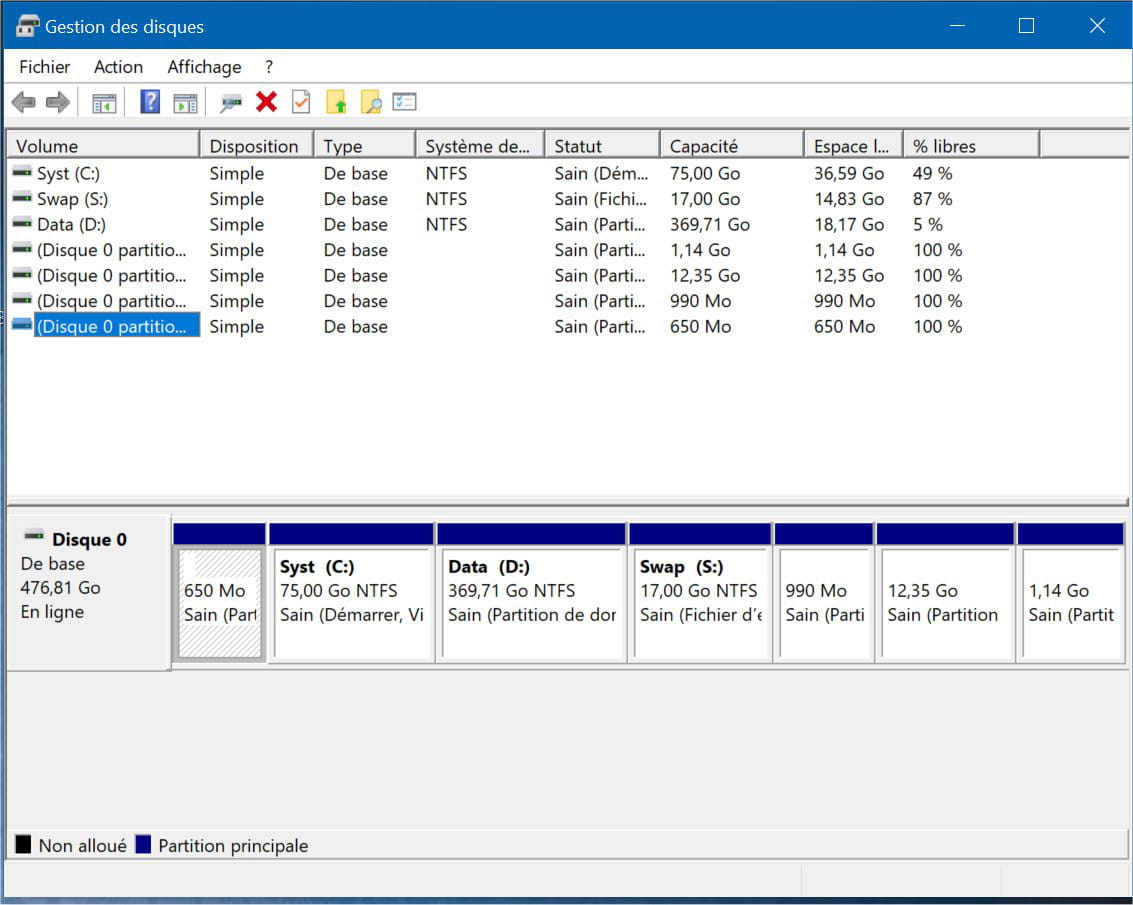
If they are partitions, free software (including the Windows Disk Management) only allow you to recover what is adjacent, thus it is enough to shrink D from the left and recover the free space on C from the right.
With third-party managers like Aomei Partition Assistant you can free the space of D and then, without moving, merge this free space with C.
Otherwise you have to play musical chairs step by step for the same result if there is no blocking element between the two (recovery partition): you are then forced to delete it and recreate it on the far right. -
Hello
A tool like meets the need.
Before any operation, do this:- disk cleanup (Windows tool) on the 2 partitions
- defragmentation (Windows tool) on the 2 partitions
This will increase free space and move files to the left to leave the most free space on the right.
For reducing the size of partition D:, use Windows Disk Management, it is less permissive and will limit data loss. Not sure EaseUS guarantees that.
Disk D reduced, you just need to use Easeus to:
- move D: all the way to the right
- move any partition located between C: and D: all the way to the right
- extend C:
Stay posted!
The MAMAA don't have oil but they have data!
Can you feel my Big Data?
Sacrifice a few freedoms for more security and you lose THEM ALL.
ALL YOUR DATABASE ARE BELONG TO US -
Contributor
Hello
To free up space on drive " C ", move to drive " D" the user folders (Documents, Videos, Music, Downloads and Pictures)
here is the procedure:
or the :
Start by creating on drive " D " the new folders ( Documents, Videos, Music, Downloads and Pictures ), it will be easier.
If my answer helped you, click the Thank you button.
Mark as solved if your problem is resolved. -
Hello,
Thank you for your response. The Documents, Photos, ... folders are already on the D drive. My goal is to reduce the D partition, which is 15% full, and enlarge the C partition, which appears as 'red' in File Explorer.
Thank you
-
Moderator
Hello,
You should give us a screenshot of the disk management to analyze your exact situation, for example: