
OCCT, WHEA errors

TheLiongate Posted messages 53 Status Member -
Hello,
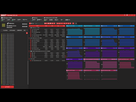
While running tests with OCCT today, I noticed there were numerous WHEA errors:
-RAM Test 3 min:
-CPU Test 3 min:
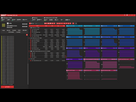
While browsing various computer help forums, I read that these errors could be related to the XMP profile when it is enabled.
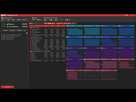
So I disabled the XMP profile in the BIOS and ran OCCT tests again:
-RAM Test 5 min:
-CPU Test 3 min:
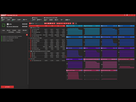
In these last two tests, no errors were detected.
I restarted the PC, went into the BIOS, re-enabled the XMP profile and ran tests again and guess what.... WHEA errors everywhere again.
So it clearly comes from enabling the XMP profile.
At the same time, I had noticed since nearly the beginning that I built this PC errors of the same type in the Event Viewer:
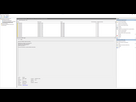
I had already asked this question on this forum regarding these warnings and was advised not to pay too much attention to them.
Could it be possible that the RAM is suffering from compatibility issues with the processor?
Is there a procedure to follow in the BIOS regarding the processor to stop these errors?
I specify that I have not noticed any particular instability to date, no crashes in games, nor Windows crashes at startup, nor BSODs etc etc...
I have not overclocked the processor, I have only undervolted the graphics card.
My config:
-Ryzen 7 5700X
-Gygabyte B550 Aorus Elite AX V2
-Gygabyte RTX 3080 Gaming OC 10G
-RAM Corsair Vengeance LPX 32Gb
-Be quiet 850W Gold+ ATX Power Supply
-Noctua NH-U12S Cooler
Thank you in advance for your responses.
2 answers
-
Hello,
You have put an OC profile, how many XMP profiles do you have in the BIOS?
Generally, if there’s a misconfiguration, what type of WHEA error do you get?
I can’t enlarge or see the captures.
And lower the RAM frequency in the BIOS between the XMP profile and the base and retest.
-
Hello,
I only have one activated XMP profile.
I don't know what an OC profile is.
Here are the screenshots:
-RAM test with XMP profile activated

-RAM test without XMP profile activated:

-CPU test with XMP profile activated:

-CPU test without XMP profile activated:

-The warning messages in the event viewer:

The RAM is running at the correct frequency, which is 3200Mhz:

So should I lower this RAM to about 3100Mhz if I'm following your reasoning?

