
Steam is minimized to the taskbar.
sanraku Posted messages 5 Status Member -
Hello
When I launch Steam, it goes to the taskbar and I can't open it in windowed mode on the screen. I've uninstalled and reinstalled, but nothing works, ALT + TAB doesn't either. I have Windows 11 Home 22H2.
2 answers
-
Hello,
Right-click on the Steam icon in the taskbar to Detach
Normally after doing this (if Steam is running)
You should see the icon in the notification area at the bottom right of Windows near the clock
After that, right-click on the icon to Exit/Close Steam
Then reopen Steam; and normally by minimizing you will be able to use Alt+Tab
There is also this solution > open the Task Manager
in the Processes tab, right-click and then Restart for Windows Explorer
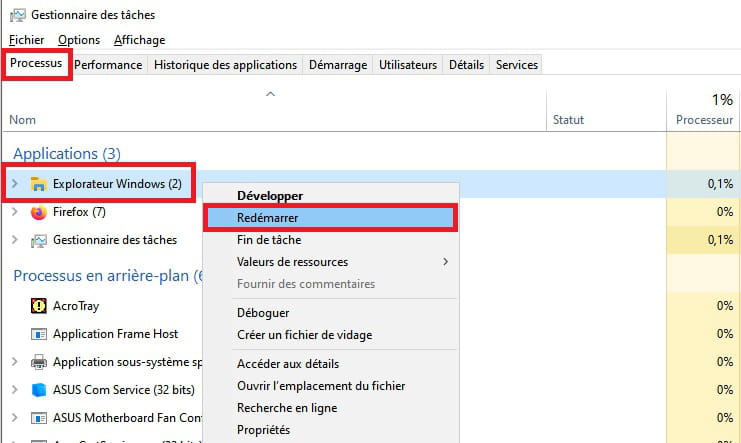
...
There you go, give it a try-
No, it still doesn't work, I haven't pinned it to the taskbar; it automatically appears on startup in the taskbar, and even if I left-click to open it, it doesn't work.
ok....
How does your Steam open then? ; I feel like it doesn't open at all anymore...
You must have changed something in the settings > interface
If you have access, change Preferred Window in the library.
Maybe you also changed the skin, and you're in metro mode instead of default
Here’s a picture preview.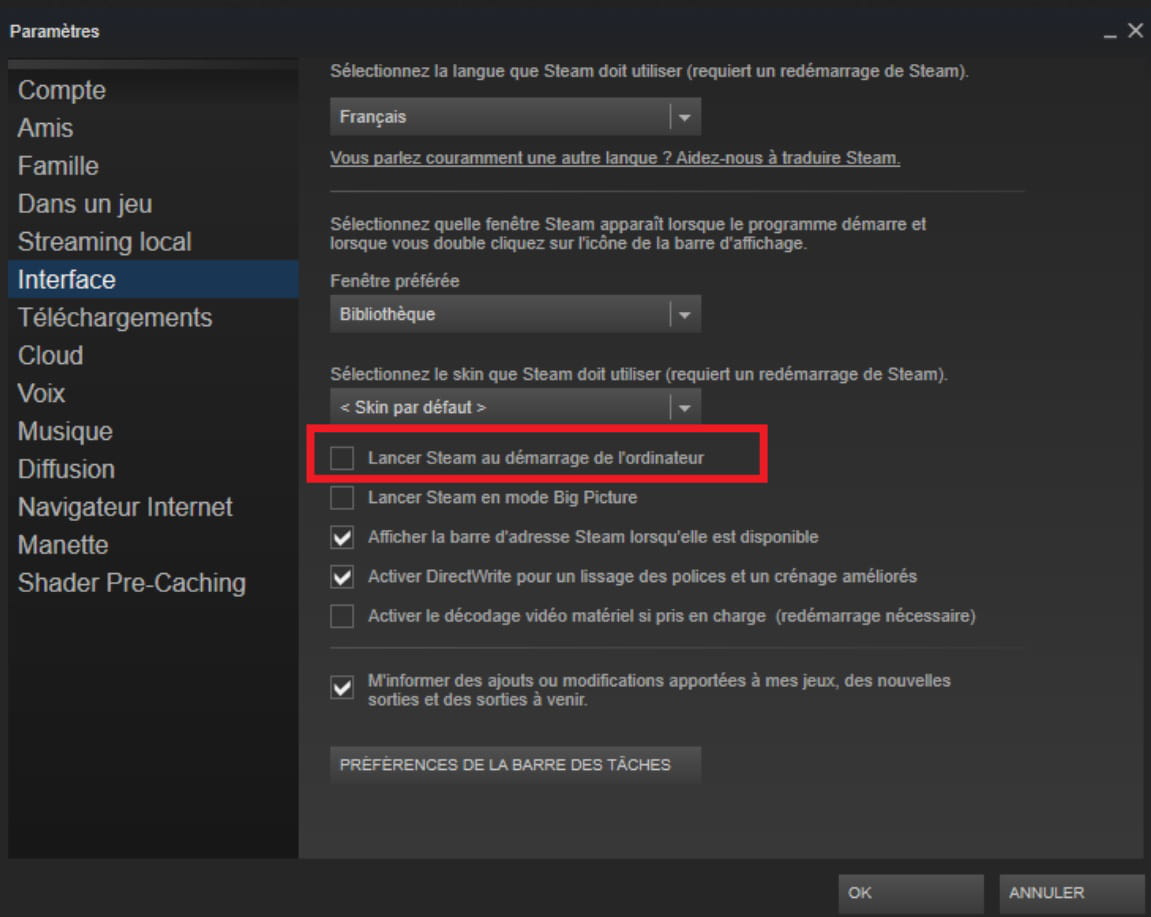
-
-
Hello,
Ultimate solution: Completely uninstall Steam with Revo Uninstaller
https://www.revouninstaller.com/fr/revo-uninstaller-free-download/
Then do a new installation.
Be sure to have your Steam credentials so you can re-download your games and retrieve your saves.
This will obviously take quite a while!
What is well conceived is clearly expressed,
And the words to say it come easily.
(Boileau)

