
Previous
- 1
- 2
-
pistouri Posted messages 19008 Registration date Status Contributor Last intervention Ambassadeur 8 723
Bad news for me.
Without doing anything, Widgets is displaying a black windowed screen again.
I restarted Windows Explorer without success. (Not the PC).
See you later
--
pistouri -
we don't understand anything anymore????
we'll have to wait for a fix, we're probably not the only ones in this situation.
@+ -
thank you pistouri, I'm keeping my fingers crossed
is it working ????
see you later
thanks again
bibou -
pistouri Posted messages 19008 Registration date Status Contributor Last intervention Ambassadeur 8 723
We can indeed cross our fingers while waiting for a fix in the Microsoft Store.
This is what I don't understand:
How are Windows 11 widgets broken?

The issue was an update to the "Windows Web Experience Pack" that arrived today via the Microsoft Store. These updates are often installed automatically on our devices, which is almost never a problem (though this time it obviously is).
It's the word automatically.
So why do we sometimes have to do certain updates manually in the Microsoft Store?
But in the end, it's better that they are automatic because all these Store applications are from Microsoft and it saves us an extra hassle.
But when the update fails, it becomes burdensome.
Most of the time it's only for a short duration.
The Microsoft team (USA) needs to be attentive and ready to react to not penalize users for a temporary bug, which they do each time.
Let's remember that W11 is barely 6 months old.
@+
--
pistouri -
pistouri Posted messages 19008 Registration date Status Contributor Last intervention Ambassadeur 8 723
Hello and happy Sunday,
It seems that as of today the W11 Widgets issue is resolved.
Automatic update from the Microsoft Store.
In summary
Access the Store and make sure the Web Experience Pack is updated.
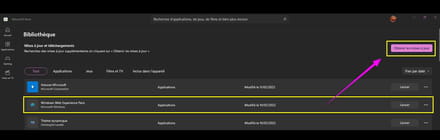
Web Experience Pack
If you try to open the Web Experience Pack and it doesn't open (in my case, I don’t really know why, but I have my idea, anyway Widgets 11 works).
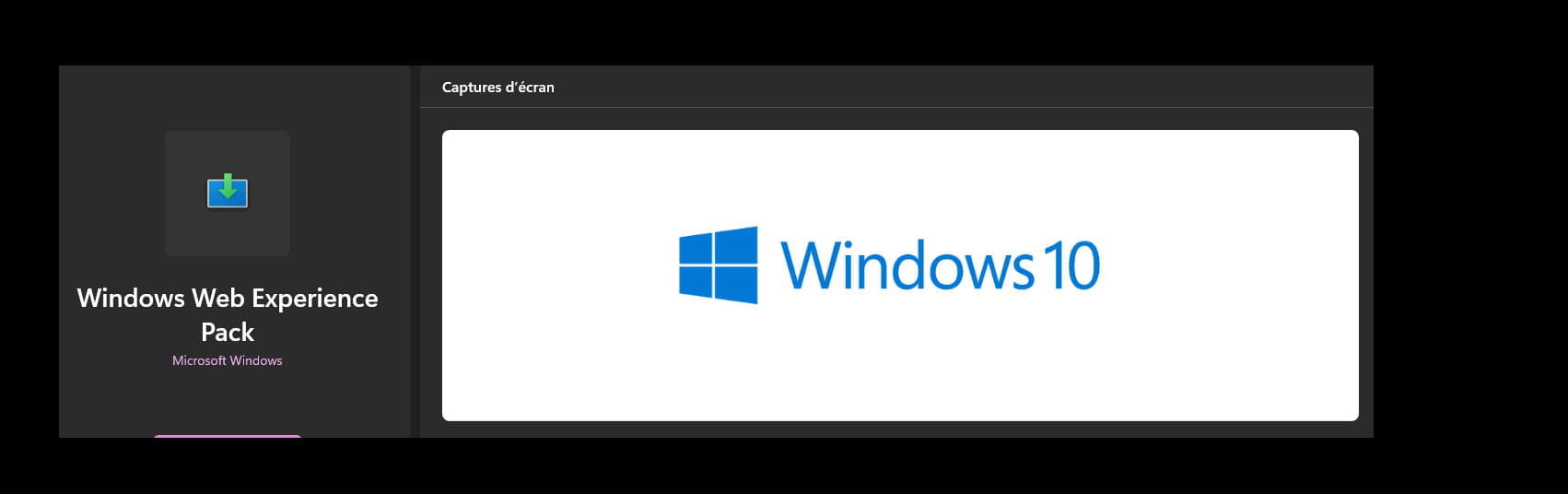
Moreover, in the Microsoft Store the description ''Web Experience Pack'' is labeled W10 which is not true or the case on W11.

A bug evidently (Don't take it into account and it’s not the only one).
--------------------------------
This morning, I was caught off guard by my brother who has W11.
His story is that he had no Internet and no landline phone even though the ringer was working (no incoming and outgoing calls).
He told me he had cleaned up so I thought it might be a cable connection issue, but he checked everything even though he doesn't know much about it.
Anyway, I went over early and found, despite everything, the green light on his SFR box (The V7 box which I don’t know as I’m with FREE).
It wasn’t the cable connections, and on top of that he made a mess panicking (I understand the brother).
He activated the wired network while his PC is on Wifi 7; he has both possibilities just like me).
I had to reactivate the Wifi card in the device manager (wireless). (And not just that)
But no box in sight, his box, after restarting the PC.
It was spinning in my head and I eventually found it. (It's his cleaning story, of course he messed up).
I had also checked everything and the box lights were green.
The culprit is the Wifi button on his SFR V7 box.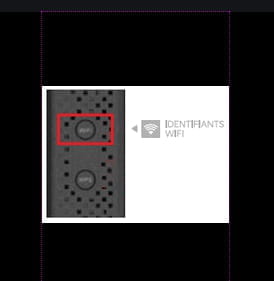
Not easy to figure out (Even in broad daylight).
Everything is black on this SFR V7 Box.
Barely visible if off or disabled (You have to know that, and I didn’t see it because there are 2 buttons above the box on a black background, the other button is the WPS).
I finally saw it, but not just that… What...?
Once activated (in 10 seconds) the Internet came back on his PC, but I had to select his box from the available networks.
And to think that he had the problem for 3 days, and of course unreachable by phone.
This also impacted my nephew (a student and no Internet for 3 days).
It was my parents who told him to contact me since they hadn't heard from him and without news you start to wonder, even if my brother is bad with computers he had the good idea to activate mobile data with his smartphone, which was done from another phone. (I would have done the same).
That was after some insisting…
See, when you worry...
He should have told me beforehand, the brother (but he missed not being on the Internet, accounts, sites...).
I'm not the miracle solution, but I have some computer knowledge.
----------------------------------------------------------------------------
The next step is Widgets (W11 on his PC).
Given that an update was available in Windows Update, updates were waiting to be installed. (a slight update delay) because I take care of my brother's PC.
The internet connection was established, I had a fear about that, but it was indeed the Wifi button on the Box.
In the meantime, I checked and clicked on the Widgets 11 icon.
Widgets 11 works.
I didn’t have time to check in the Microsoft Store.
Which means that Microsoft has fixed it via an automatic update of the ''Web Experience Pack''
It is not the Windows Update but indeed the Microsoft Store update.
For my part, Widgets W11 is operational, and even though an old version of ''Web Experience Pack'' had worked around the issue.
If you could mention on the CCM forum that Widgets 11 seems operational.
The same question for Pierrot.
@ Happy Sunday.
-
-
Pierrot, while handing over the latest version of the 'Web Experience Pack'.
It seems to be working (it worked for me, and I even updated the Microsoft Store, I don't have any updates at this time, neither does my brother with W11).
Have you tried? (Insist again)...
I already know that the Weather icon will be present on the W11 taskbar soon and that Widgets will also be available. That's a bit less clear, a two-in-one, I don't understand why it can't be simpler on Microsoft's side.
@+ -
-
No problem!
What's weird is that now I can't update the Web Experience Pack to the latest version in the Microsoft Store.
Nothing happens and I remain on the old version. -
It ==►#24 → MicrosoftWindows.Client.WebExperience
Try it, it takes 2 minutes.
No need to restart the PC.
Then click on the Widgets icon (wait 5 to 10 seconds before clicking on the circle/Widgets).
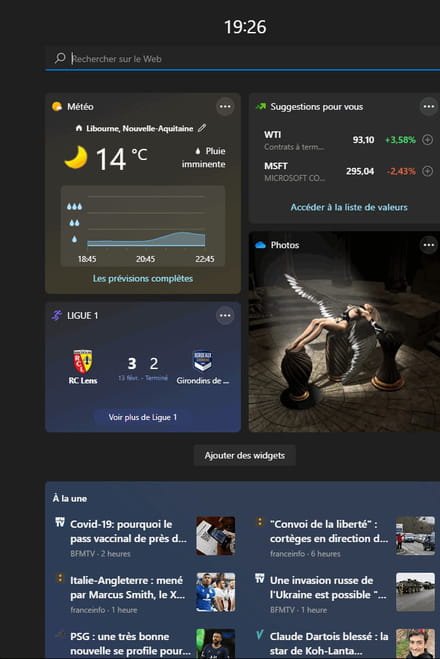
...
-
-
Good evening everyone
Everything is working well for me with the pistouri solution...
Just since this morning, the widget icon in the center has transformed into a weather cloud and has been positioned at the bottom left of the screen...
Everything is working perfectly, still no updates available... strange but oh well.
Thanks again and see you later. -
pistouri Posted messages 19008 Registration date Status Contributor Last intervention Ambassadeur 8 723
Hi Bilou,
Thanks for this feedback (clarifications).
It's normal, well, it's not made normal, at first glance.
And that's not all.
Causes UPDATE.
Because it's the Insider program that gets priority for this.
So maybe you are in that case.
Me and "Pierrot", none of that.
since this morning, the widget icon in the center has turned into a weather cloud
That looks like the ''Insiders'' program.- Me, I don't have any of that.
W11 is up to date.
That's why I'm asking you.
Insider or not Insider?
Let me know if you know.
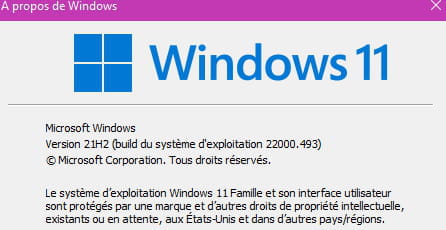
With Winver (Keyboard shortcut Windows + R, type '' winver'', you can see your version of W11
Feel free to post a screenshot.
==→ Insert an image in a CCM discussion
See you later.
-
Good evening everyone
Yes, for me it's an incompatible insider processor for Windows 11.
Everything is working perfectly now
@see you later -
Good evening
Yes, I'm not expressing myself well: when I did the compatibility test for my PC, the processor was too old...
I saw online that Windows 11 could be installed using the Insider program...
If it hadn't worked, I could have reverted back, so I gave it a try.
Aside from the widget problem, everything was working fine.
With your help, everything is resolved..
See you later-
Hum,
I myself chose a similar path.
Not Insider.
I followed this tutorial
Because sooner or later Microsoft plans to make the TMP chip mandatory.
This means that updates will be more or less blocked.
It's worrying.
And not just that.
For your Insider program, you could receive a notification that updates are no longer possible.
It all depends on the channel you've chosen.
I did too, except I did a clean install of W11.
Anyway, to get around this, a script is suggested - Bypass TMP updates.
A bit early to talk about it.
Me too or anyone who bypassed the W11 update (Processor was my case, maybe yours too, and W11 runs well despite some bugs).
I have the script in hand (prehistoric version, well not that much, a .reg or .bat).
A modification in the Windows registry to summarize, script included.
And others will certainly come out, no doubt.
So in the meantime, quite a few questions will be asked on the Forums, CCM among others.
I took a little initiative, but there will certainly be better to do.
The info:
=►Windows 11 will soon remind you if your PC does not meet the requirements
For those who can understand.
Quite a few questions like in my case if that damn chip comes into play for good.
For a clean install, no worries for the moment apparently.
The question to ask:
What is Microsoft's real purpose for this chip?
Answer:
Buy W11 (with that damn chip, commercial purpose, you get it).
Question:
Will Microsoft reconsider?
????
Will it be enough?
Another chip that will keep annoying us :-))
winver to remember its W11 version
Same on W10.
Windows 11 on February 14, 2022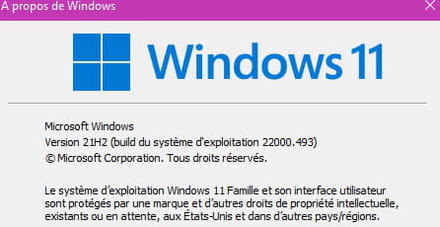
To be continued…
Happy Valentine's Day.
....- Bibou,
the insider said:I know in advance that the Weather icon will be present on the W11 taskbar soon
I was right. --→ #31
Bibou with the Insider program you got ahead of things.
Don't worry, the stable W11 version will set things straight. (it's planned as I said)
So everything comes to those who wait.
Me, I’m a bit worried about your Insider program.
It’s good if you’ve managed to work around your processor issue, but will it last over time?
Because of that damn chip.
Keep an eye on your notifications (Windows Update).
... - Erratum.
This was the message #26
You have to realize that at some point Microsoft will put the weather icon back on the taskbar.
I don't know what will happen to Widgets.
... - Bibou,
A little detail is bothering me.
Do you plan to stay with an Insider version?
Double-edged question.
You know that Microsoft is pushing hard on security.
Hence this damn TMP chip.
In one sense, we know that with the Insider program we can upgrade to W11.
That was at the beginning of W11's release.
Then that evolved.
There were restrictions on the Insider program.
Refusals for updates and even rollbacks to W10 (downgrade).
I can’t say more because I don't use Insider programs.
@+ - A detail escaped me,
@Pierrot
What's strange is that now I can't update the Web Experience Pack to the latest version in the Microsoft store.
I can't launch it, and I can't be the only one.
I'm also wondering if we can open it since it's a Microsoft application
This is what they call APPPX or something like that. (a Bundle)
We should do some internet research, I haven't done it, but as far as I remember, it's something like that.
Anyway, Widgets W11 work.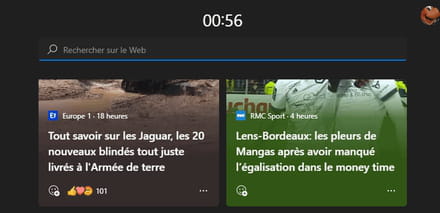
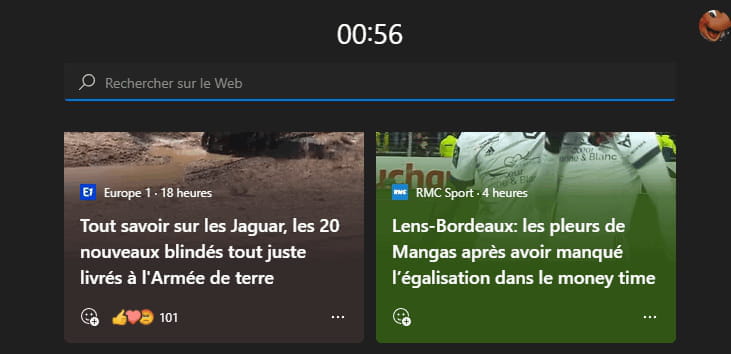
Damn, I have a heavy heart for my Bordeaux/Girondins in one of the news headlines.
Anyway, I don't care, but I do.
@+
-
-
pistouri Posted messages 19008 Registration date Status Contributor Last intervention Ambassadeur 8 723
Erratum
It's the chip TMP and not TPM.
I made a mistake, mixed up the words, sorry.
@+
--
pistouri -
pistouri Posted messages 19008 Registration date Status Contributor Last intervention Ambassadeur 8 723
Hello everyone,
Since last night, a W11 update is available (I am currently doing it).
It's the KB5010414
Since the Widget problem seems to be fixed, but not only that, the weather icon would only be present on the taskbar if the taskbar is centered.
I can't wait to see it, as I use Explorer Patcher to fine-tune the W11 taskbar.
Maybe there will be comments to make about this.
Debate open.
New! Add weather content to the left side of the taskbar if the taskbar is center-aligned. When you hover over the weather, the Widgets panel appears on the left side of the screen and disappears when you stop hovering over the area.
Bibou already had it since he is with Windows Insider, ahead of the stable W11 version.
See you later!
-
Hello pistouri,
The latest update fixes the Widget issue in a bit of a strange way.
The widget icon has disappeared and is replaced by a weather icon.
Here's where it gets weird: the Weather icon brings up the Widgets panel!
There's still an organizational issue.
At least it works, and that might be the main thing!
-
-
pistouri Posted messages 19008 Registration date Status Contributor Last intervention Ambassadeur 8 723
Hi Pierrot,
It was announced as I said for the weather icon on the taskbar, a bit like a step back to W10.
We'll have to get used to it.
The main thing is that Widgets 11 is operational.
In the Windows 11 Insider version, changes are being prepared for Windows 11.
But we need to be cautious about these announcements.We don't know when these new features will be offered in beta, then in stable version. Let's remember that the features proposed in the Dev channel can be abandoned by Microsoft and may never see the light of day in Windows 11 for the general public.
- Folders in the Start menu
- Do not disturb and focus mode
- Better multitasking management
- New task manager
- New touch gestures
Other new features in brief:- Better management of files and folders in the quick access of the explorer
- New default sleep settings
- Drag and drop between applications is finally managed through the taskbar
- Improvement of the management of 120 Hz and HDR screens (which is my case)
- Addition of the OneDrive sync status in the file explorer
Source 1 and Source 2
@+
--
pistouri -
With the operating system build 22000.527, it seems that everything has returned to normal.
-
pistouri Posted messages 19008 Registration date Status Contributor Last intervention Ambassadeur 8 723
Hello fleurbleue,
Indeed, with the KB5010414 (OS Build 22000.527) this in the preview version and the stable version
With the new feature:
New! Adds weather content on the left side of the taskbar if the taskbar is centered. When you hover over the weather, the Widgets panel appears on the left side of the screen and disappears when you stop hovering over the area.
What was said in #54
In reality, it’s the Windows Web Experience Pack update that fixed the problem.
Have a great weekend.
--
pistouri








Previous
- 1
- 2