
Transparent Window Widgets for Windows 11
bibou12903001
Posted messages
11
Status
Member
-
pistouri Posted messages 19010 Registration date Status Contributor Last intervention -
pistouri Posted messages 19010 Registration date Status Contributor Last intervention -
Hello,
the Windows 11 widgets are not displaying ..
I followed all the instructions to fix the problem, but nothing works ..
I still have the large transparent window that appears on the left side of the screen ..
if someone could help me ..
thank you for your responses.
bibou12902001
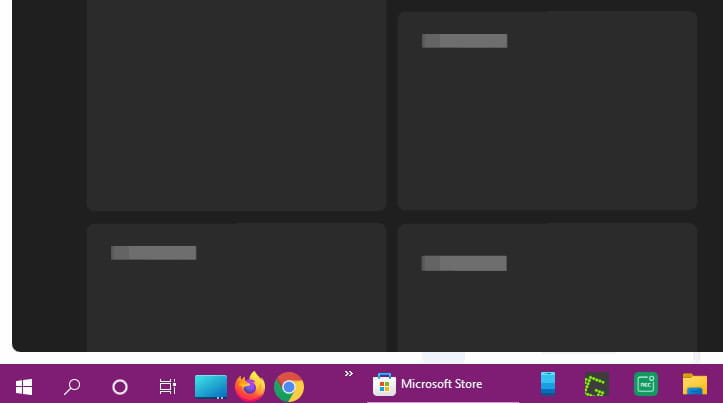
the Windows 11 widgets are not displaying ..
I followed all the instructions to fix the problem, but nothing works ..
I still have the large transparent window that appears on the left side of the screen ..
if someone could help me ..
thank you for your responses.
bibou12902001
34 answers
- 1
- 2
Next
-
pistouri Posted messages 19010 Registration date Status Contributor Last intervention Ambassador 8 732
By reverting to an older version of MicrosoftWindows.Client.WebExperience, it works.
Version _421.20050.505.0
MicrosoftWindows.Client.WebExperience_421.20050.505.0_neutral___cw5n1h2txyewy .appxbundle
Download MicrosoftWindows.Client.WebExperience 421
Link valid for 30 days.
If the link doesn't work, it's the CCM bot that doesn't want it.
In that case, download the link from this page
The download is on ''Mega'' which hosts it.
-1- Click on --► MicrosoftWindows.Client.WebExperience_421.20050.505.0_neutral___cw5n1h2txyewy
-2- And click on --►Reinstall
Duration 2 minutes.
Wait again if WIdgets displays a black window.
Click again on the Widgets icon on the taskbar.
Soon (we don't know when, Microsoft holds the cards) an update will be available in the Microsoft Store.
So, check back from time to time.
@+
-
pistouri Posted messages 19010 Registration date Status Contributor Last intervention Ambassador 8 732
White cabbage when changing the default browser (setting Microsoft Edge as default).
The process to do this is a "disaster" (a maze) compared to W10 (given that it is expected to have the same procedure as W10).
I set Firefox as the default to return to my choice.
I'm using a Microsoft account.
White cabbage when disabling my graphics card in the device manager
I therefore reactivated it.
White cabbage when restarting Windows Explorer.
White cabbage when disabling Widgets then reactivating it in the taskbar settings.
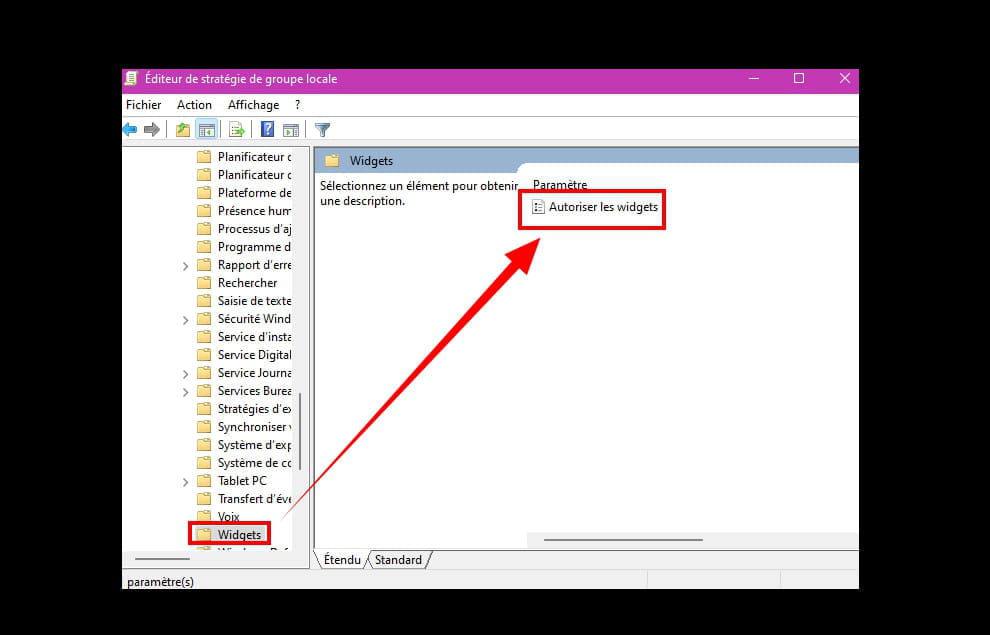
White cabbage with gpedit.msc
--► Allow Widgets
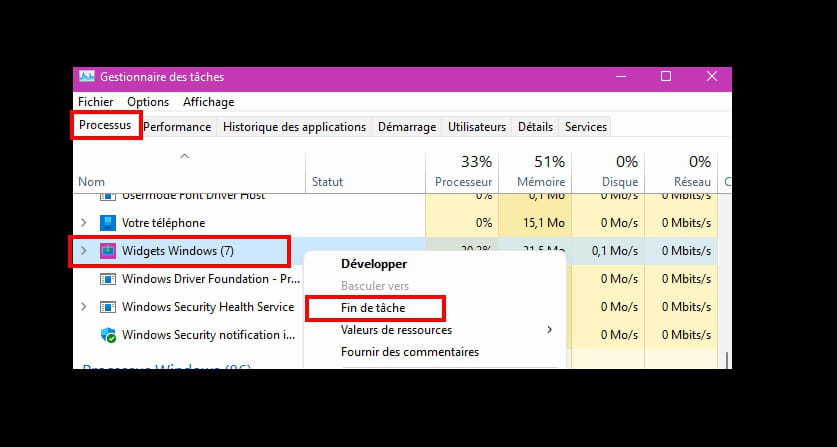
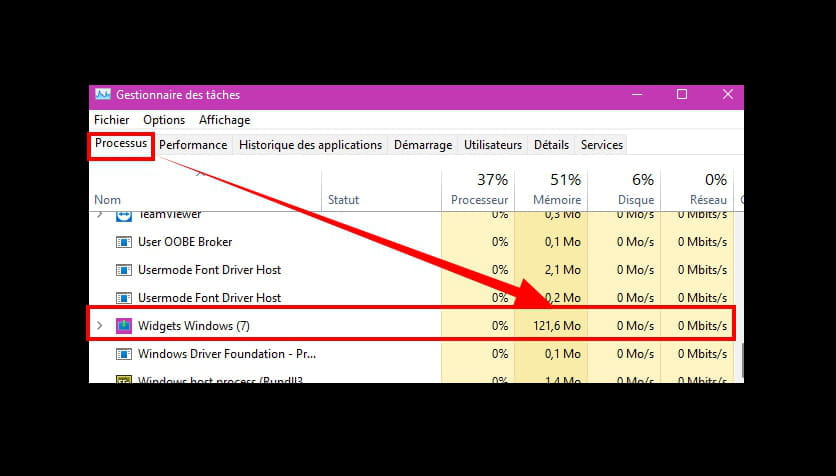
White cabbage when killing the Widgets process in the task manager.
@+
-
thank you pistouri, it works ????????
we'll see later ..
thanks again
@later
bibou. -
pistouri Posted messages 19010 Registration date Status Contributor Last intervention Ambassador 8 732
I grimaced all day over that damn Widgets.
Sometimes it works, sometimes it doesn't.
You have to remember that at some point Microsoft will put the weather icon back on the taskbar.
I don't know what will become of Widgets.
For now, since I don't like doing things halfway, the links from Widgets (like when you click on a news item or the weather) by default open with Microsoft Edge.
An application allows you to open Widgets links with your default browser.
It's MSEdgeRedirect
Save the .exe
When launched, a dialog box will ask you to set your default browser if you're not using Microsoft Edge.
And this is where everything gets complicated, as I've said, a "disaster," a maze.
Let's take an example to set Firefox as the default so that Widgets links open with it.
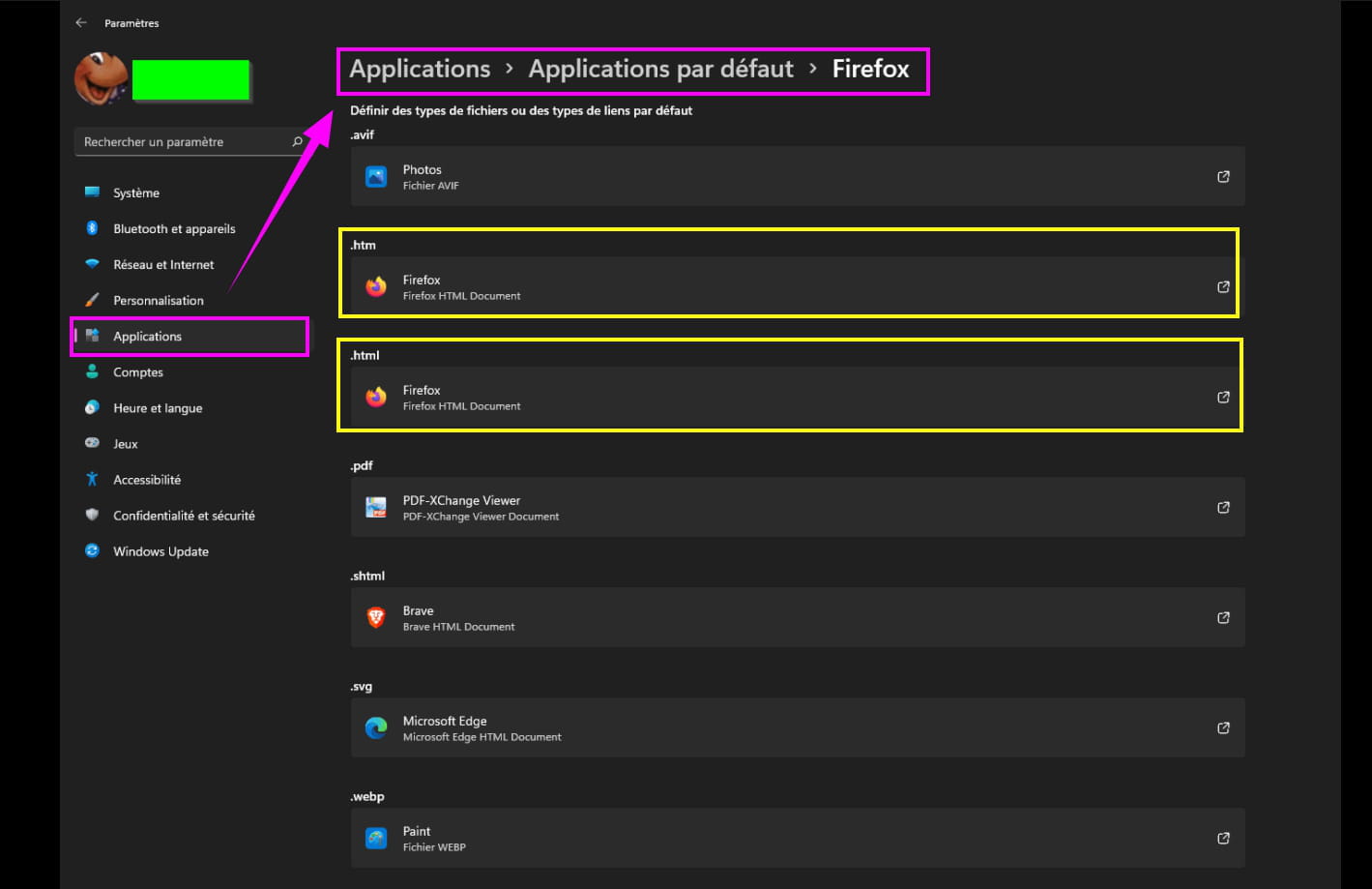
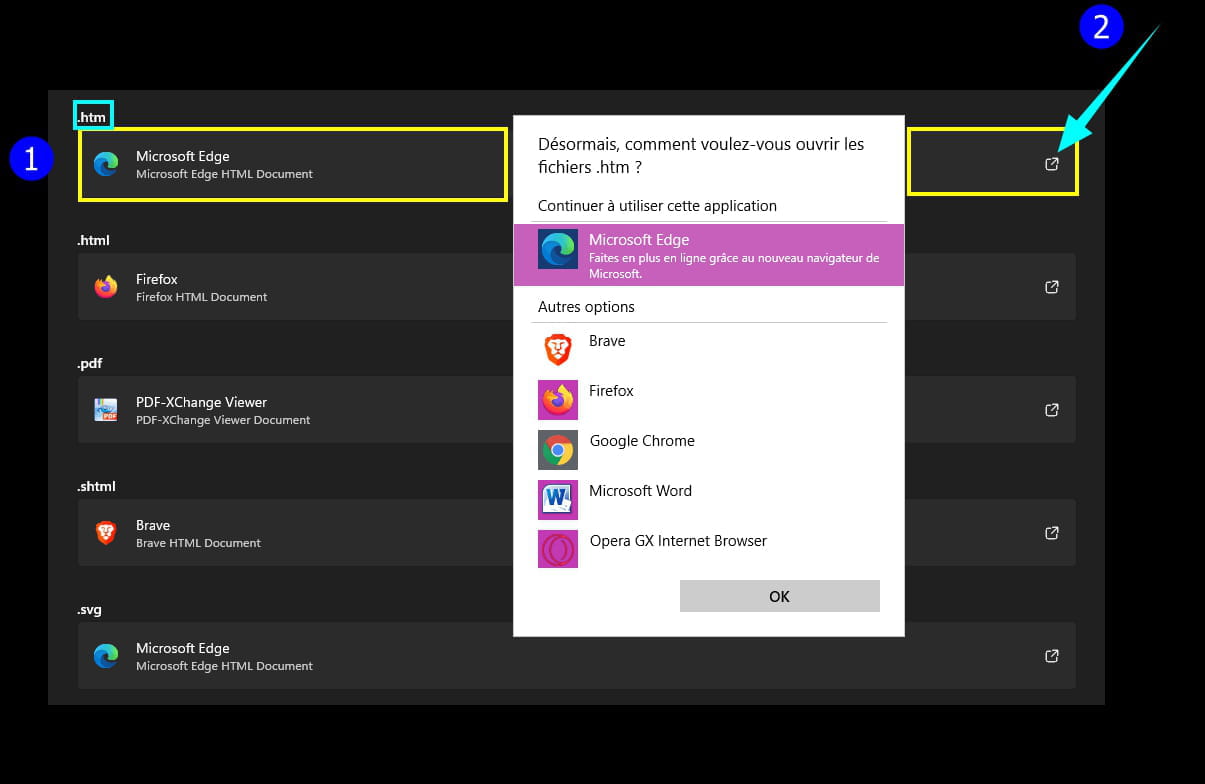
Go to Settings --► Apps --► Default apps
Scroll down the list to Firefox.
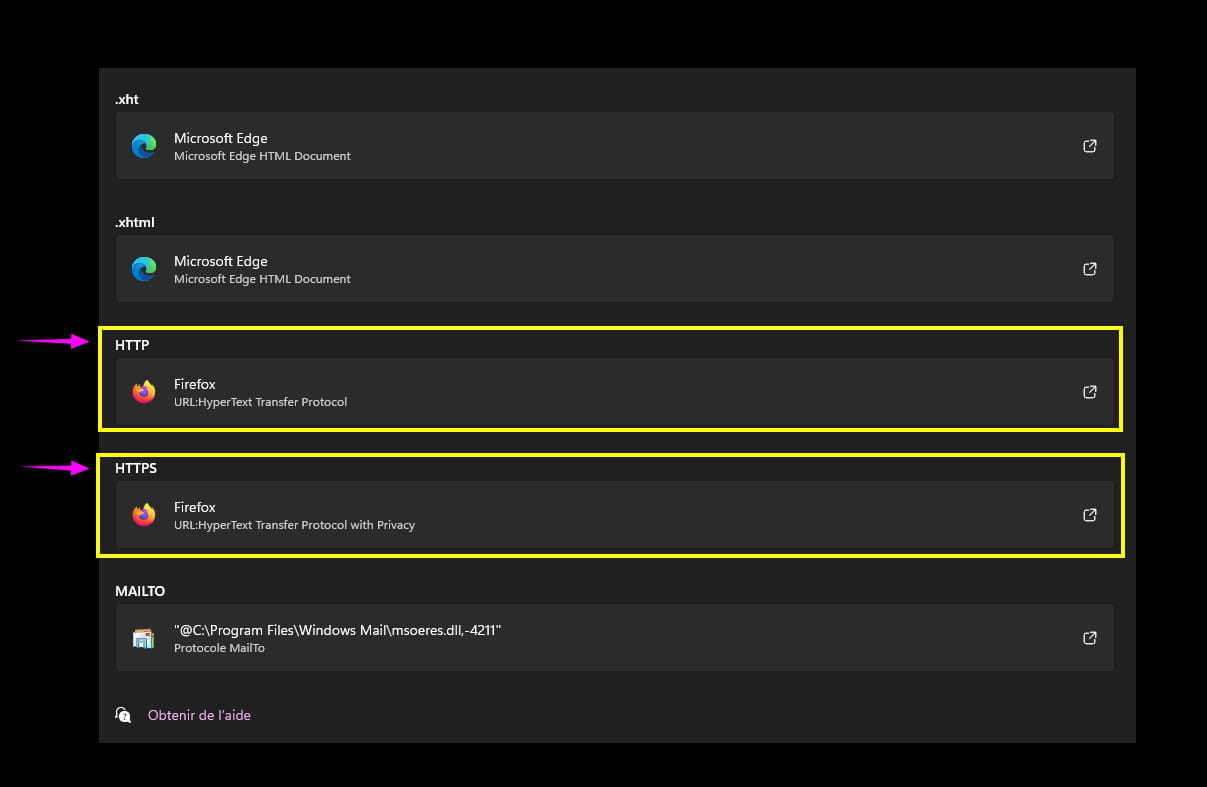
Select Firefox for:
.htm
.html
.HTTP
.HTTPS
A picture is worth a thousand words.
For example, for .html, click on the small square icon with a arrow.
Select Firefox.
Click OK.
The same for the rest:
Open Widgets.
Click, for example, on the weather.
The link correctly opens in a new tab in Firefox
@+
-
pistouri Posted messages 19010 Registration date Status Contributor Last intervention Ambassador 8 732
Hello everyone,
@ Pierrot
Hello, I solved the widget issue thanks to the advice found on the site:

https://www.ghacks.net/2021/10/08/how-to-uninstall-widgets-in-windows-11/

You actually have to uninstall and then reinstall them by following the procedure indicated on this very good site.
Good luck.
Microsoft Source.
It’s fixed on the Insider Beta versions, and it will be followed for the public versions.
Microsoft Source
@+
-
Hello,
Try this... https://answers.microsoft.com/fr-fr/windows/forum/all/widget-windows-11/33cc50d3-31c7-406d-aecf-004aefa3d433
--
ASUS ROG G752 VSK | QuadCore Intel i7 7700HQ | 32 GB-DDR4 | 2 SSD M.2 500 GB | 2 Seagate 2TB HDD | GeForce GTX 1070M 8 GB | 17.3" Screen (120 Hz) | DirectX 12 | Windows 10 (x64) -
Hello again,
I downloaded webwiev2 which gives me a whole list of files in downloads.
I don't know what to do with all these folders..
Thanks anyway. -
pistouri Posted messages 19010 Registration date Status Contributor Last intervention Ambassador 8 732
Hello,
Same for me, the Widgets are not displaying.
This is following today's update --► KB5010386

See you later
--
pistouri -
pistouri Posted messages 19010 Registration date Status Contributor Last intervention Ambassador 8 732
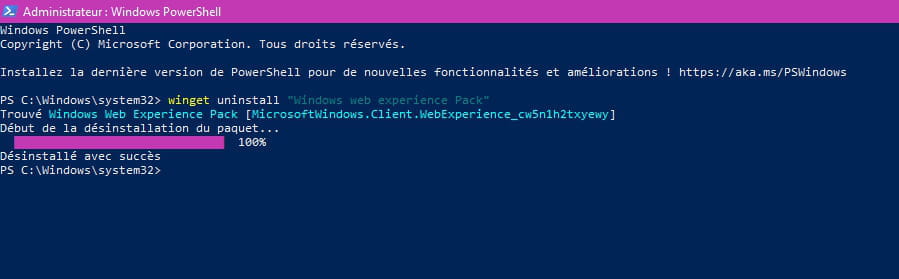
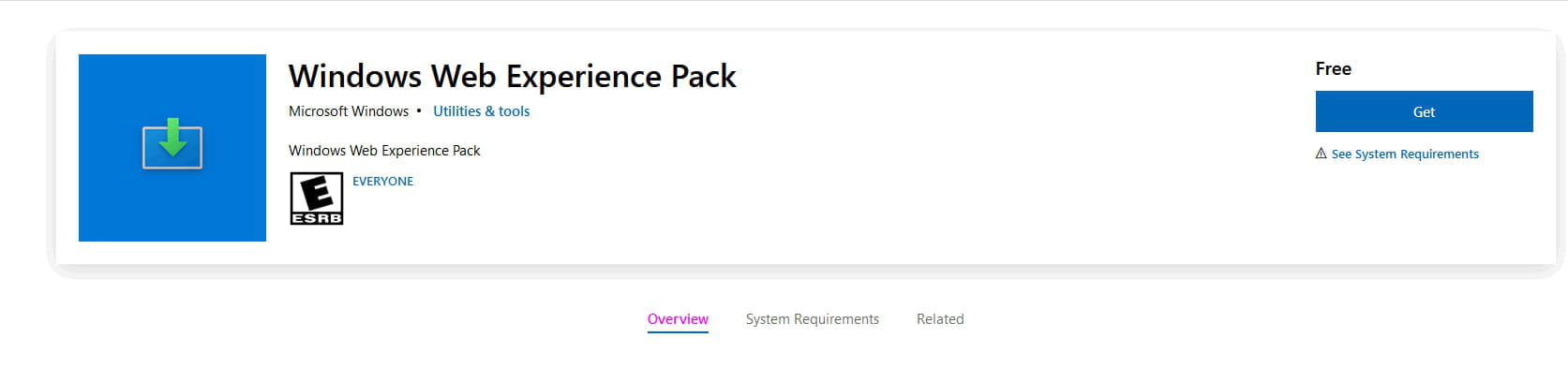
I tried to uninstall Windows Web Experience Pack
This is what opens Widgets.
Command Powershell as Administratorwinget uninstall "Windows web experience Pack"

And reinstall it from the Microsoft Store:

Without result, struck out.
@+
--
scalpel -
Hello,
And this... https://www.commentcamarche.net/informatique/windows/1693-widgets-windows-11-ajouter-et-configurer/
--
ASUS ROG G752 VSK | QuadCore Intel i7 7700HQ | 32 GB-DDR4 | 2 M.2 SSDs 500 GB | 2 Seagate 2TB HDDs | GeForce GTX 1070M 8 GB | 17.3" Screen (120 Hz) | DirectX 12 | Windows 10 (x64) -
pistouri Posted messages 19010 Registration date Status Contributor Last intervention Ambassador 8 732
Hi Panth33,
The three ellipsis do not appear (we can't configure anything ''tutorial'').
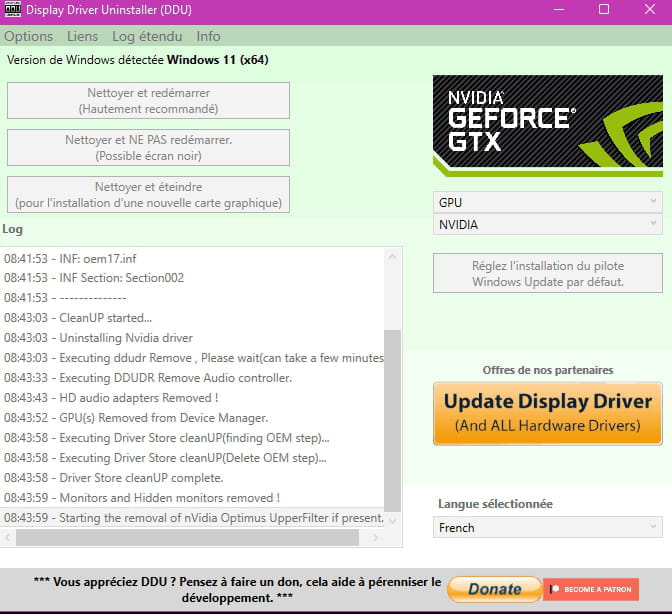
I uninstalled the driver for my graphics card installed just after the KB5010386 update
In safe mode with DDU.
I checked in the meantime if Widgets displayed the images and therefore the ellipsis.
Without success.
I reinstalled the latest version of the Nvidia driver in my case.
I updated Explorer Patcher because I thought it might be the culprit.
No luck despite restarting Windows Explorer.
I will try to uninstall KB5010386
We'll see, as Pierrot whom I greet says, that it's not certain that it's the update (I thought of that hence a lot of classic tests).
But we have to rule out the possibilities.
See you later for the result.
Knowing that the update will reinstall, and I don't want to block it if it's the culprit
@+
--
pistouri-
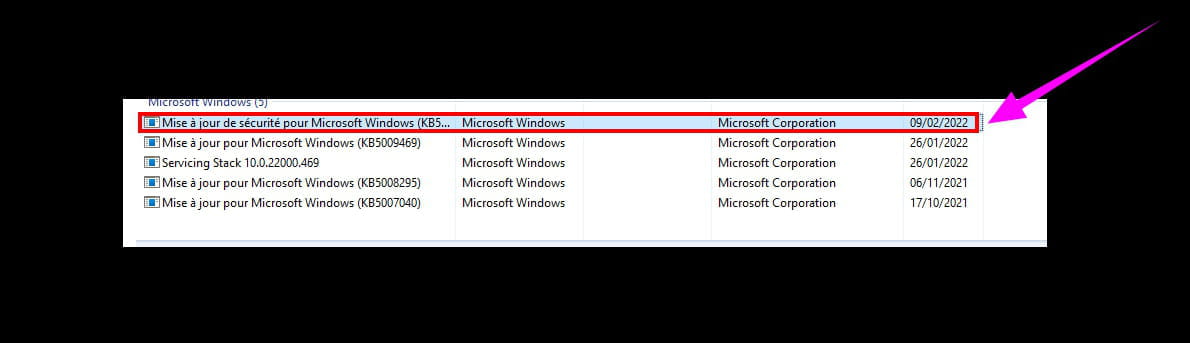
This is not the update KB5010386
Another one was installed during the uninstallation of KB5010386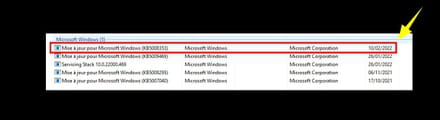
That was the update from January 25, 2022
I am reinstalling KB5010386

I am interested in message 2 --►webwiev2
One must still understand its role.
Guilty not yet identified at this time.
@+
-
-
Hi everyone and thank you for trying to help us.
I'll wait for the update that I haven't received yet..
We will get through this..
See you later.-
Hi babe,
For the latest update KB5010386
Run a Windows Update search.
Once the update has downloaded, you need to click on --►install now
To complete, a PC restart will be necessary.
It's okay if you don't have the install now message.
Even if you are behind on your updates, the latest patch includes the previous updates or only the latest components are needed.
Talk to you later!
-
-
Hello,
I too am affected by the bug: this morning, no more widgets!
The only thing I did since my last post was a restart of the computer (following a software update).
I won’t touch anything and will wait for the fix.
What one thinks clearly can be stated clearly,
And the words to express it come easily.
(Boileau) -
hi pistouri
update not available yet…
we're waiting.
@+ -
pistouri Posted messages 19010 Registration date Status Contributor Last intervention Ambassador 8 732
If W11 is up to date as of February 9, I haven't seen any information about a new update scheduled as a fix regarding the Widgets bug.
There aren't many people in other forums in the same situation, looking for a possible workaround.
It's good if an update can fix the problem.
In the meantime, Widgets are available in Microsoft Edge.
And even in the form of a floating bar.
To do this:
Click on the hamburger menu at the top right.
Additional Tools --►Launch Edge
The gear icon is used to access the Microsoft Edge settings to adjust the floating bar, whose real name is ''Edge Bar''

@+
-
pistouri Posted messages 19010 Registration date Status Contributor Last intervention Ambassador 8 732
A start of response on Widget 11 (On Reddit on 02/11/2022).
==► Widgets stuck after updating Web Exp Pack
--►The issue is resolved by uninstalling via Powershell and installing the old version. Build 22000.493. But after the update via the Win store, they got stuck again. Same problem on Office PC. Well done MS.
--►The developers are investigating this issue.
That was indeed what intrigued me --► #4
The problem is all the more complicated for reinstalling an old version.
Not for lack of trying, but I didn’t quite get it with Powershell.
To be continued.
--
pistouri -
pistouri Posted messages 19010 Registration date Status Contributor Last intervention Ambassador 8 732
Magical!!!
I don't know by what chance, but the magic has worked.
Widgets is back after shutting down and restarting the PC (between a nap to summarize).
Whether this will last over time or after another restart of the PC remains to be seen.
@ see you later
--
pistouri -
pistouri Posted messages 19010 Registration date Status Contributor Last intervention Ambassador 8 732
According to what I understood, an update of the Windows Web Experience Pack fixes the issue.
This happens in the Microsoft Store --►Get updates
But I am up to date.
I searched for updates.
And well, I have another one for Windows Web Experience Pack.
Well, I shouldn’t have done that.
Back to square one.
No luck, or let's say bad luck like the image below.
@+
--
pistouri -
pistouri Posted messages 19010 Registration date Status Contributor Last intervention Ambassador 8 732
Here it is, the continuation.
I hadn't seen in Microsoft this dialog box (probably either while trying to open Windows Web Experience Pack or while quitting the Microsoft Store).
I decided to click on --►Reinstall
And even if a previous version is already installed, I clicked on --►Reinstall
It's quick (1 minute).
To finish, click on --►Close
Widgets 11 are working again.
I’m not celebrating yet, you never know what might happen later.
--
pistouri -
pistouri Posted messages 19010 Registration date Status Contributor Last intervention Ambassador 8 732
Subject to follow on the Microsoft side ==► windows 11 widget
This update completely breaks the Widgets panel (that was my first thought).Since the last update for Windows 11 dated February 9, 2022, the same goes for the widgets! The processor is trying to open it in the background. In my opinion, a fix is needed for this. Full ventilation! So I stop the process myself every time at startup
The Windows Web Experience Pack is a package used to update all integrated web features in Windows 11 (including the Widgets panel). The problem is that this update completely breaks the Widgets panel, leaving it empty and significantly increasing the processor load due to the process trying to execute over and over again unsuccessfully.
To be continued.
--
pistouri














- 1
- 2
Next