Remove Windows 10 password when Netplwiz option is missing.
Solved
WavaX_
Posted messages
4
Status
Member
-
TD -
TD -
Hi!
I recently thought about removing the password at Windows startup, but I don't have the box that needs to be unchecked. I'm looking for another solution to remove the password at the startup of my Windows.
Thanks :)

I recently thought about removing the password at Windows startup, but I don't have the box that needs to be unchecked. I'm looking for another solution to remove the password at the startup of my Windows.
Thanks :)

2 answers
-
pistouri Posted messages 19011 Registration date Status Contributor Last intervention Ambassadeur 8 725
Hello,
1- The automatic login via the Windows + R key --► netplwiz has been removed.
This is related to the setting defined in Accounts and to the Windows Hello login.
You need to set this parameter to Disabled, the checkbox under netplwiz will be displayed again.
2- Go to Settings ► Accounts ► Sign-in options ►
Then in "Password"
Click on "Change"
Enter the old password and that's it.
If that doesn't work, enter a temporary password and once the initial setup is complete, change your login password.
3- Registry key DevicePasswordLessBuildVersion
Open the Windows registry, press Windows + R and type -►regedit
If the registry key DevicePasswordLessBuildVersion is not present:
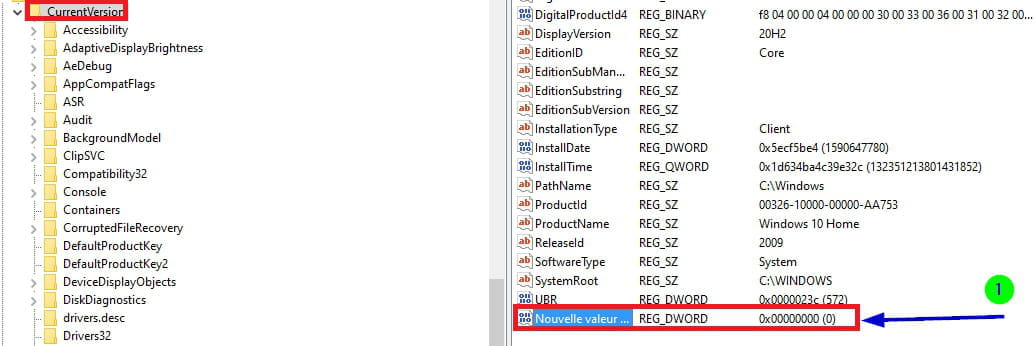
Go to -►HKEY_LOCAL_MACHINE\SOFTWARE\Microsoft\Windows NT\CurrentVersion
In the right pane, create a new value DWORD 32 bits
Note: DWORD 32 bits even with a Windows 64 bits.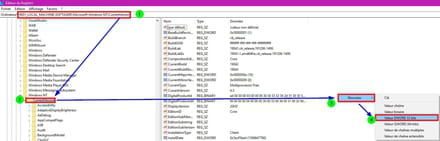
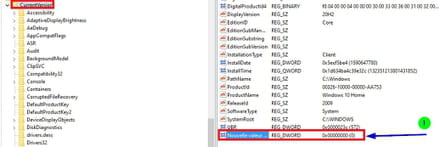
Copy and paste New value #1 -► DevicePasswordLessBuildVersion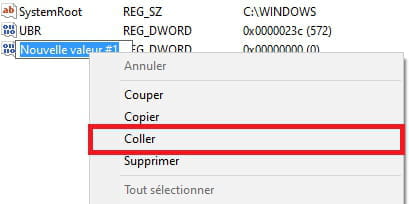
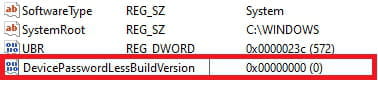
Double-click on -►DevicePasswordLessBuildVersion
In the Value data box, type -►0 [in Hexadecimal]
Then OK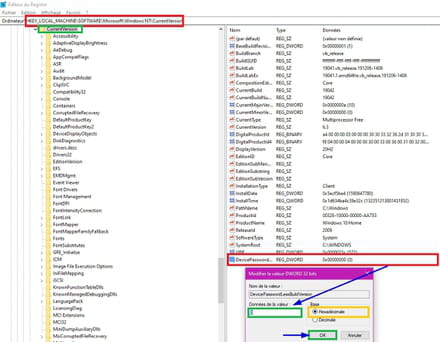
Close the Windows registry.
Restart the PC.
4- Add the registry key using CMD.
In the search box on the taskbar, type -► cmd
Right-click on -►Command Prompt [Run as Administrator]
Copy/paste:
reg ADD "HKLM\SOFTWARE\Microsoft\Windows NT\CurrentVersion\PasswordLess\Device" /v DevicePasswordLessBuildVersion /t REG_DWORD /d 0 /f
Then press Enter.
Close the Command Prompt window.
Restart the PC.
This will bring back the missing checkbox in Windows 10.
See you later
--
pistouri