Change the name of a HID controller

Spiro1977
Posted messages
6
Status
Member
-
Spiro1977 Posted messages 6 Status Member -
Spiro1977 Posted messages 6 Status Member -
Hello,
I would like to see with you what might be possible to do. So I have 4 game controllers that have the same name.
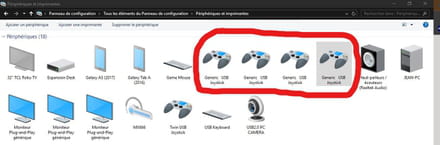
I would like each one to have a different name. So I've already identified the registry ID.
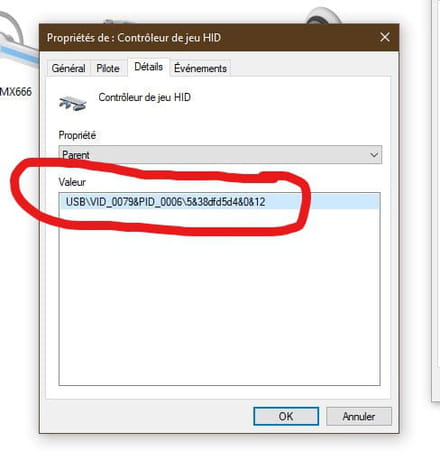
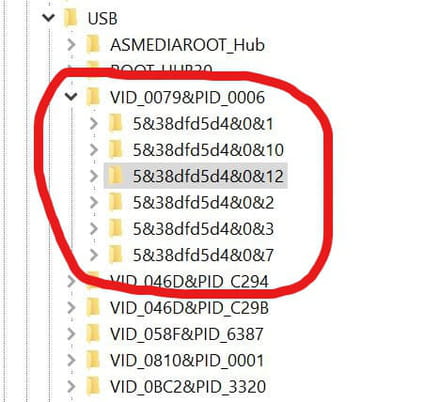
I also found where these controllers are located in the registry.
I have already managed to change the name with this technique https://github.com/MHeironimus/ArduinoJoystickLibrary/issues/14
but it renames them all to the same name so in-game I end up with 4 controllers with the name ''Button Box 01'' lol
But now that I can identify each controller in the registry, there should be a way to modify the name from one of those command lines.
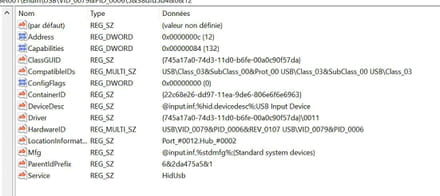
I am not very knowledgeable about modifying this kind of thing. So I would like to know if one of you could help me identify which line to modify and what to change. Or maybe even create a new value, I'm not sure.
Thank you for taking the time to read my message, and I hope one of you will be able to help me.
Best regards
Jean
Configuration: Windows / Edge 84.0.522.59
I would like to see with you what might be possible to do. So I have 4 game controllers that have the same name.
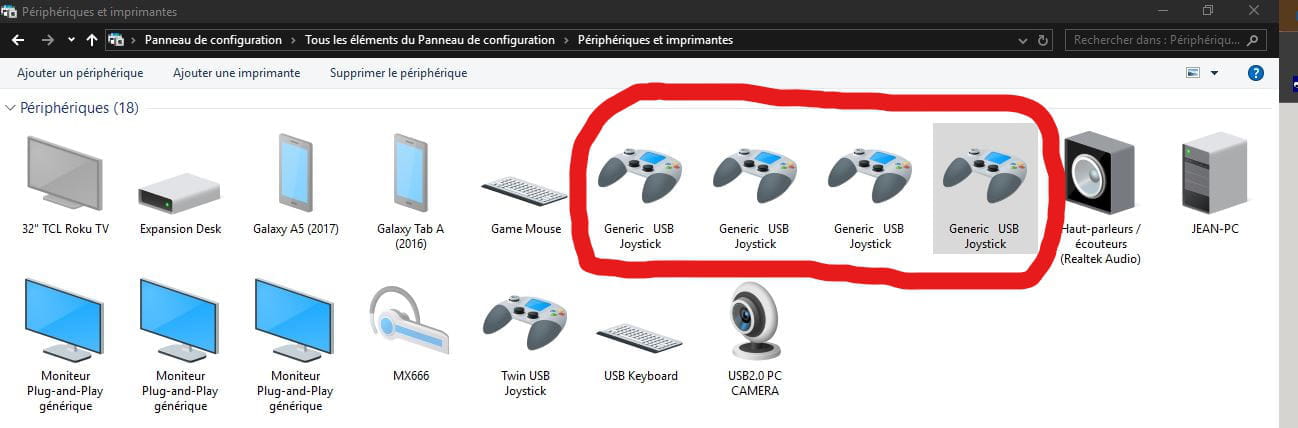
I would like each one to have a different name. So I've already identified the registry ID.

I also found where these controllers are located in the registry.

I have already managed to change the name with this technique https://github.com/MHeironimus/ArduinoJoystickLibrary/issues/14
but it renames them all to the same name so in-game I end up with 4 controllers with the name ''Button Box 01'' lol
But now that I can identify each controller in the registry, there should be a way to modify the name from one of those command lines.

I am not very knowledgeable about modifying this kind of thing. So I would like to know if one of you could help me identify which line to modify and what to change. Or maybe even create a new value, I'm not sure.
Thank you for taking the time to read my message, and I hope one of you will be able to help me.
Best regards
Jean
Configuration: Windows / Edge 84.0.522.59
4 answers
-
There is a nice lead in the comments of the GitHub topic you posted.
"Here's an article about Vendor Ids for open source projects: https://www.oshwa.org/2013/11/19/new-faq-on-usb-vendor-id-and-product-id/
And here is a site that gives away pids for open source projects: https://pid.codes/
Anyway, I just found a hack to solve this issue WITHOUT having to recompile the boot loader (which is what most people say you need to do)"
Note: The boards.txt can be found in the Arduino installation folder, for instance:
C:\Program Files (x86)\Arduino\hardware\arduino\avr\boards.txt
"In the boards.txt change the usb_product and the vendor / product id.
e.G.:
leonardo.build.vid=0x9999
leonardo.build.pid=0x9999
leonardo.build.usb_product="My Awesome Controller Leonardo"
If your device is the first device connected to this computer with that vid/pid combination, it will be displayed with your usb_product name. (vid, pid, and product name are cached in the registry, so if the product that uses this vid/pid legally will later be connected to the same computer, it will also show your name.)
Note: If you use an id that is already used by another device, Windows might try to install the wrong driver.
It only shows "Arduino Leonardo" in the Game Controller Window because you had an Arduino Leonardo connected to your computer before. On fresh installs, it would work without the vid/pid change, but it will show every Leonardo with your name then."
Otherwise, sorry, it's not the kind of manipulation I've had to do. I also play on PC, mainly with keyboard/mouse but also with (only) 2 controllers, an official XBOX One and a Nacon (Xbox 360 clone):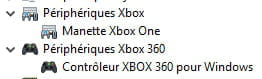
The GAFAM don't have oil but they have data!
Can you feel my Big Data?
Sacrifice your freedoms for a little more security and you lose them ALL.
ALL YOUR DATABASE ARE BELONG TO US. -
After digging on my side into my Regedit...
The problem is that the controller is named by its parent.
So a XBOX One controller will always carry the same name as another XBOX One controller since they are both XBOX One controllers ^^
There is no naming by controller, but rather by type of controller.
Having 4 controllers of the same type, I can't find solutions at my humble level.
The GAFAM don't have oil, but they have data!
Can you feel my Big Data?
Sacrifice your freedoms for a bit more security and you lose them ALL.
ALL YOUR DATABASE ARE BELONG TO US -
A solution would be to create a custom type of controller for each of your controllers, and thus add one of your controllers for each type.
Lots of manipulations to do in the registry, a proper hair-pulling to be expected but in my opinion, it's the only way.
--
The GAFAM don't have oil but they have data!
Do you feel my Big Data?
Sacrifice your freedoms for a little more security and you lose them ALL.
ALL YOUR DATABASE ARE BELONG TO US -
Indeed, I had seen that, except that for me it's not Arduino so I don't have the board.txt file or any other txt file.
But thank you anyway for your effort.