Remove the quick access page in new tabs or on startup
Abilou75
Posted messages
5
Status
Member
-
pistouri Posted messages 19010 Registration date Status Contributor Last intervention -
pistouri Posted messages 19010 Registration date Status Contributor Last intervention -
Hello,
I'm back with a new issue regarding Opera... I've been using Chrome for a long time, and Opera was catching my eye. It had everything I liked, but it was missing some essential extensions that I had on Chrome, which meant I never made the switch from Chrome to Opera. Recently, Opera has improved even more, and I like it even more than before! I visited the Opera add-ons page in case I would finally find the Chrome extensions I wanted on Opera, and what do I see?
A dream! An Opera add-on that allows you to use Chrome extensions!!! ( https://addons.opera.com/fr/extensions/details/install-chrome-extensions/ ). I was like a madwoman!!
Checker Plus For Gmail, I add it, it works!
Dark Reader, I add it, it works!!
Feedbro, I add it, it works!!!
Session Buddy, I add it, it works!!!!!
And finally, my 5th and last essential extension: Live Start Page / animated start page (which allows for a beautiful animated wallpaper every time a tab opens ( https://chrome.google.com/webstore/detail/live-start-page-living-wa/ocggccaacacpienfcgmgcihoombokbbj ) ), I add it... but there, it doesn't work!
I try to copy-paste the URL of the extension into the homepage of Opera... It doesn't work.
I close and reopen Opera, and there... Miracle! It works!! Then I open a new tab, and I get that horrible default quick access page from Opera!
I close Opera again, reopen it, and there... I have that hideous quick access page instead of my beautiful animated blue cave wallpaper ( https://i.goopics.net/q95Rd.jpg ).
I search on Google, but contrary to what they say, it’s not really my friend because I can’t find any case similar to mine! I don't think I'm the only one facing this kind of issue with Opera...
Can someone help me, tell me what to do to use an animated wallpaper from this extension instead of the default values imposed by Opera?
Thank you for all the help you can provide.
Configuration: Windows / Opera Next 65.0.3467.78
I'm back with a new issue regarding Opera... I've been using Chrome for a long time, and Opera was catching my eye. It had everything I liked, but it was missing some essential extensions that I had on Chrome, which meant I never made the switch from Chrome to Opera. Recently, Opera has improved even more, and I like it even more than before! I visited the Opera add-ons page in case I would finally find the Chrome extensions I wanted on Opera, and what do I see?
A dream! An Opera add-on that allows you to use Chrome extensions!!! ( https://addons.opera.com/fr/extensions/details/install-chrome-extensions/ ). I was like a madwoman!!
Checker Plus For Gmail, I add it, it works!
Dark Reader, I add it, it works!!
Feedbro, I add it, it works!!!
Session Buddy, I add it, it works!!!!!
And finally, my 5th and last essential extension: Live Start Page / animated start page (which allows for a beautiful animated wallpaper every time a tab opens ( https://chrome.google.com/webstore/detail/live-start-page-living-wa/ocggccaacacpienfcgmgcihoombokbbj ) ), I add it... but there, it doesn't work!
I try to copy-paste the URL of the extension into the homepage of Opera... It doesn't work.
I close and reopen Opera, and there... Miracle! It works!! Then I open a new tab, and I get that horrible default quick access page from Opera!
I close Opera again, reopen it, and there... I have that hideous quick access page instead of my beautiful animated blue cave wallpaper ( https://i.goopics.net/q95Rd.jpg ).
I search on Google, but contrary to what they say, it’s not really my friend because I can’t find any case similar to mine! I don't think I'm the only one facing this kind of issue with Opera...
Can someone help me, tell me what to do to use an animated wallpaper from this extension instead of the default values imposed by Opera?
Thank you for all the help you can provide.
Configuration: Windows / Opera Next 65.0.3467.78
1 answer
-
pistouri Posted messages 19010 Registration date Status Contributor Last intervention Ambassador 8 732
Hello,
You could uninstall the extension and reinstall it.
Delete history to start.
Clear everything in the address bar and copy / paste:
opera://settings/clearBrowserData
Then press Enter.
Select → All time
Indeed, it is compatible by adding the extension Install Chrome Extensions
Then you reinstall Live Start Page - Animated Wallpapers
But you need to check if it is enabled in Extensions.
opera://extensions
Then press Enter.
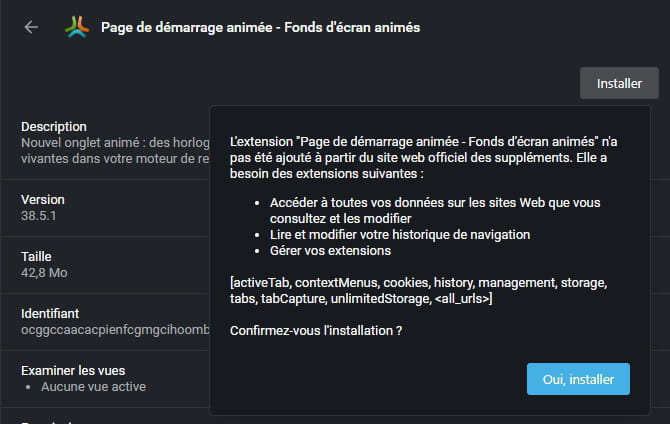
You need to confirm the installation.
....
Take the opportunity to check the section → Disabled
You should not see anything.
If you see any disabled ones, try to manually enable them; otherwise, you reinstall the extension
Example of where it can mess up:
If you've done the procedure correctly, the extension is installed
Unlike your screenshot, you will not see the word → Premium features
It's at the bottom of the page.
→ sorry for the look of the cat in the animated wallpaper capture, and besides, it never shuts its mouth :-)
To go to Extension Settings, there are several possibilities:
1- Click on the icon next to the address bar.
2- Open the extension next to the address bar.
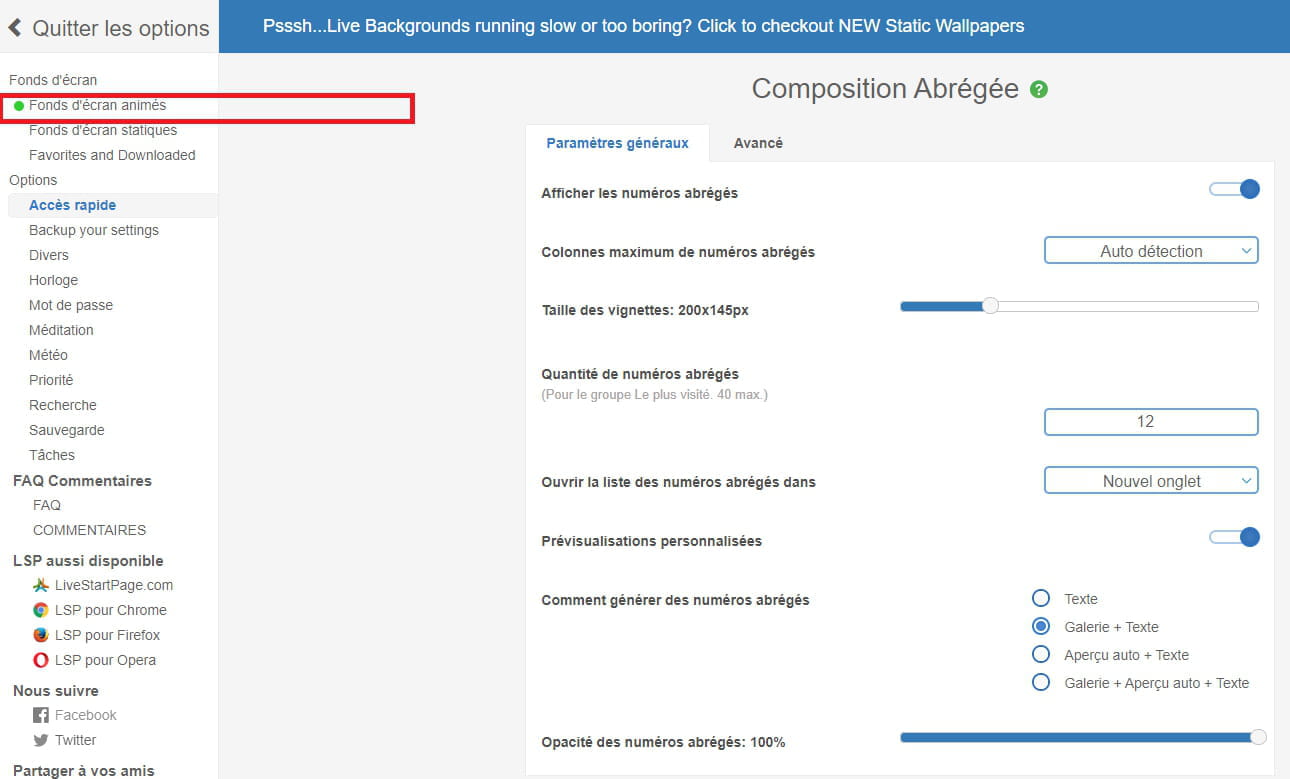
Click on → Open LSP
Then at the bottom of the page click on the gear icon.
Then on → Configure settings
Then you can choose your animated wallpaper of your choice.
The line → Animated wallpapers
HD or Full HD depending on the screens.
Info:
The extension is quite limited.
For example, some wallpapers are not accounted for, or even the 5-day weather
I have not found how to launch the extension directly in a new tab, only from the icon next to the address bar
As for the FAQ, it doesn't help much:
I couldn't find another similar extension, only themes like on Chrome, but nothing in animated wallpapers.
See you
--
pistouri