Arduino SD library not working with Proteus - SD card not initializing

TheSiffer910
Posted messages
124
Status
Member
-
Darkairy -
Darkairy -
Hi,
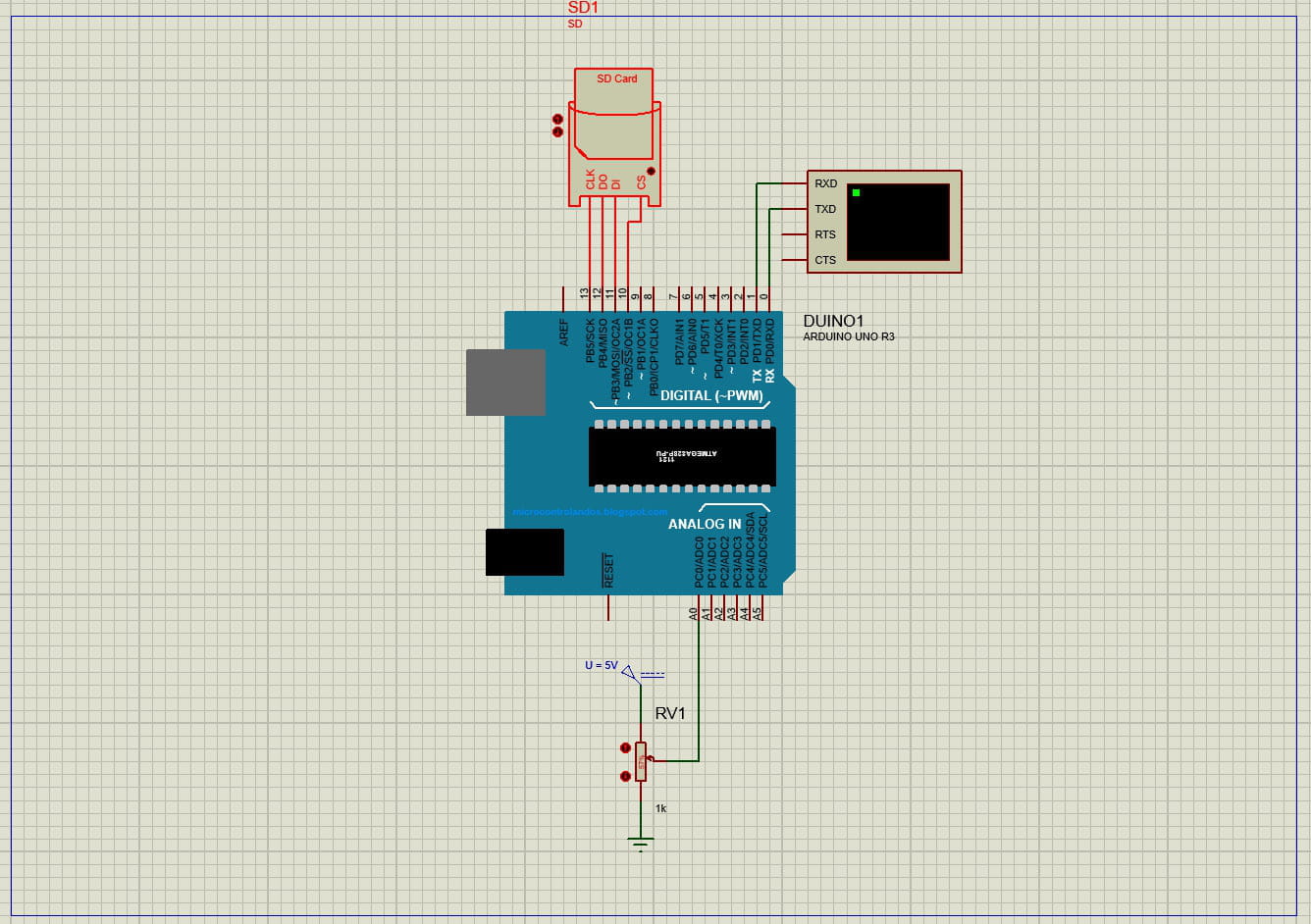
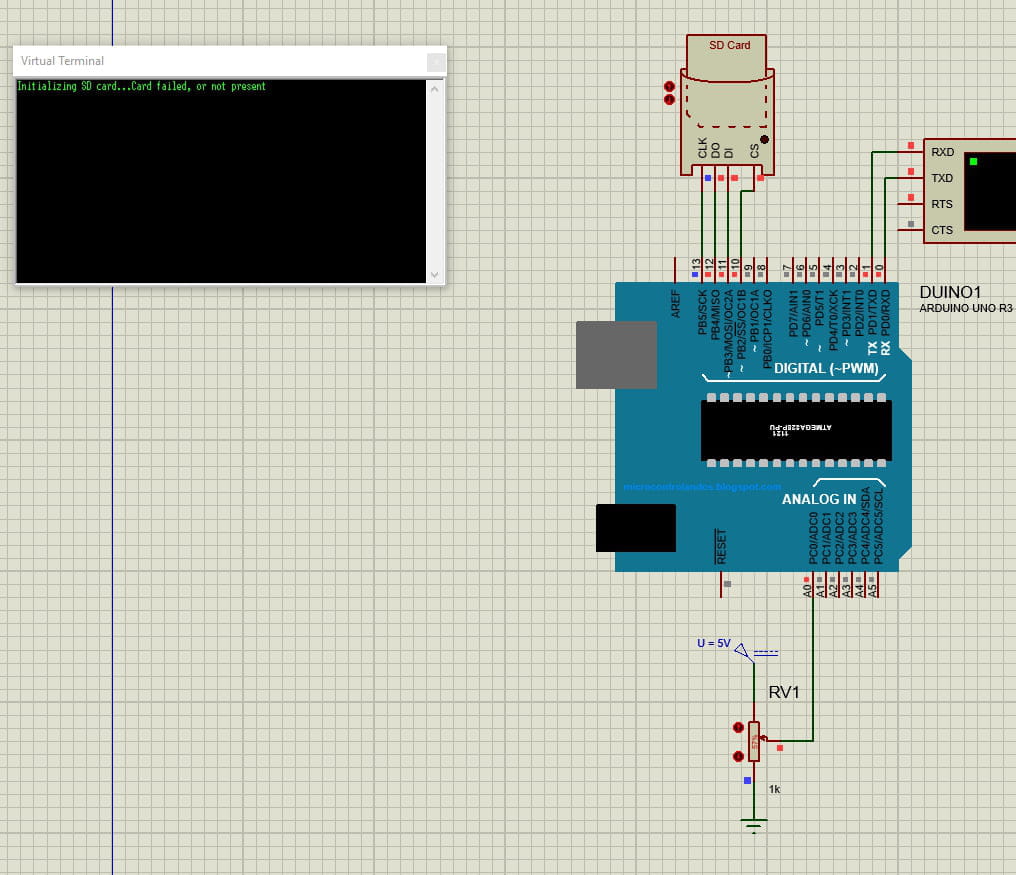
I want to simulate an SD card reader in Proteus. I wrote the program but when I start the simulation the Virtual Terminal (Serial Port) shows a coded error message to indicate whether the SD card is accessible.
if (!SD.begin(chipSelect)) {
 Serial.println("Card failed, or not present");
 // don't do anything more:
 while (1);
}
 Serial.println("card initialized.");
}
I wrote this in the void setup, I already declared chipSelect as OUTPUT and included the Arduino SD library (see the full code later). Yet the Virtual Terminal prints "Card failed, or not present" even though it’s present.
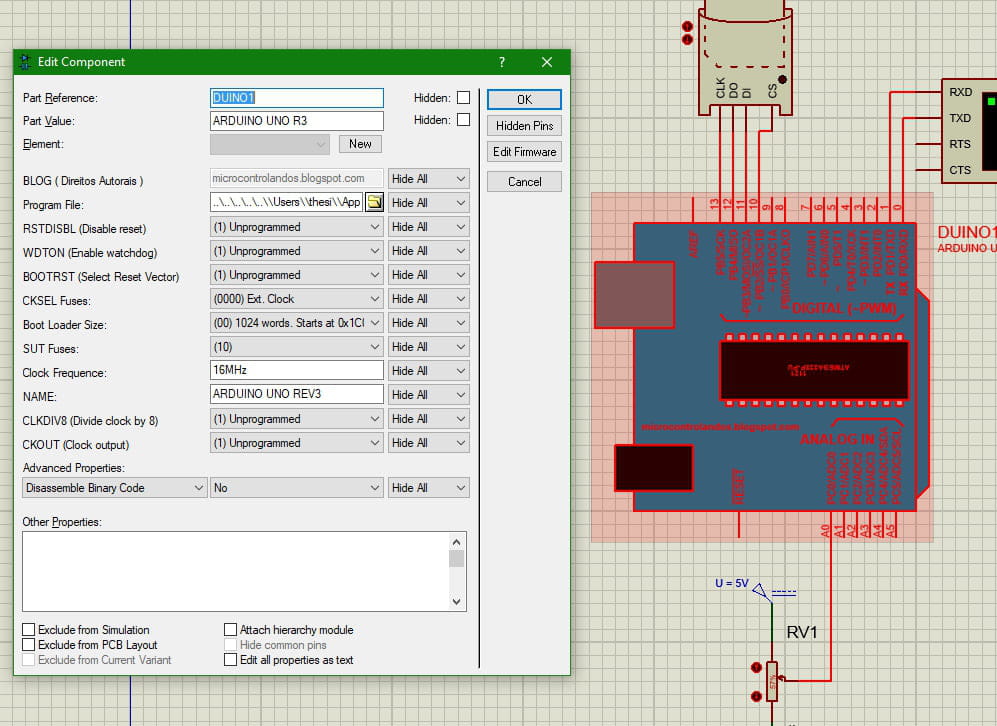
I’ve attached a few Proteus screenshots.
Additionally, when I code this:
Sd2Card card;
void setup() {
 // Open serial communications and wait for port to open:
 Serial.begin(9600);
 while (!Serial) {
  ; // wait for serial port to connect. Needed for native USB port only
 }

 pinMode(chipSelect, OUTPUT);
}
 Serial.print("Initializing SD card...");

 // see if the card is present and can be initialized:
 if (!card.init()) {
 Serial.println("Card failed, or not present");
 // don't do anything more:
 while (1);
 }
Serial.println("card initialized.");
}
this phase runs fine and it prints "card initialised" but later "error opening datalog.txt" appears (see the full code below). I deduced that Proteus didn’t understand the Arduino SD library and thus didn’t understand "SD.begin()" and "SD.open()".
If someone could help, that would be welcome because I’m stuck.
Here is the full code (not final, but everything needed for the SD card):
int VSIG_num = A0; /* The numerical converted value of the received voltage is an integer
and will be read on the analogical pin 0 (later defined as an analogical input) */
int VSIG_read = 0; // VSIG_read is the numerical value Arduino gives to VSIG, between 0 and 1023
int VSIG = 0; // The actual value of the output voltage of the sensor, later calculated
int intensity = 0; // The value we seek to find, luminous intensity

#include <spi.h>
#include <sd.h>

const int chipSelect = 10;

void setup() {
 // Open serial communications and wait for port to open:
 Serial.begin(9600);
 while (!Serial) {
 ; // wait for serial port to connect. Needed for native USB port only

 pinMode(chipSelect, OUTPUT);
 }

 Serial.print("Initializing SD card...");

 // see if the card is present and can be initialized:
 if (!SD.begin(chipSelect)) {
  Serial.println("Card failed, or not present");
  // don't do anything more:
  while (1);
 }
 Serial.println("card initialized.");
}

void loop() {

 long sum = 0;
 for(int i=0;i<1024;i++) // Used here to make an average of the value
 {
  VSIG_read = analogRead(VSIG_num); // Obtains the numerical value of VSIG given by Arduino
  sum = VSIG_read+sum;
  delay(2);
 }
 sum = sum >> 10; // Divides the total by 1024 to make the average (10 bits shift = /1024)
 VSIG = sum*5/1024; // Calculates the actual value of the output voltage of the sensor
 intensity = 307*VSIG; // Calculates the luminous intensity according to the given calculation

 String dataString = "";
 dataString += String(intensity);
 dataString += ",";

 File dataFile = SD.open("datalog.txt", FILE_WRITE);

 if (dataFile) {
  dataFile.println(dataString);
  dataFile.close();
  Serial.println(dataString);
 } else {
  Serial.println("error opening datalog.txt");
 }
}</sd.h></spi.h>
Thank you for taking the time to read this. I also want to add that I have the latest version of the SD library. The screenshots are commentary; I had forgotten them.