
Crop an image into a circle

-
Hello,
I have a round image and I would like to keep it as it is as a photo. How can I crop it with GIMP 2 so that my photo is round?
I don't know GIMP 2 at all.
Thank you for your help.
Configuration: Windows / Firefox 52.0
I have a round image and I would like to keep it as it is as a photo. How can I crop it with GIMP 2 so that my photo is round?
I don't know GIMP 2 at all.
Thank you for your help.
Configuration: Windows / Firefox 52.0
1 answer
-
ContributorGood evening,
Simple:
- Open your image in GIMP.
- Add an Alpha channel (right-click --> add Alpha channel).
- Use the elliptical selection tool to make a round selection.
- Go to Selection --> Invert or Interchange depending on the version.
- Press the Delete key on your keyboard to cut everything that exceeds.
- Go to Selection --> Delete or none (same reason as above).
- Crop your image and export it as PNG to keep the transparency: File Export (or save as). For more safety before that or if you want to work on it again, save (not export) in XCF which is GIMP's native format.
- You have a round image on a transparent background: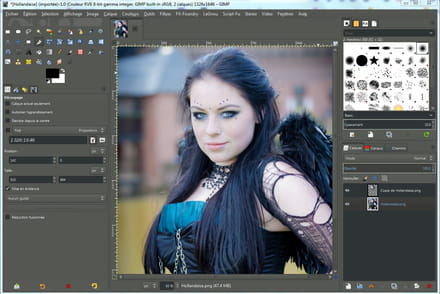

Luke.
--
The price of software is inversely proportional to its ergonomics... ;-)


