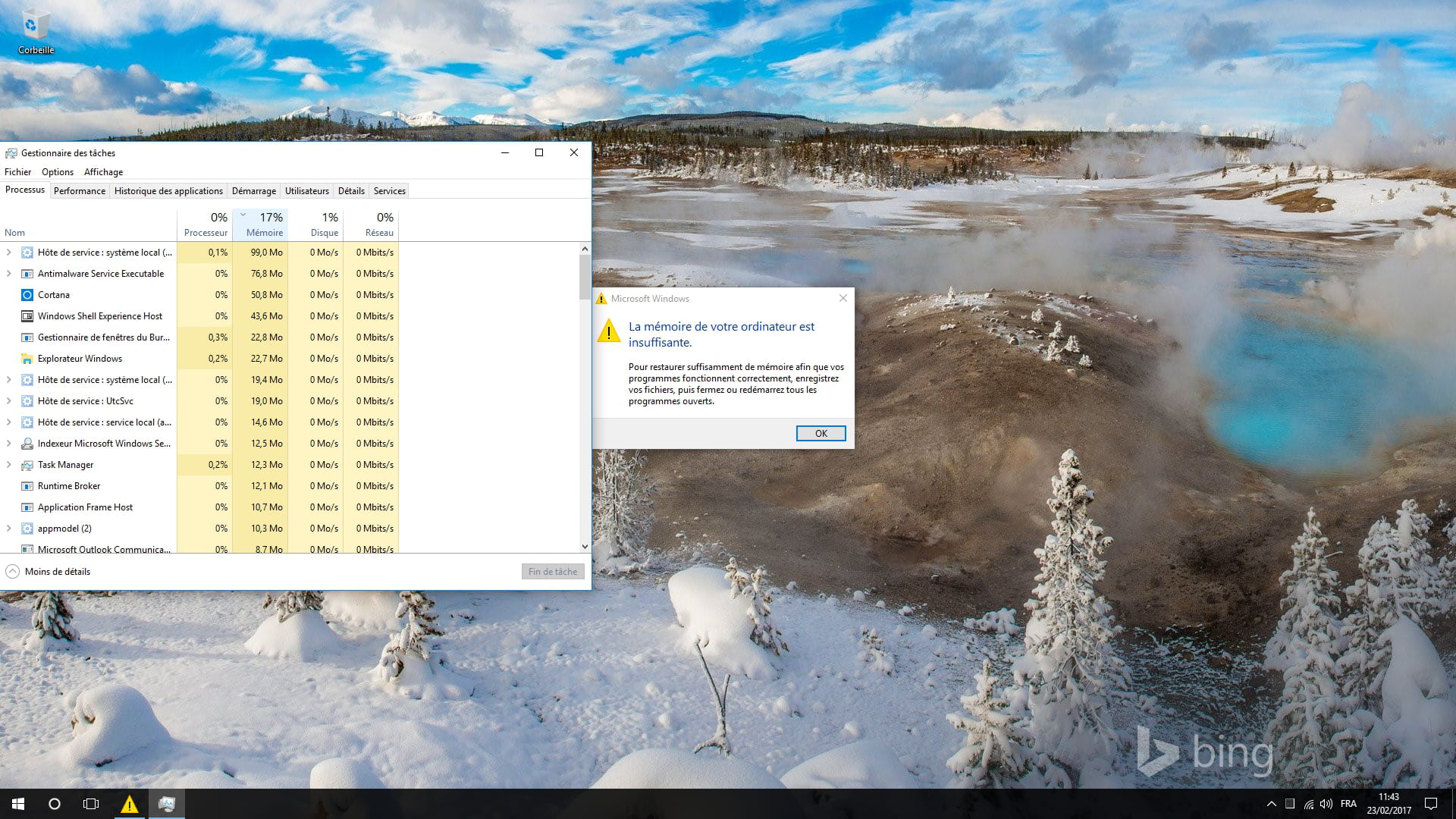
Insufficient Memory
Solved
valou44115
Posted messages
130
Status
Member
-
eddydu44 Posted messages 44 Status Member -
eddydu44 Posted messages 44 Status Member -
Hello,
I’m reaching out because I’ve been encountering the same problem for quite some time now. I have NO issues with insufficient memory when I’m using my PC, but when I leave it idle (i.e., turned on, session open but not in use) for a long time (e.g., overnight) and I want to use it in the morning, I’m greeted by a message saying "insufficient memory" even though nothing is running.
I’d like to point out that I have 12 GB of RAM and that the SWAP memory is automatically managed by Windows (I believe there is 12 GB of swap).
The only weak point of my computer is the graphics card. It’s an AMD Radeon R5 235 with 1 GB of RAM in DDR3.
Is it possible that the "insufficient memory" message could be coming from my graphics card?
Thank you for your help, have a nice day.
I’m reaching out because I’ve been encountering the same problem for quite some time now. I have NO issues with insufficient memory when I’m using my PC, but when I leave it idle (i.e., turned on, session open but not in use) for a long time (e.g., overnight) and I want to use it in the morning, I’m greeted by a message saying "insufficient memory" even though nothing is running.
I’d like to point out that I have 12 GB of RAM and that the SWAP memory is automatically managed by Windows (I believe there is 12 GB of swap).
The only weak point of my computer is the graphics card. It’s an AMD Radeon R5 235 with 1 GB of RAM in DDR3.
Is it possible that the "insufficient memory" message could be coming from my graphics card?
Thank you for your help, have a nice day.