Réparer Windows 8 sous ubuntu14.04 LTS
Bonjour, j'ai installer ubuntu côte à côte avec Windows8; et ubuntu marche très bien ; mais le problème j'ai besoins de travailler sur windows alors je n'arrive pas à accéder à Windows 8.
Que dois-je faire SVP aidez moi.
Que dois-je faire SVP aidez moi.
8 réponses
Résumé de la discussion
Après l'installation d'Ubuntu en dual-boot avec Windows 8, l'accès à Windows 8 demeure bloqué et le menu de démarrage ne propose pas le système Windows. Plusieurs méthodes sont proposées, notamment restaurer GRUB avec Boot-Repair ou Boot-Repair Disk, et Employer Super Grub2 Disk pour démarrer Windows en attendant une réparation durable. D'autres dépendent de la vérification des partitions et de l'emplacement du chargeur sur le disque, en vérifiant /dev/sda et en ajustant le BIOS ou l'UEFI. En cas de persistance, les échanges mentionnent des solutions alternatives, des tutoriels et des outils qui peuvent restaurer le démarrage et permettre l'accès temporaire à Windows tout en préparant une réparation définitive.
-
Lorsque tu démarre ton PC, est-ce que tu dois choisir entre ubuntu et Windows 8 ?
-
ContributeurIl faut réinstaller grub ou utiliser bootrepair disk ce qui devrait permettre de pouvoir démarrer windows.
https://doc.ubuntu-fr.org/tutoriel/comment_restaurer_grub
https://doc.ubuntu-fr.org/boot-repair-
-
-
-
-
Contributeur@Nawrasse31Comment as tu fais pour réinstaller grub?
-
-
ContributeurBonsoir.
Boot manager windows signifie gestionnaire de démarrage windows,c'est la qu'il faut cliquer pour accéder à windows. -
ContributeurNon,sda c'est ton disque dur interne.
Si tu n'est pas sur que grub est sur sda fais ce qui est décrit sur ce tuto:
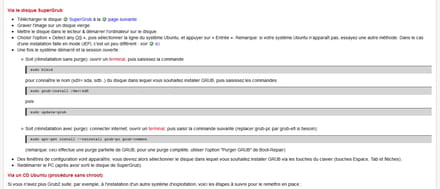
Tapes la premiere commande qui est sudo blkid
C'est toi qui a installé ubuntu?
Si ça te convient pas fais un cd avec boot repair et sers toi en.-
-
Voilà sans ......
ubuntu31@nawrasse-Lenovo-S20-30:~$ sudo blkid
/dev/sda1: LABEL="WINRE_DRV" UUID="2480135080132836" TYPE="ntfs"
/dev/sda2: UUID="22329544-fec0-49e9-9a35-2edcf273fe85" TYPE="ext4"
/dev/sda3: LABEL="LRS_ESP" UUID="221B-C081" TYPE="vfat"
/dev/sda5: LABEL="Windows8_OS" UUID="CA9C1F369C1F1D0F" TYPE="ntfs"
/dev/sda6: UUID="80a216fa-3472-4f3e-8631-a2e33e73f333" TYPE="swsuspend"
/dev/sda8: LABEL="PBR_DRV" UUID="ECC824D7C824A1B6" TYPE="ntfs"
/dev/sda9: UUID="65922c81-43c1-4df8-a3fc-aba2e73dfcc6" TYPE="ext4"
/dev/sda10: UUID="7c69fc7d-be84-4df6-8830-1cf38d0d615c" TYPE="ext4"
/dev/sda11: UUID="8cfe491d-9ab6-41e9-a71f-5d648c16cb69" TYPE="ext4"
/dev/sda12: UUID="e4d0b559-3c83-46cb-92fb-4f122507b315" TYPE="swap"
ubuntu31@nawrasse-Lenovo-S20-30:~$ sudo grub-install/dev/sda11
sudo: grub-install/dev/sda11: command not found
ubuntu31@nawrasse-Lenovo-S20-30:~$ sudo grub-install /dev/sda11
/dev/disk/by-uuid/../../sda11 does not have any corresponding BIOS drive.
ubuntu31@nawrasse-Lenovo-S20-30:~$ sudo grub-install /dev/sda
/dev/disk/by-uuid/../../sda11 does not have any corresponding BIOS drive.
ubuntu31@nawrasse-Lenovo-S20-30:~$ sudo grub-install /dev/sda3
/dev/disk/by-uuid/../../sda11 does not have any corresponding BIOS drive.
ça marche pas je pense....
-
-
ContributeurTu devrais telecharger boot repair disk le graver sur cd ,demarrer dessus
et cliquer sur réparation recommandée quand il sera ouvert.
Soit il te dira que le demarrage a été réparé ,soit il te demandera de faire une manip qu'il faudra faire.
https://doc.ubuntu-fr.org/boot-repair
Telecharger et executer cdburner xp .
Faire graver une image iso sur l'iso de bootrepairdisk.
Voici supergrub2 qui permet de demarrer sur une partition non demarrable comme celle de w8 pour toi:
https://forja.cenatic.es/frs/download.php/file/1844/super_grub2_disk_hybrid_2.02s3.iso
A graver sur cd.
Ca peut t'aider à acceder à w8 en attendant d'avoir réparé son demarrage.
Demarrer dessus en uefi.
Choisir;Detect and show boot méthode
Dans opérating système choisir le système voulu pour toi un truc comme:
(hdo,gpt1)/efi/boot/boot x 64.efi(hdo,gpt1)
Ca devrait être le premier choix ,mais faut réessayer sur d'autres lignes jusqu'a trouver la partition w8. -
ContributeurQuel genre de problémes?
-
Boot successfully repaired.
Please write on a paper the following URL:
http://paste.ubuntu.com/15196351/
In case you still experience boot problem, indicate this URL to:
boot.repair@gmail.com or to your favorite support forum.
You can now reboot your computer.
Please do not forget to make your BIOS boot on sda (500GB) disk!
A broken Wubi has been detected. Please fix it this way:
https://wiki.ubuntu.com/WubiGuide#Cannot_boot_into_Ubuntu
resultat de B R D
-
-
ContributeurIl demarre maintenant ?
Boot successfully repaired. -
ContributeurAs tu essayé supergrub2 disk?