DTI box installation
-
Good evening,
I am reaching out to you for information regarding a DTI installation.
An electrician came today to connect a Schneider VDIR390014 DTI box.
I have several RJ45 sockets in the apartment.
I would like to be able to connect my SFR NB6 box in the electrical cabinet or to an RJ45 socket in the apartment and be able to connect another device (for example: a computer to another RJ45 socket), which is the purpose of this kind of installation?
I have the 4 RJ45 cables from the apartment sockets arriving and connecting under the DTI box, the telephone line cable (I assume) inside the DTI box.
If I connect the box to the DTI test socket, I don't have internet on the other sockets but the box synchronizes.
If I connect the box to an RJ45 socket, I have internet, but not on the other sockets, and if I unplug any RJ45 cable from the box, I lose everything completely.
I don't quite understand.
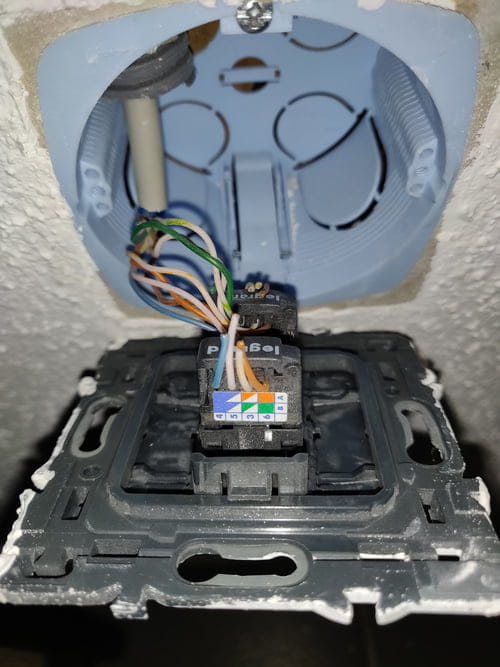
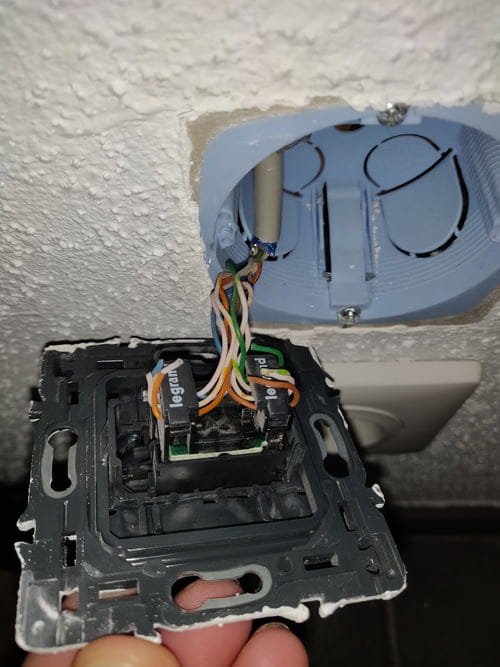
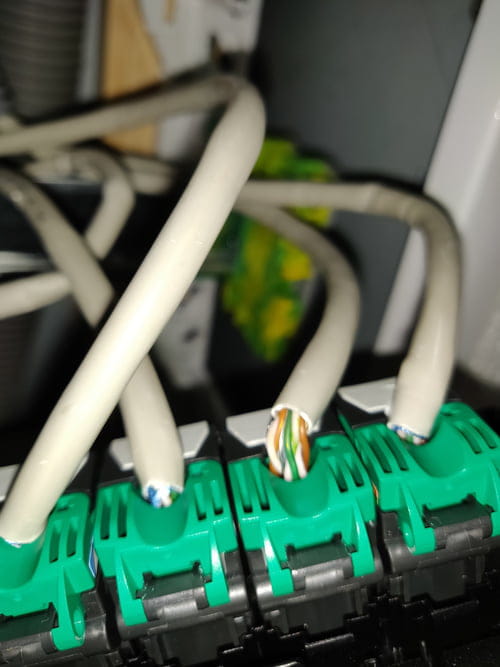
Here are some screenshots, hoping to get help on what is missing or what I need to do.
Thank you.

I am reaching out to you for information regarding a DTI installation.
An electrician came today to connect a Schneider VDIR390014 DTI box.
I have several RJ45 sockets in the apartment.
I would like to be able to connect my SFR NB6 box in the electrical cabinet or to an RJ45 socket in the apartment and be able to connect another device (for example: a computer to another RJ45 socket), which is the purpose of this kind of installation?
I have the 4 RJ45 cables from the apartment sockets arriving and connecting under the DTI box, the telephone line cable (I assume) inside the DTI box.
If I connect the box to the DTI test socket, I don't have internet on the other sockets but the box synchronizes.
If I connect the box to an RJ45 socket, I have internet, but not on the other sockets, and if I unplug any RJ45 cable from the box, I lose everything completely.
I don't quite understand.
Here are some screenshots, hoping to get help on what is missing or what I need to do.
Thank you.
1 answer
-
Hi,
you have a lousy setup made just for the phone, I hope your wall RJ45 sockets are fully wired.
First, you remove the 4 cables between the DTI distribution point and the patch panel above.
Instead, you put patch cords RJ45 to the Ethernet ports of your box.
You can connect the ADSL to one of the output sockets at the bottom of the DTI with the RJ11 cable.
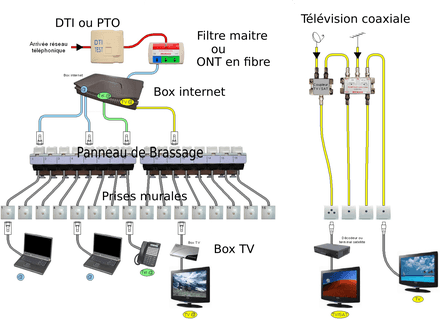
The idea is this:
In your case, there is no master filter, the RJ45s from the DTI replace .... almost.
-
Good evening,
Thank you very much for your response.
So, I unplugged all the white wires, I only connected the cable with RJ45 to the box and RJ11 below the DTI box.
The lights are green.
I then connected another RJ45 cable from the box to the black "Office" bar.
I connected the PC with an RJ45 to the wall socket, but nothing at all.
Here are the screenshots after modifications.
Thank you very much.


-
@EidorianOK,
I hope the installation isn't crappy all the way through...
we'll have to dismantle the wall RJ45s and patch panel to check that the 4 pairs are properly wired. -
-
@EidorianIt seems correct yes, good quality cat5 cable as well, the wiring on the socket side is a bit messy because the stripped length is too long, but the pairs remain well twisted, that's the most important thing.
None of the 4 are working?
You will need to check with a small RJ45 wiring tester.
By the way,
did you test your 2 cables directly with the box and a PC?
Also,
there may be a labeling issue? -
Thank you, I don't have a device to test in the rooms, I have no signal on the computer in the office (red cross) and the living room (TV device similar).
How can we test these RJ45 outlets?
It's still strange! If I connect my box to the RJ45 outlet in the office or the living room, it's green too, so the wall outlets are functioning?
Why does it not work when I plug the box directly into the DTI, is the DTI possibly wired incorrectly?
When I see the number of topics on forums about this, their thing is a real mess haha :D
-