
GNU grub version 2.02
Solved
Hello,
I recently updated my computer, and since then, I can't start it up properly.
Here is the screen that shows up.

I went to 'Ubuntu,' where several versions are offered. I clicked on each of them, but I receive an error message each time, and I return to the previous screen.
What can I do?
Thanks
I recently updated my computer, and since then, I can't start it up properly.
Here is the screen that shows up.
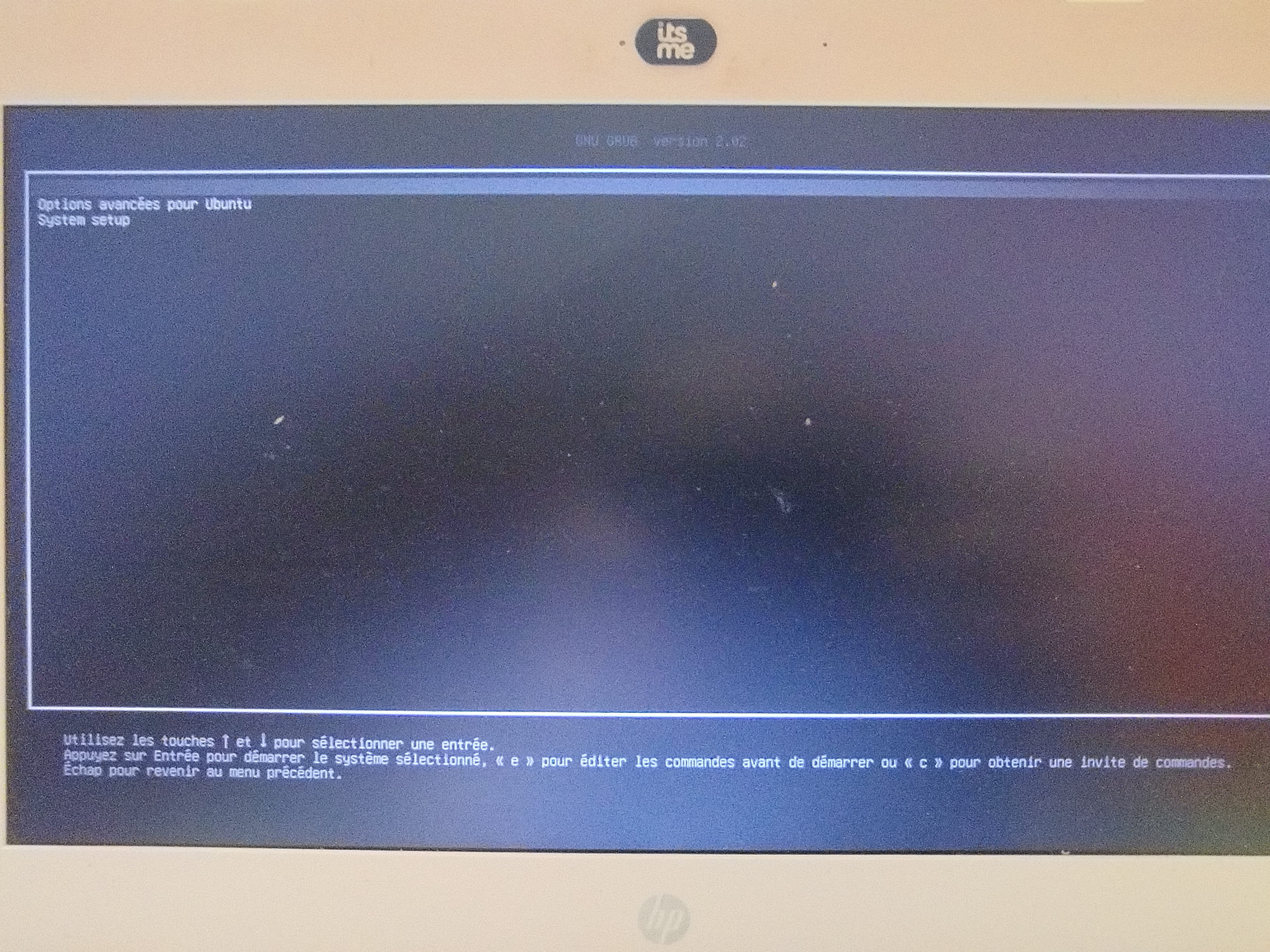
I went to 'Ubuntu,' where several versions are offered. I clicked on each of them, but I receive an error message each time, and I return to the previous screen.
What can I do?
Thanks
2 answers
-
I can't seem to take a clear photo.
It says
GNU grub version 2.02
Ubuntu
Advanced options for Ubuntu
system setup
I found out that by clicking on
Advanced options for Ubuntu, then the third version of Ubuntu offered, I can turn on my computer.
But if I turn it off and restart, I have to go through this step again. How can I make my computer boot directly? -
ModeratorHello,
Some explanations- The menu you took a photo of is called
grub
and allows you to choose which operating system to boot (and with which kernel and options when it comes to a Linux system) - "Ubuntu" allows you to boot Ubuntu with the most recent kernel. The kernel is the software layer that connects your operating system to the hardware (it notably manages much of your hardware).
- "Advanced options for Ubuntu" allows you to specify which kernel to boot.
- Kernels are installed through packages
linux-image-...
via your package manager (the software center orapt
). Updating the packagelinux-image-amd64
may lead to the installation of a new kernel. Older kernels are not deleted, which is why you see several in "Advanced options for Ubuntu".
Possible causes of the problem- Explanation 1: Your graphics driver is causing issues (not installed for the first and second kernels). To check if this is the case, I would need a few details:
- What are the symptoms when you boot with "Ubuntu"?
- Does anything happen when you press ctrl alt f1 or ctrl alt f2?
- Is there anything written on the screen?
- Explanation 2: a bug has been introduced in the first and second kernels of this list which did not exist in the third one. Note the three version numbers (e.g.,
5.17.0-1
).
Troubleshooting the problem
If explanation 1 is correct, ideally, you should:- Identify your video card model (with
lspci | egrep "VGA|3D"
, to be typed in a terminal) - Install the appropriate driver (depends on the video card)
Otherwise, regardless of the explanation: to ensure you boot with the kernel that works when you choose "Ubuntu", you just need to:- Boot with the working kernel (via advanced options for Ubuntu).
- Uninstall the other two kernels.
- If you are a beginner, the easiest way is to use the software center.
- Otherwise, via the command line, through a terminal:
sudo apt purge $(dpkg -l | grep "linux-image-.*-amd64" | cut -d" " -f3 | grep -v $(uname -r))
. - Note that uninstalling the most recent kernel will cause the cascade uninstallation of the package
linux-image-amd64
. As long as you do not reinstall the packagelinux-image-amd64
, you will no longer receive kernel updates. You can therefore carry out your future updates without fear of the problem recurring.- In absolute terms, not updating your kernel is not grave as long as it remains reasonably recent. But after a while, it’s good to do so anyway, as it improves the security of your system and allows for better hardware support.
- That’s why I recommend that, say in a few months, you reinstall the package
linux-image-amd64
which will cascade install the latest kernel (hoping that by then, the installed kernel will not have any bugs). If the bug is not resolved, you can always do what we just did.
Good luck-
-
Moderator@LucieM24Okay, I'm marking the topic as resolved because I think that the message #2 addresses your issue. If you or your acquaintance need further clarification, feel free to ask in this discussion thread.
Good luck
- The menu you took a photo of is called
