
Windows 10 ms-settings
Hello everyone, recently I've been having some issues with Windows 10. When I try to open my display settings on the desktop (right click), a window appears with the following message: ''ms-settings:display '' here is an image that is in English. Thank you for your future responses.
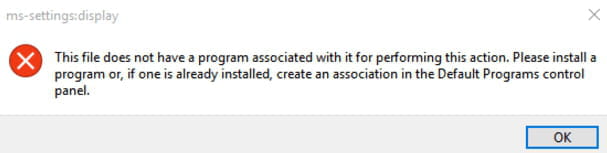 here is an image that is in English. Thank you for your future responses.
2 answers
-
ModeratorHello,
Check that Windows is up to date and restart your PC.
If that doesn't work, right-click on the Windows icon in the Start menu and choose Command Prompt (admin).- In the Command Prompt, type sfc /scannow and press Enter. At the end of the process, restart the computer.
- If the problem persists, relaunch the Command Prompt as an administrator, and enter the command Dism.exe /Online /Cleanup-Image /Restorehealth
If the error message continues to appear, try restoring your system from a restore point. To do this, press the Windows + R keys simultaneously and type rstrui. Then select a restore point created before this issue occurred.

