
Aborted virtual machine
Hello, my virtual machine on VirtualBox is no longer working. It tells me that it has aborted, and when I turn it on, it gets stuck. 
 Here are the images of what it's doing to me. Thank you in advance for your help.

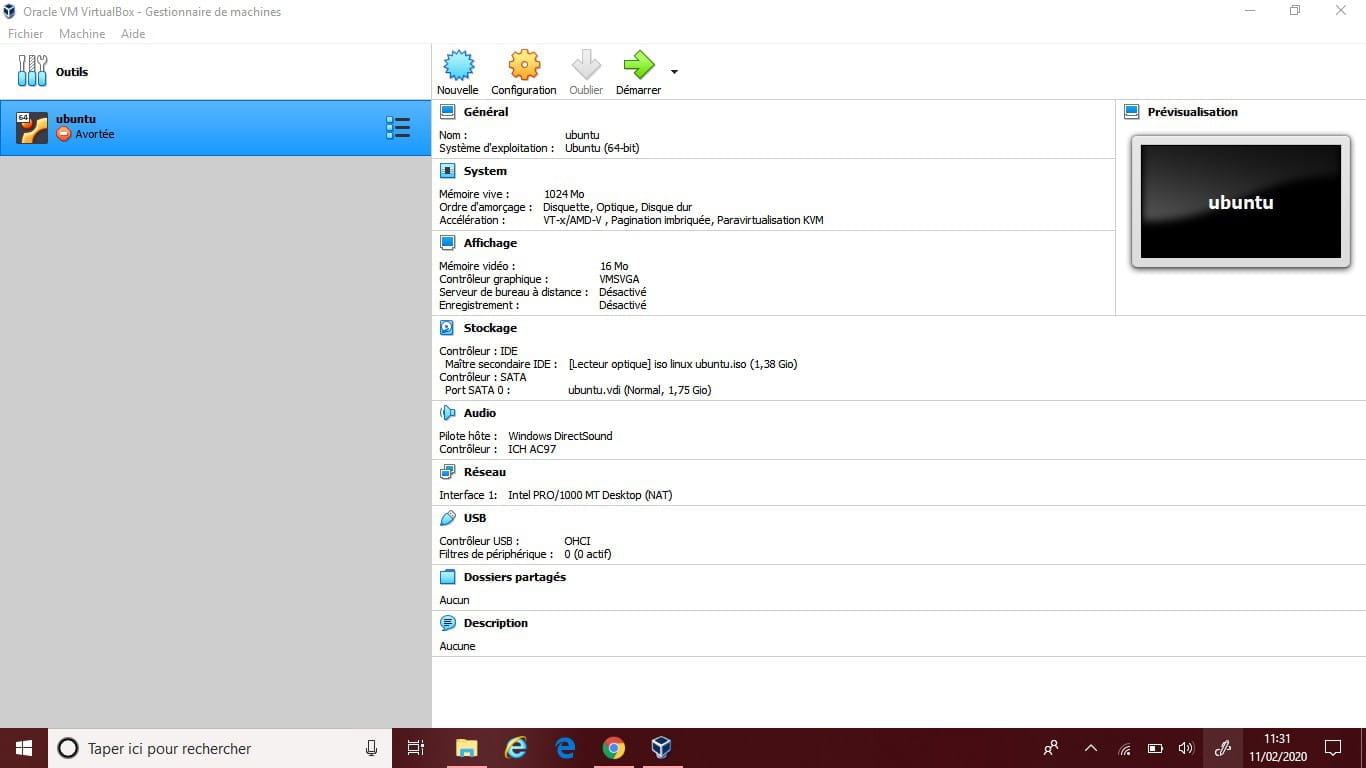 Here are the images of what it's doing to me. Thank you in advance for your help.
2 answers
-
Hello,
I invite you to check the Vbox.log file (in your VM folder) because the technical information here is a bit light :p
Best regards.-
I updated it, but now it shows me this:
Failed to open session for the Ubuntu virtual machine.
VMMR0_DO_NEM_INIT_VM failed: VERR_NEM_MISSING_KERNEL_API (VERR_NEM_MISSING_KERNEL_API).
VT-x is not available (VERR_VMX_NO_VMX).
Error code: E_FAIL (0x80004005)
Component: ConsoleWrap
Interface: IConsole {872da645-4a9b-1727-bee2-5585105b9eed} -
@Bastien1234_2386Just try to disable it in Settings / System (before starting the VM).
-
@T3chN0g3nI finally found the solution, you need to disable Hyper-V, Windows Subsystem for Linux, Windows Defender Application Guard, Windows Projected File System. All this is in the Control Panel, Programs and Turn Windows features on or off, and normally it works for me it worked well.
-
