
How to network 2 PCs using the Bbox?
Solved
blackmefias_3350
Posted messages
717
Registration date
Status
Member
Last intervention
-
brupala Posted messages 111192 Registration date Status Member Last intervention -
brupala Posted messages 111192 Registration date Status Member Last intervention -
Hello,
I'm having trouble connecting 2 PCs on a network (private and/or home)
I have a Proximus B-box (162.198.1.1) and then I have 1 laptop (Wi-Fi connection) running Windows 10 and a desktop PC (Ethernet connection) running Windows 10; both have internet access
My problem is that the desktop PC can see the network with the laptop which is on Wi-Fi, but the laptop cannot see the desktop PC (Ethernet)
I’ve tried looking, changing settings, and restarting, but nothing works. What should I do?
Moreover, when I copy a file from the desktop PC to the laptop, a message appears saying that I do not have access because I do not have administrator rights
However, in my "network" settings on both PCs, I have exactly the same configuration, see the pictures below:
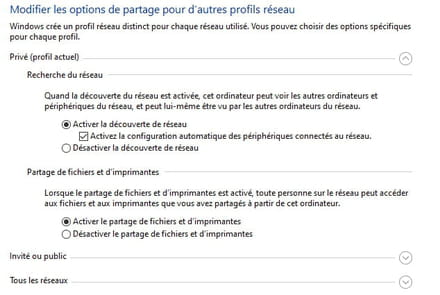
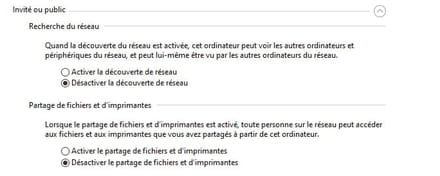
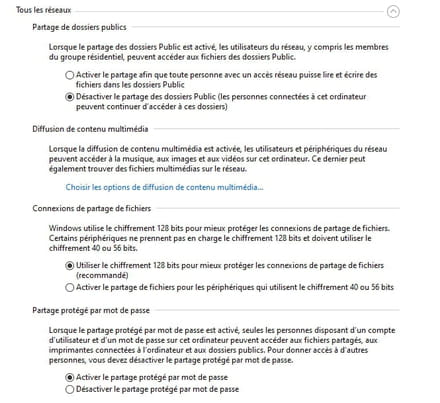
Should I set the password-protection option to enabled or disabled?
If there is a kind soul among you who could help me, I thank you in advance
Configuration: Windows / Edge 87.0.664.41
I'm having trouble connecting 2 PCs on a network (private and/or home)
I have a Proximus B-box (162.198.1.1) and then I have 1 laptop (Wi-Fi connection) running Windows 10 and a desktop PC (Ethernet connection) running Windows 10; both have internet access
My problem is that the desktop PC can see the network with the laptop which is on Wi-Fi, but the laptop cannot see the desktop PC (Ethernet)
I’ve tried looking, changing settings, and restarting, but nothing works. What should I do?
Moreover, when I copy a file from the desktop PC to the laptop, a message appears saying that I do not have access because I do not have administrator rights
However, in my "network" settings on both PCs, I have exactly the same configuration, see the pictures below:
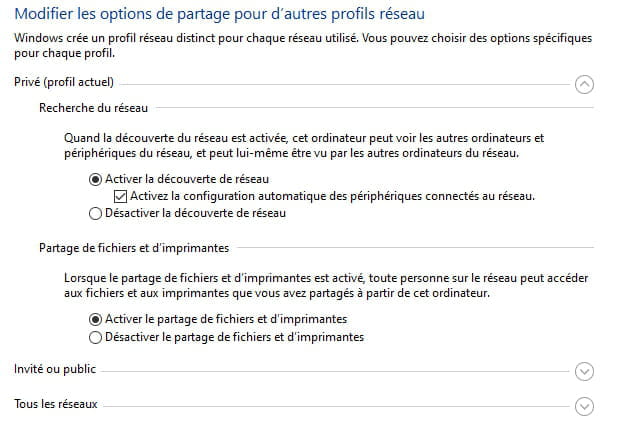
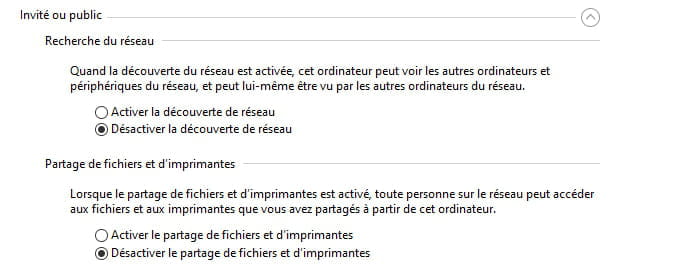
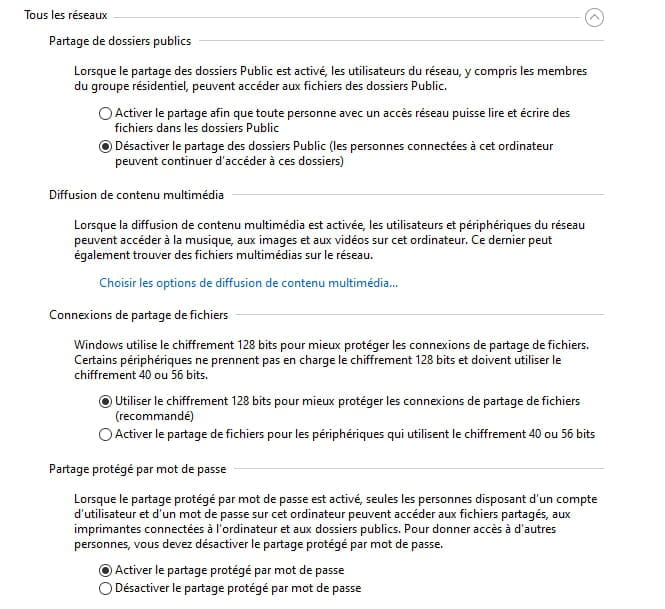
Should I set the password-protection option to enabled or disabled?
If there is a kind soul among you who could help me, I thank you in advance
Configuration: Windows / Edge 87.0.664.41

