Add lines to Word pages for note-taking
hm
-
m@rina Posted messages 27957 Registration date Status Moderator Last intervention -
m@rina Posted messages 27957 Registration date Status Moderator Last intervention -
Hello,
I would like to be able to put lines on several Word pages for note-taking. I need to repeat it across multiple pages, so the option _ _ _ is not practical...
Is there a possibility?
Thank you :)
Configuration: Windows / Chrome 60.0.3112.113
I would like to be able to put lines on several Word pages for note-taking. I need to repeat it across multiple pages, so the option _ _ _ is not practical...
Is there a possibility?
Thank you :)
Configuration: Windows / Chrome 60.0.3112.113
2 answers
-
Hello. Yes, there are several options. Here are two:
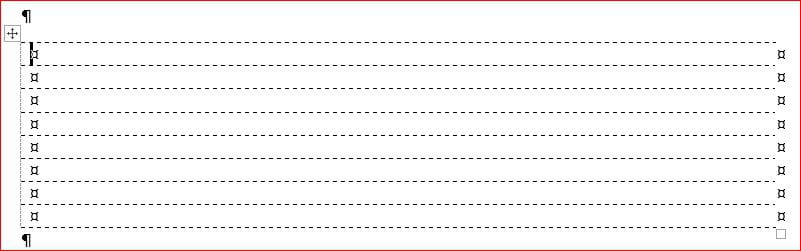
1- Insert a table with a single column, with horizontal lines in dashed style and vertical lines in white color.
2- Use the horizontal rule, by setting "tab stops" at position 16, and pressing the Tab key at each line.
Best regards.
Retirement is nice! Especially in the Caribbean... :-)
Raymond (INSA, AFPA, CF/R)-
Hello,
Besides the two solutions provided by Raymond, I would add that typing 3 - or 3 _ followed by a paragraph return inserts a horizontal line as I explain here:
https://faqword.com/index.php/word/mise-en-forme/166-comment-inserer-une-ligne-horizontale
And then, 3 copies of 3 lines give 6, 2 copies of 6 give 12, etc. !!:):)
-