Unable to connect on mytf1.fr
Solved
Acuna
-
jeffwoolfson -
jeffwoolfson -
Hello,
I regularly watch videos on mytf1.fr and I had a situation where the ads wouldn't stop, which was solved by a friend, but everything was working well since then. However, today I wanted to go on replay and I'm being asked to log in, but it's impossible to do so as a blank page opens and blocks me. What should I do? Thanks
Configuration: Windows / Firefox 53.0
I regularly watch videos on mytf1.fr and I had a situation where the ads wouldn't stop, which was solved by a friend, but everything was working well since then. However, today I wanted to go on replay and I'm being asked to log in, but it's impossible to do so as a blank page opens and blocks me. What should I do? Thanks
Configuration: Windows / Firefox 53.0
5 answers
-
pistouri Posted messages 19010 Registration date Status Contributor Last intervention Ambassador 8 732
Hello,
Many of you are currently having difficulties
with the Replay tf1 or MYTF1 websites.
The site now requires you to log in with an account to watch the videos
recently.
So I did a test with Firefox, Google Chrome, Edge, Internet Explorer, Safari, and Vivaldi.
All work with or without ad blockers.
For your information, I use uBlock Origin to avoid being disturbed by ads.
Cleanup
clear the cache, history, and cookies of the browser
- Disk cleanup (be sure to check temporary files)
- Use Ccleaner (for all browsers)
- Use Speedyfox (Firefox + Google Chrome) it does it very well in 3 seconds here
Restart the PC
Manual Cleanup
In the browser options, there is an option to delete history.
Firefox
Click on the 3 vertical lines (to the right) then on History → clear
Clear the cache here
Google Chrome
Clear everything in the address bar and copy/paste this command
chrome://settings/clearBrowserData
Then press enter
Clear items → All
Then click on → Clear browsing data
Updates
-Check if your browser is up to date
Flash player if black screen
- Check if Flash player is up to date → here
If it is not up to date, go to the Download Center → over here
Update Adobe Flash with Google Chrome
Open Google Chrome
In the address bar at the top of the page, clear everything and copy/paste
chrome://components
Then press enter
Under "Adobe Flash Player", click on Check for updates
Return to the page displaying Flash content. If it does not load automatically, click on Reload Refresh in the top left.
Miscellaneous
Restart the modem
Disable SmartScreen with Windows 10
If you have an antivirus other than Windows Defender, check the firewall options (disable SSL Scan) or add an exception
Other protections like Zone Alarm should be disabled
Disable extensions, some antiviruses install them like Avast
If unsuccessful, reset the browser
Info
Video playback
- Wait a bit because there is a delay of about 5 seconds then the video starts on its own.
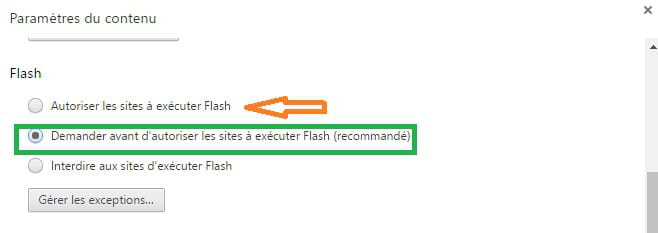
- It is possible with Google Chrome to enable Flash player automatically but this is not recommended.
--
scalpel