PC Qui crash
Bonjour, mon pc crash quand je joue alors qu'avant y'avait pas de soucis. Si qqn pouvait m'aider ça serait sympathique :
Crash dump directory: C:\WINDOWS\Minidump
Crash dumps are enabled on your computer.
On Fri 16/12/2016 21:37:01 your computer crashed
crash dump file: C:\WINDOWS\Minidump\121616-5390-01.dmp
This was probably caused by the following module: ntoskrnl.exe (nt+0x14A6F0)
Bugcheck code: 0xBE (0xFFFF8012DBD05662, 0x8000000001080121, 0xFFFFF8018D1DD640, 0xA)
Error: ATTEMPTED_WRITE_TO_READONLY_MEMORY
file path: C:\WINDOWS\system32\ntoskrnl.exe
product: Microsoft® Windows® Operating System
company: Microsoft Corporation
description: NT Kernel & System
Bug check description: This is issued if a driver attempts to write to a read-only memory segment.
This appears to be a typical software driver bug and is not likely to be caused by a hardware problem.
The crash took place in the Windows kernel. Possibly this problem is caused by another driver that cannot be identified at this time.
On Fri 16/12/2016 21:37:01 your computer crashed
crash dump file: C:\WINDOWS\memory.dmp
This was probably caused by the following module: ntkrnlmp.exe (nt!KeBugCheckEx+0x0)
Bugcheck code: 0xBE (0xFFFF8012DBD05662, 0x8000000001080121, 0xFFFFF8018D1DD640, 0xA)
Error: ATTEMPTED_WRITE_TO_READONLY_MEMORY
Bug check description: This is issued if a driver attempts to write to a read-only memory segment.
This appears to be a typical software driver bug and is not likely to be caused by a hardware problem.
The crash took place in the Windows kernel. Possibly this problem is caused by another driver that cannot be identified at this time.
Crash dump directory: C:\WINDOWS\Minidump
Crash dumps are enabled on your computer.
On Fri 16/12/2016 21:37:01 your computer crashed
crash dump file: C:\WINDOWS\Minidump\121616-5390-01.dmp
This was probably caused by the following module: ntoskrnl.exe (nt+0x14A6F0)
Bugcheck code: 0xBE (0xFFFF8012DBD05662, 0x8000000001080121, 0xFFFFF8018D1DD640, 0xA)
Error: ATTEMPTED_WRITE_TO_READONLY_MEMORY
file path: C:\WINDOWS\system32\ntoskrnl.exe
product: Microsoft® Windows® Operating System
company: Microsoft Corporation
description: NT Kernel & System
Bug check description: This is issued if a driver attempts to write to a read-only memory segment.
This appears to be a typical software driver bug and is not likely to be caused by a hardware problem.
The crash took place in the Windows kernel. Possibly this problem is caused by another driver that cannot be identified at this time.
On Fri 16/12/2016 21:37:01 your computer crashed
crash dump file: C:\WINDOWS\memory.dmp
This was probably caused by the following module: ntkrnlmp.exe (nt!KeBugCheckEx+0x0)
Bugcheck code: 0xBE (0xFFFF8012DBD05662, 0x8000000001080121, 0xFFFFF8018D1DD640, 0xA)
Error: ATTEMPTED_WRITE_TO_READONLY_MEMORY
Bug check description: This is issued if a driver attempts to write to a read-only memory segment.
This appears to be a typical software driver bug and is not likely to be caused by a hardware problem.
The crash took place in the Windows kernel. Possibly this problem is caused by another driver that cannot be identified at this time.
3 réponses
-
Salut,
As tu modifié quelque chose sur ton PC avant qu'il se mette à crasher.
Changement de matériel par exemple.
Dans un premier temps ouvres l'invites de commande en mode administrateur (clic droit dessus) puis fais un copier coller de ceci :
sfc /scannow.
Ça devrait réparer les fichiers système corrompus s'il y en a. -
Je ne me souviens pas avoir changé quoi que ce soit (pas de nouveau matos).
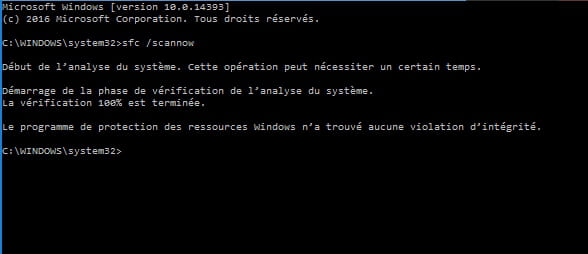
Voila pour le sfc /scannow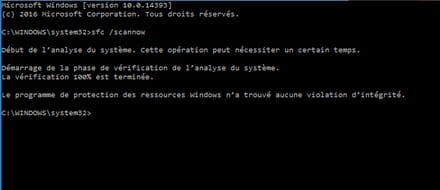
Toujours les mêmes crash. -
alors j'ai pensé à la carte graphique justement parce que y'a eu une maj récente qui date du 14/12 mais j'ai eu beau dl et installer maj l'ancienne hier j'avais toujours des soucis de crash.
le rapport que j'ai link c'est justement whocrashed mais je ne m'y connais pas suffisamment pour savoir ce qu'il faut faire.