EFI/Microsoft/Boot/BCD Error: 0xc00000f
Solved
Hello everyone,
I have a big problem with my Acer Aspire V Nitro running Windows 8. When starting up, it started crashing with the error message 0xc00000f and some repair options. None of them worked and now it goes straight to an error message:
The boot Configuration Data for your PC is missing or contains error
File:/EFI/Microsoft/Boot/BCD
Error code: 0xc00000f
You'll need to use recovery tools. If you don't have any installation media (like a disc or USB device), contact your PC administrator or PC/Device manufacturer.
I’ve gone through several solutions on different forums without success....
Unfortunately, I don’t have a Windows 8 recovery CD... Is there anything I can do?
Thanks in advance for your help!
Romain
I have a big problem with my Acer Aspire V Nitro running Windows 8. When starting up, it started crashing with the error message 0xc00000f and some repair options. None of them worked and now it goes straight to an error message:
The boot Configuration Data for your PC is missing or contains error
File:/EFI/Microsoft/Boot/BCD
Error code: 0xc00000f
You'll need to use recovery tools. If you don't have any installation media (like a disc or USB device), contact your PC administrator or PC/Device manufacturer.
I’ve gone through several solutions on different forums without success....
Unfortunately, I don’t have a Windows 8 recovery CD... Is there anything I can do?
Thanks in advance for your help!
Romain
5 answers
-
ModeratorHello,
That’s not good.
Create a system recovery drive from another computer and boot from it.
Go to the advanced options and then to the command prompt.
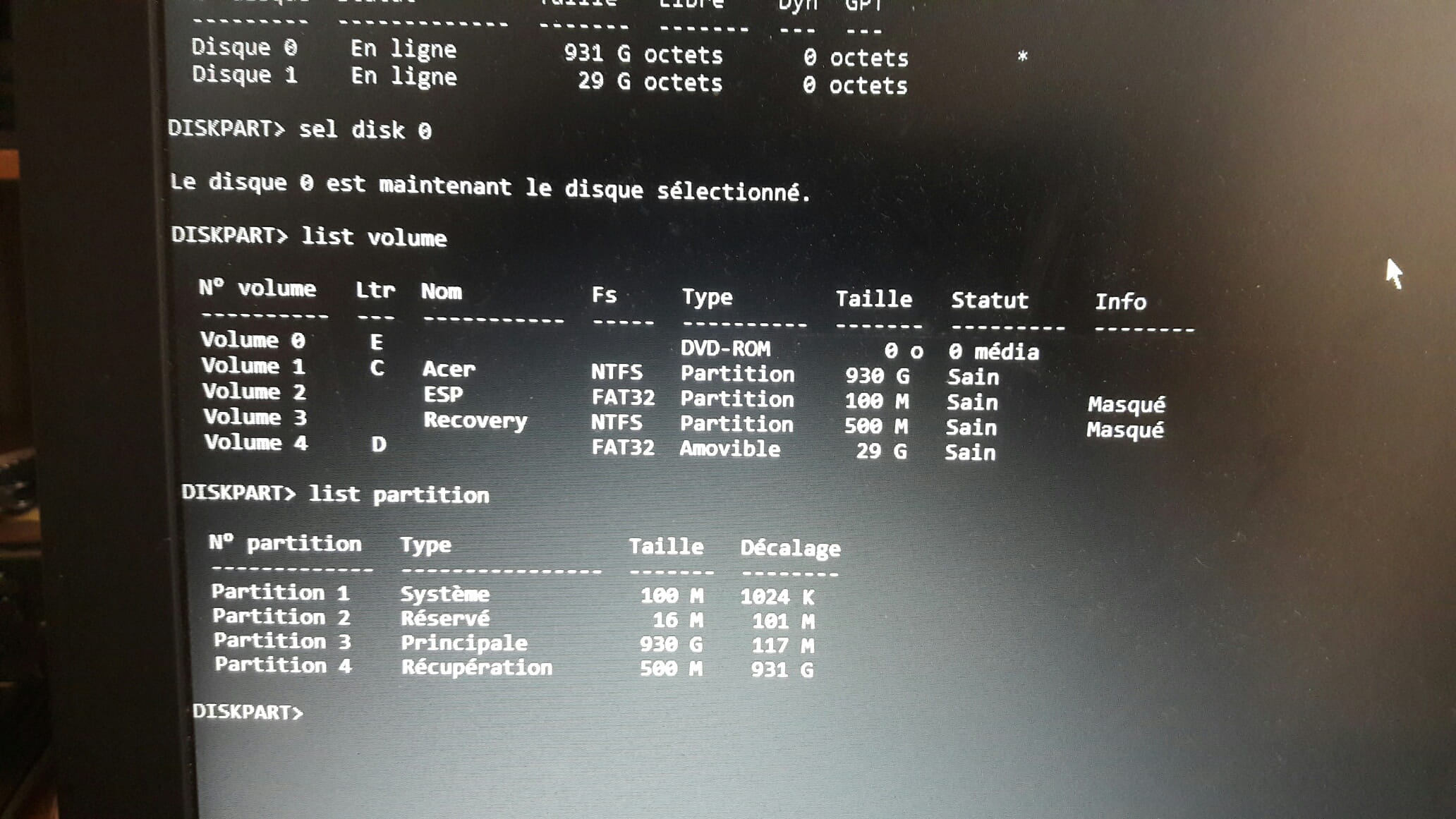
Type diskpart and then inside.list disk
sel disk 0
list volume
list partition
exit
Provide the results of each command.
Then type exit to leave diskpart.
(You have examples here: Diskpart Tutorial to see what diskpart looks like).
Next, type
bcdedit /v
Provide the results.
If you have the Windows 8 DVD, you can also boot from it and select repair, you will have access to the command prompt to enter the above commands.
Please press any key to continue the disinfection...