
MBR2GPT
Hello ,
We are unable to cover MBR to GPT because there is a message indicating "MBR2GPT is not recognized either internally or externally." thank you for helping us yes, we had an excellent afternoon.
regards ,
10 answers
-
Hello everyone,
brucine is right, the syntax is incorrect: .
You should type like "mbr2gpt /convert /disk:n /allowfullos
Anyway, thank you everyone, the problem is solved. It only remains to prepare Windows 11
We wish you an excellent day
-
Hello Bazille,
Thank you, we have Windows 10 and we are going to upgrade to Windows 11
Ah! You have to type it like this "C:\Windows\system32>mbr2gpt /validate /disk: 0 /allowFull0S" .
We typed disk two times . . .
C:\Windows\system32>mbr2gpt /validate disk:<disk: 0 /allowFull0S
We don’t know if Diskpart is needed afterwards
-
Moderator
See https://www.malekal.com/resoudre-les-erreurs-mbr2gpt-pour-convertir-un-disque-en-gpt/
If nothing works, repair Windows, since you did not specify your Windows version, here are the repair procedures for Windows 10 and 11.
If you are under Windows 11.
Do a repair of Windows 11:
To do this you need to download the Windows 11 disk image (ISO) see this page.
Then once the ISO is downloaded, repair Windows 11 see this page.

If you are under Windows 10.
Do a repair of Windows 10 without data loss (everything is preserved), despite what is shown on the screens, this is indeed a repair, not a Windows installation.
Download this Microsoft tool open the tool and do as shown below:
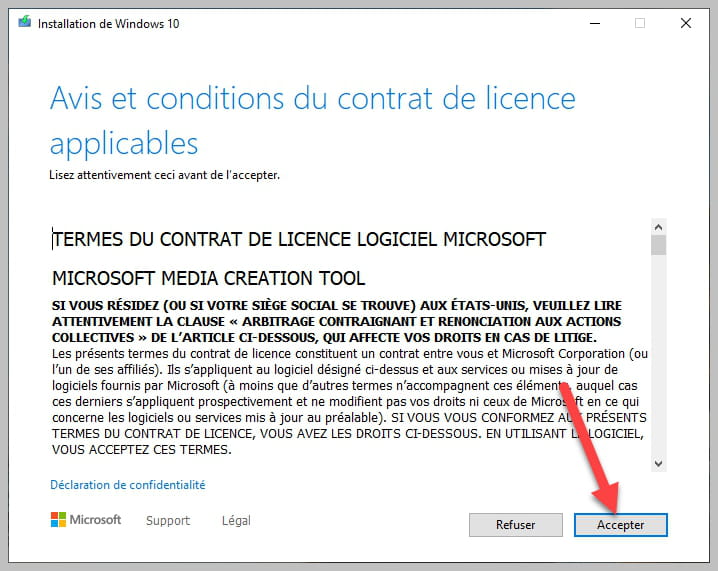


Make sure to leave checked as in the photo.
-
If you type
mbr2gpt /validate disk:<disk0 /fullos
mbr2gpt /convert disk:<disk0 /fullos
The file cannot be found
-
Hello everyone ,
In the MS-DOS command, you enter the command "mbr2gpt /validate /allowfullos". As soon as you validate, the message "MBR2GPT is not recognized as an internal or external command" appears.
-
Hello,
We would like to thank you for your responses
-
Moderator
Hello.
https://www.malekal.com/mbr2gpt-convertir-disque-mbr-gpt-sans-perte-de-donnees/
bazfile
Moderator/Security Contributor.
a hello, a reply, a thank you always brings pleasure. -
Contributor
Hi
A few little things to know about MBR2GPT
First, it will only convert a system disk, not a data disk, so Windows 10 exclusively since the command does not exist in earlier editions and under Windows 11 it does exist but is not needed since disks are GPT by default.
Next, the command works under Windows, no need to do billions of manipulations, just open PowerShell as admin, then run MBR2GPT with the command, it’s a very simple tool.
See this tutorial (at the bottom of the article)
How to Convert a MBR Disk to a GPT Disk Without Data Loss Under Windows 10 - Tech Tribune France
Signature
Waiting for other answers; I attract Trolls.... -
Hello fabul,
Thank you for replying fairly quickly. The startup in recovery mode, how do you start it?!
We start and press F2. Then select MS DOS.
-
Hello,
The F2 key (or another) is specific to a particular PC brand, and it is not known whether it starts in the recovery environment or on the DOS command prompt which should not be confused.
MBR2GPT is launched by default from the recovery environment as suggested by Fabul in <1> or by many other methods:
https://www.malekal.com/demarrer-options-depannage-recuperation-windows-10-11/
or inside the Windows command prompt by the FullOS switch as specified in Bazfile’s link in <4>
Other reasons for the indicated message may be that the executable is not located in a default Windows path (unlikely except for very old Windows 10 versions since otherwise it is built-in by default), that it is not executed in the Windows command prompt as administrator, or still in this latter case that third-party security software prevents it.
-
-
Moderator
Hi,
Did you boot again in recovery mode?
Settings
Update & Security
Recovery
Restart
In recovery mode
Troubleshooting
Command Promptmbr2gpt /validate
mbr2gpt /convert


