
Microsoft Office
Hello,
I had the Office pack on my PC and recently, some programs have disappeared: Word, Excel, PowerPoint. Word files now open with WordPad and when I try to open them with Word, it's no longer in the list.
However, I still have Access, for example. And when I go to "Account" I see this:
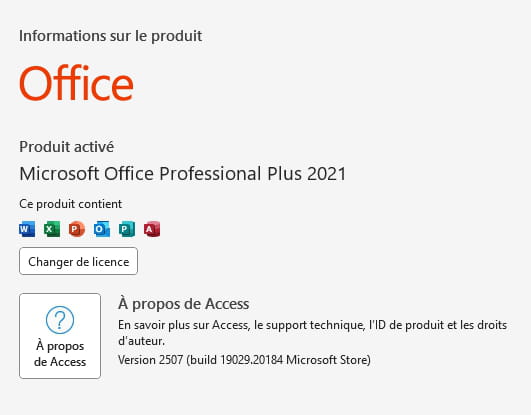
So it seems that the license is still valid!
What should I do to recover the entire Office suite? I also don't know where I can find my license number. When I go to my Microsoft account, I only see an expired Office 365 license from 2023, even though I was able to use Word just a few days ago.
Thank you!
2 answers
-
Hello,
Start by checking if 365 is still installed, concurrent installations make a mess:
https://aka.ms/diag_officeuninstall
Then check if the executable of that application (for example, Word) is still on the disk.
For example, Word is located at: C:\Program Files (x86)\Microsoft Office\root\Office16 (16 for 2019, I believe the number is the same for 2021).
Otherwise, there is usually no way to uninstall a part without going through ODT.
If absent, you must reinstall through the same method or completely reinstall Office, which will raise the licensing issue if you haven't noted the activation code or if it's a disposable one (online low-cost license, then you'll need to buy a new one).
https://woshub.com/install-custom-app-office/ -
Hello,
Maybe:
Control Panel
Programs
Uninstall a program
Right click on Microsoft Office
Edit
Repair
Or was the update not performed?
