Allocate more memory to Photoshop
SolvedHello, since the update of my PC I'm having issues with my Photoshop. I can't do anything because of insufficient available RAM, I've never had this problem before.
How can I fix this inconvenience, thank you very much.
3 answers
-
Moderator
Hello,
See
Very difficult to catch a black cat in a dark room.
Especially when it isn't there... -
Moderator
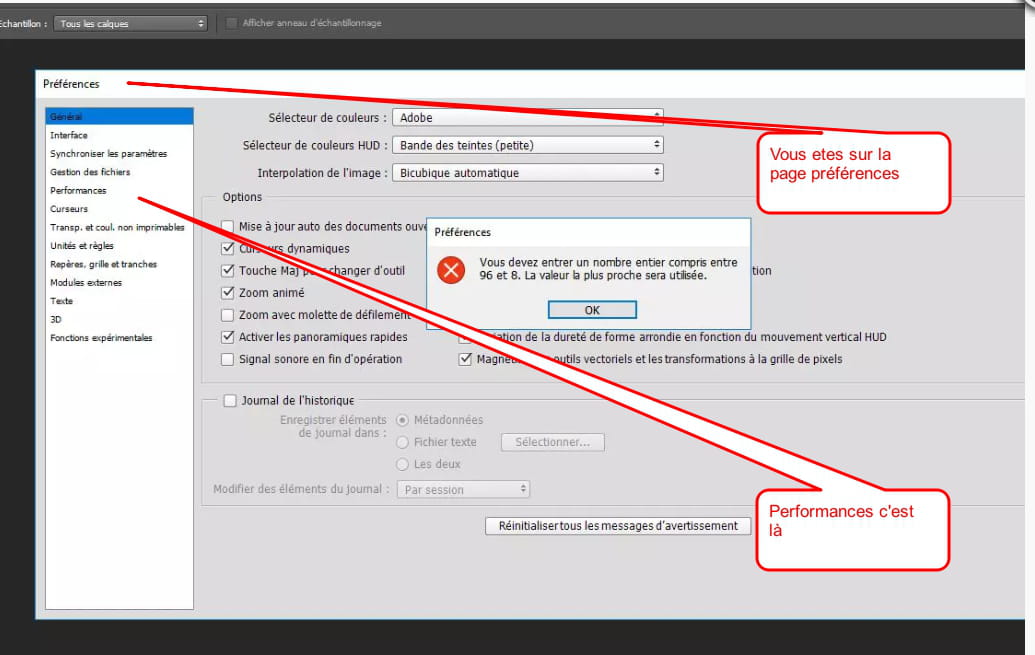
The video, at 00:36, shows that once on the "Preferences" page, you need to click on "Performance".
Very difficult to catch a black cat in a dark room.
Especially when it's not there... -
Moderator
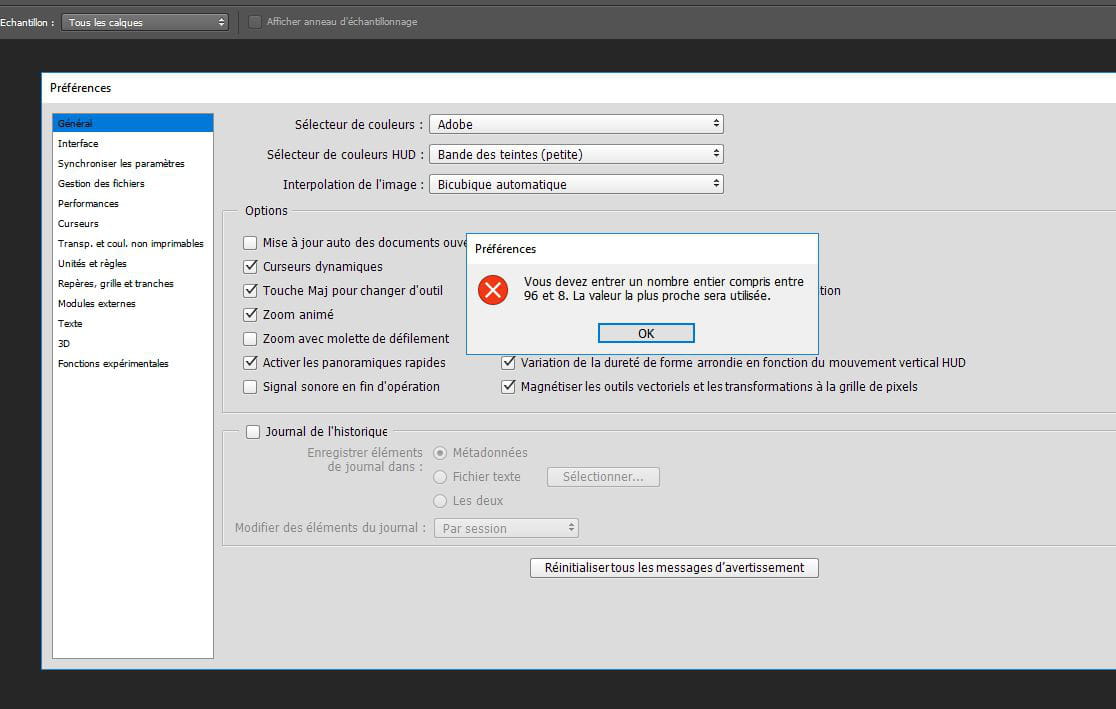
Your screenshot shows the Preferences page, not Performance
Very difficult to catch a black cat in a dark room.
Especially when it's not there...-
-
@beatricelp
Wherever I want to click, the response is you must enter an integer between 96 and 8. I have a feeling I'm going to have to reinstall all my Photoshop. Long live updates!!!
-
Moderator@beatricelp
See this
-
@baladur13
Thank you very much for your involvement
Since nothing was working, I reverted to a version prior to last week's update, and everything is back to normal, so thank you again for everything.
And I no longer have memory issues with my Photoshop.....yay!
-
Moderator
-