Citation link issue - Zotero reference in Word
Hello,
I'm writing a final thesis on Word using Zotero for my references. Everything worked perfectly for months, but now, when I close my document and reopen it, my citations become "unlinked" from my bibliography, flattening as if they are just text and no longer citations.
(I've included a before-and-after photo for better understanding)
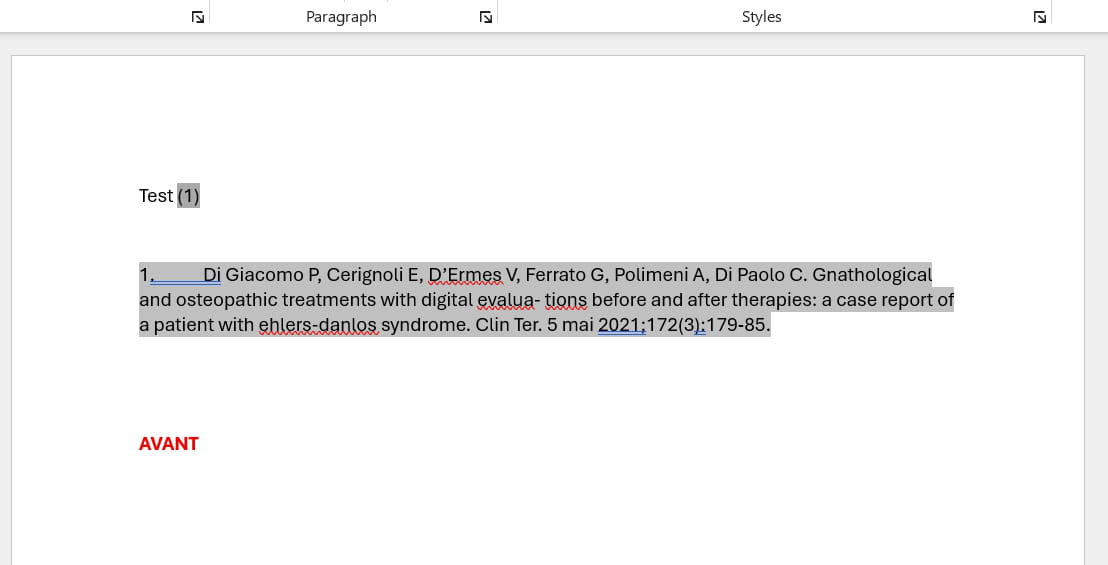
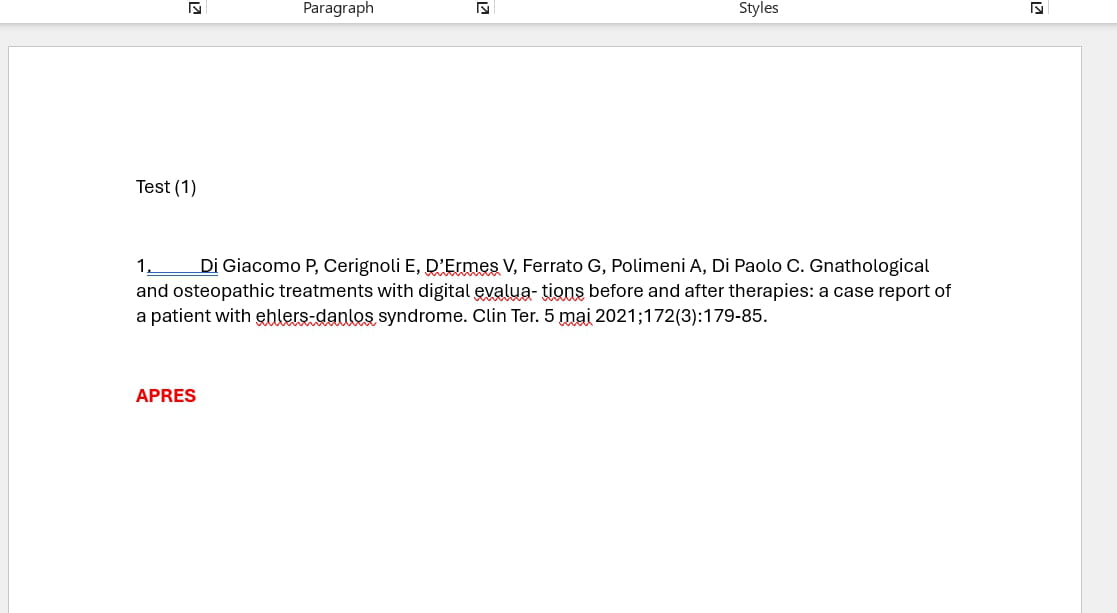
I don't understand what causes this; I have reinstalled both applications and restarted my PC... Nothing works. However, I can still add citations/a bibliography, but it disconnects every time I close the document.
Do you have a solution? I absolutely need to be able to link my citations to my bibliography... I am using Windows 11 Home and Zotero 10.
Thank you in advance!
5 answers
-
 Moderator
Hello,
Check the format in which you save your document.
You must use the .docx format.
-
Thank you for your response, the document saves in the correct format so I don't understand... The problem also occurs with files I have been working on for several months without issue.
-
Moderator
Copy the entire content of your document (CTRL + A to select all, then CTRL + C to copy).
Then create a new Word document and paste the content (CTRL + V).
Save it as a .docx file, then check if the citations remain active upon the next opening.
-
This doesn't work, every new file I create has this issue, I don't know if it's coming from Word or Zotero.
-
Moderator
Try reinstalling the Zotero plugin.
To do this, close Word and delete the "Zotero.dotm" plugin located in the Word startup folder.
The path is located at:
C:\Users\your-name\AppData\Roaming\Microsoft\Word\Startup
Download a new version of the file (download via official GitHub link) and move it to the Word startup folder.