Missing taskbar search bar

6 answers
-
 Moderator
Hello,
I’m not sure if it’s the same in W11; in W10 we have this setting on the right-click of the taskbar
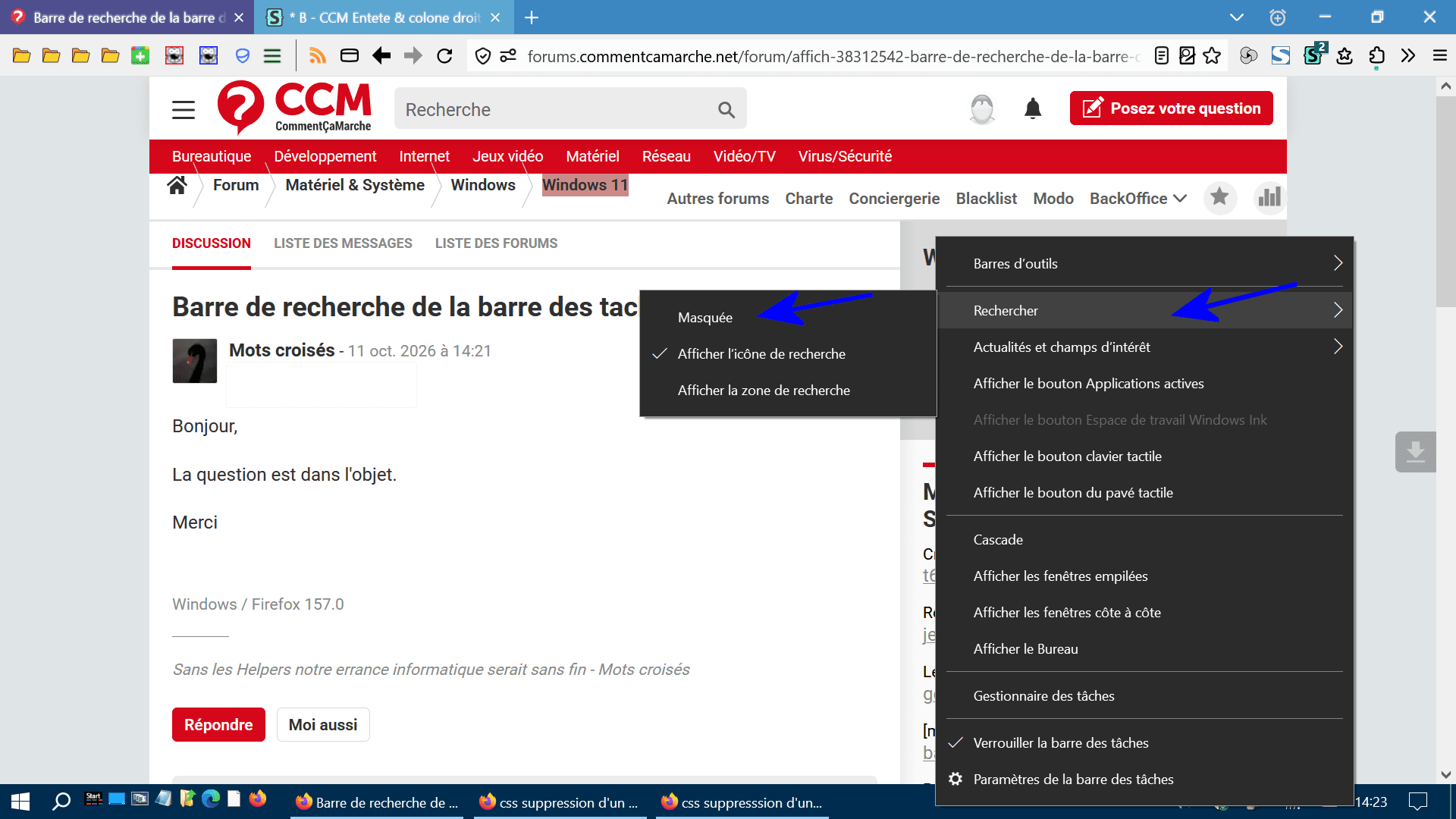
-
Hello
Win11 :
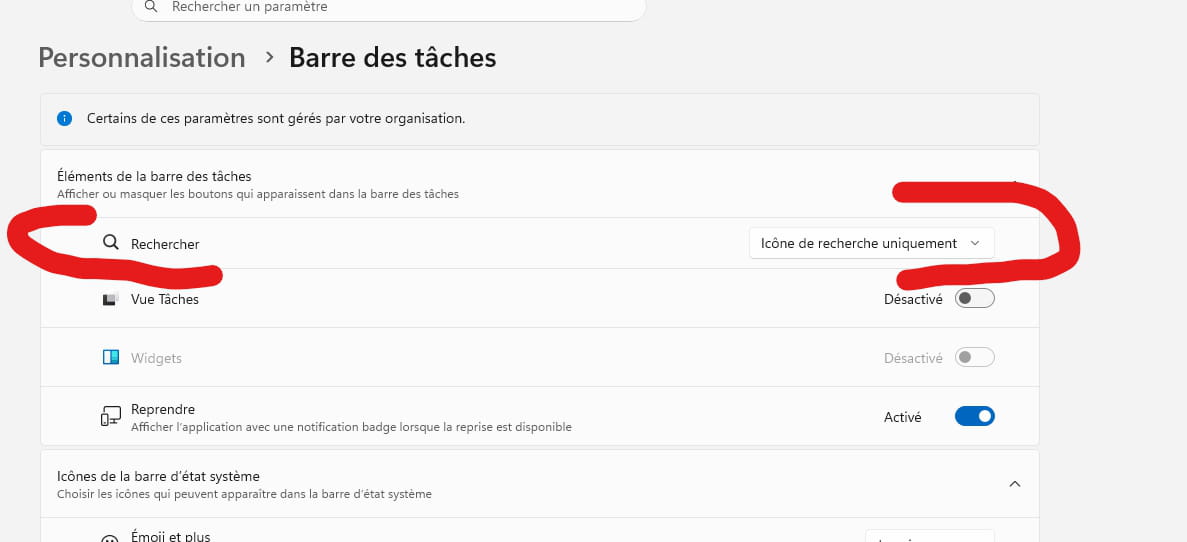
-
Hello,
Could there be a link with this!
The hard drive seems to be defective, so there is a strong chance the operating system is as well!
-
It redirects me to my post.
After guiding on another site and following a scan by the terminal, it shows that the disk is not intact.
So it might be possible that you’re just seeing what you told me—the disk appears to be defective
-
Yeah, I’ve seen that in several places, that I needed to think about replacing the HDD.
I have an automatic backup of the PC’s content onto an external drive.
As for reinstalling Windows, I don’t know how to proceed since, since Windows XP, I’ve migrated each time as Microsoft allowed. Windows 7 then 8, then 10 and now 11.
I’ll figure it out when I’ve decided to replace the drive. Or when it suddenly dies on me by treachery )))).
-
-
Moderator@MPMP10
Hi,
Or, as my participation clearly on the forum:To install Windows, use the link to download the Windows ISO file to create a USB drive (Minimum 16GB) to update, repair, or install Windows
Once you have the Windows ISO file, you can create a bootable USB drive with Rufus or Ventoy
In GPT mode for EFI (Secure Boot Support for Ventoy depending on how the BIOS is configured)
Ethernet Disconnected, start there with the PC Boot Menu key
We can search on Google "[Brand Model] Boot Menu Key"
Click (If offered): Previous version of the setup
Choose "Custom install" (Not upgrade)
Not required to format if there is space; if there are data, they will be found in a Windows.old folder (which will automatically delete after 10 days)
Install on the same partition, or optionally, delete all system partitions and create a new one (Deletes data).
Ethernet Disconnected, when Windows tries to force you to connect to a WiFi network, press Shift+F10 and type: oobe\bypassnro
Choose (I don't have Internet)
-
@MPMP10
I also noted your MPMP link, thanks
-
-
-
I will rate this instruction page. Because if my screen goes black and I’m stuck, I’ll see to follow your “directions” (smile)