
"Join" button in Thunderbird no longer works
-
Hello, I can’t send attachments in Thunderbird email anymore—the button doesn’t work.
I also tried dragging and dropping into Word, but that doesn’t work either.
Could you help me?
Thank you
1 answer
-
Hello,
A ticket has been escalated to the Thunderbird teams; in the meantime here is the solution.
This problem occurs when an external reader (disk or USB drive) has been disconnected.
-
In Thunderbird, open Settings → General.
-
Scroll down to Configuration Editor (Advanced settings at the bottom).
-
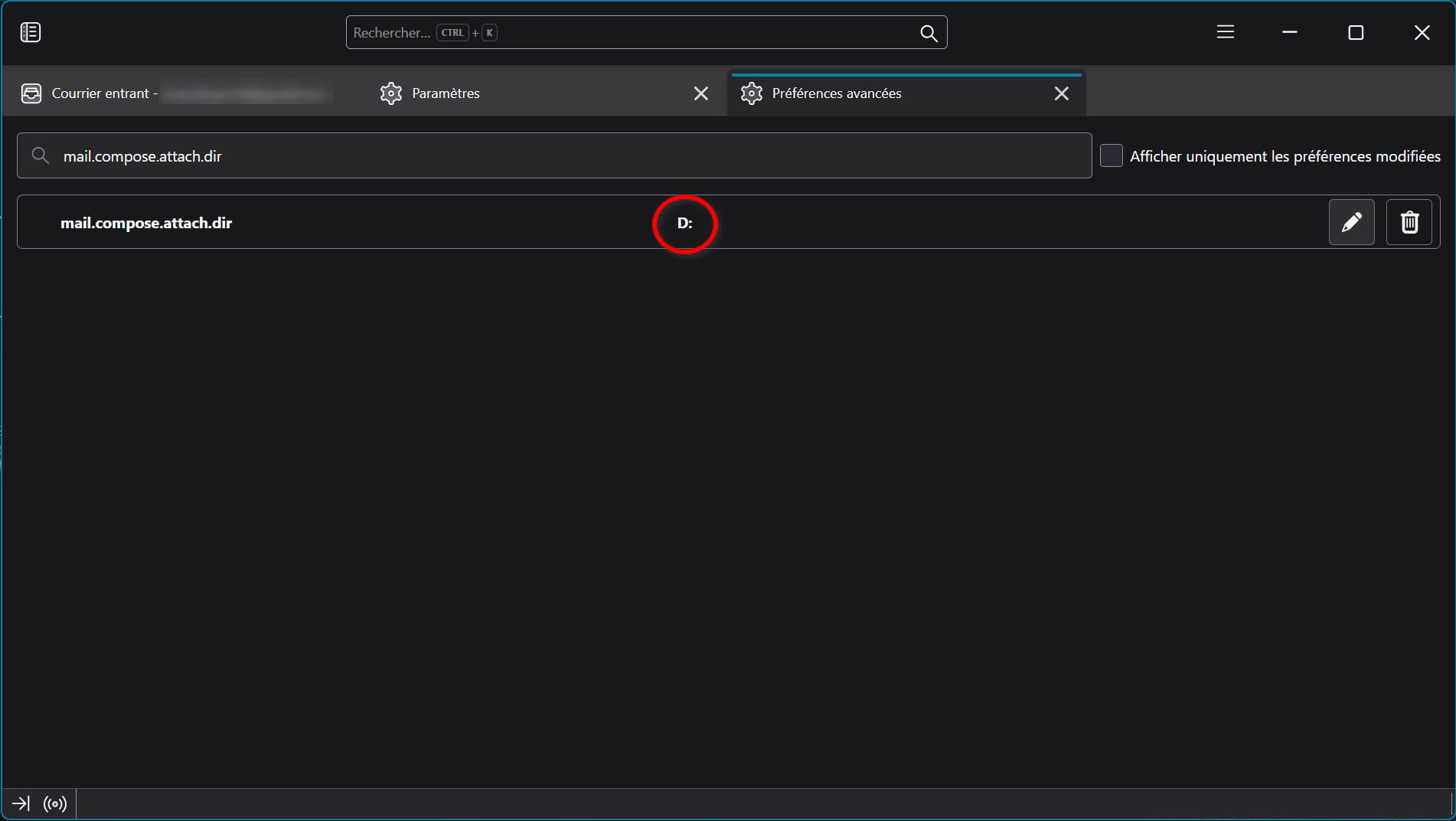
Search for the preference
mail.compose.attach.dir. -
Replace its value with an existing folder, for example
C:\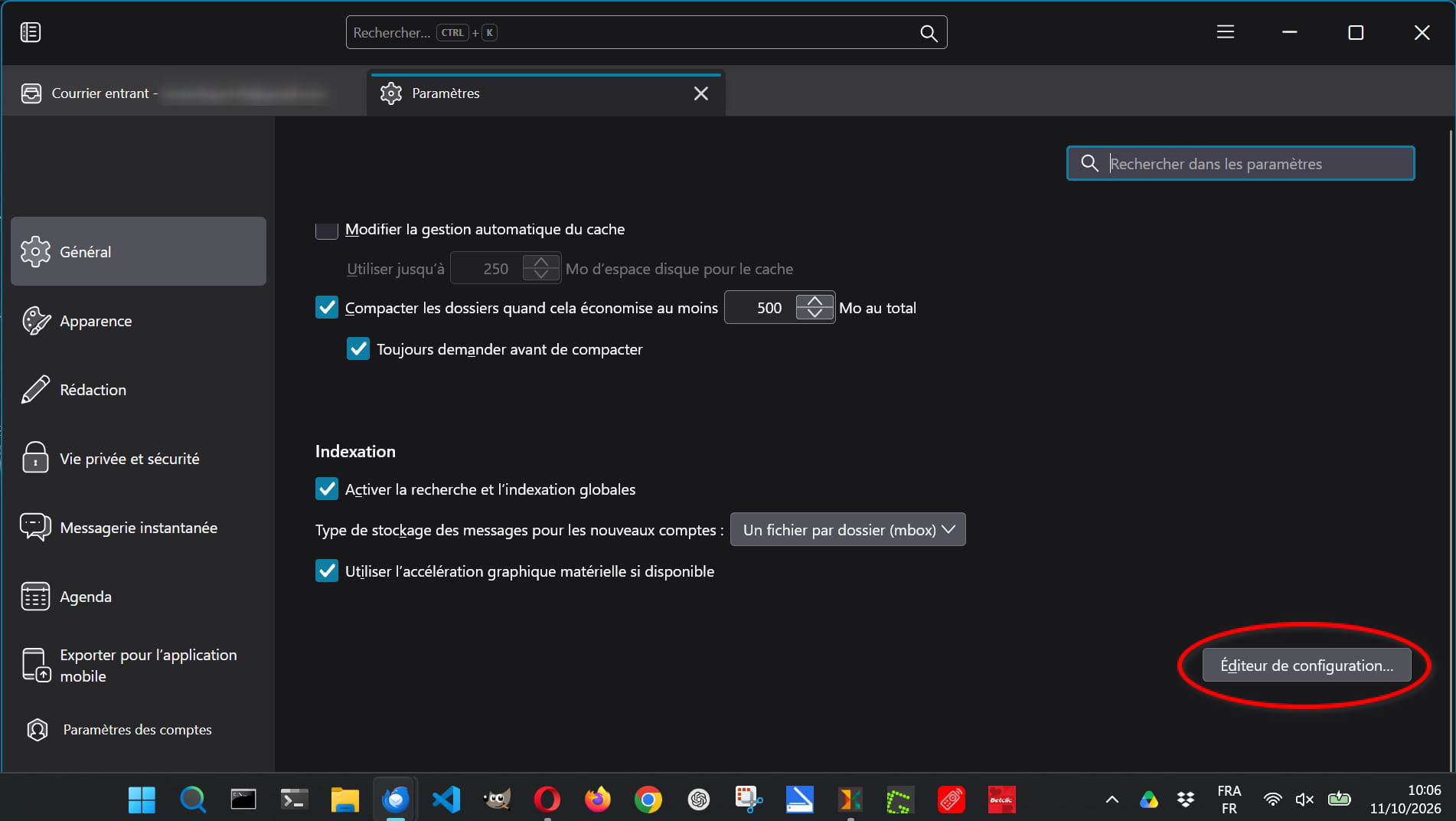
-
