Number of rings for Alcatel XL585 answering machine
Hello,
I have an Alcatel XL585 Duo landline phone and I can't manage to set the number of rings before the answering machine picks up. No matter if I select 2, 6, or 8, the answering machine always activates after the 10th ring, which is too long. I really need it to pick up after the 2nd ring.
2 answers
-
Contributor
Hello.
Have you tried this action?
Set the number of rings from your phone
- Dial *610*.
- Enter the number of rings (2 to 9).
- Press # to confirm.
- Finish with the call button.
- You will hear: "Thank you, your caller will now be automatically redirected to voicemail or another number after x rings.
Here is the link to your phone's manual.
Look at line 10.4.5
-
Moderator
Hello,
This is indeed an Alcatel XL585 with a built-in answering machine (display and multiple buttons on the base) or the model without an answering machine (a single button on the base)?
Procedure for the model with an answering machine
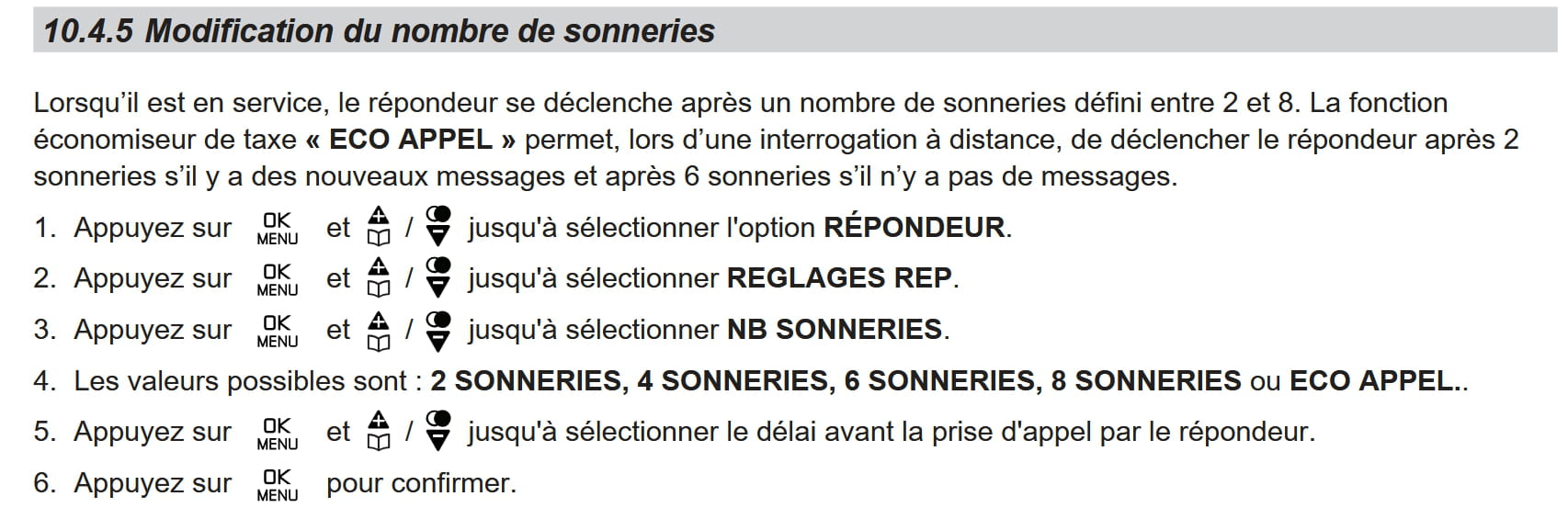
If it's a model without an answering machine, the setting that triggers the voicemail needs to be done with your phone operator via their customer service.
It's really difficult to catch a black cat in a dark room.
Especially when it's not there...