
NVIDIA graphics card disconnected despite correct drivers
kaneagle Posted messages 86263 Registration date Status Modérateur Last intervention -
Hello,
I just found out that my NVIDIA GeForce RTX 2060 graphics card is disconnected.
I don't understand why, I've tried uninstalling everything to reinstall it with the correct drivers and everything, but nothing works...
I'm on a Acer Predator Helios 300 PH315-53-773J
Being disconnected, I don't have access to the Nvidia Control Panel.
If someone can help me, please.
10 réponses
Here is what is specified on Intel Driver & Support Assistant:
- Driver Details
- Vendor: Nvidia
- Version: 31.0.15.4617
- Date: 09/11/2023
- Device Details
- Card Compatibility: Nvidia
- Availability: Disconnected
- Status: This device is working properly.
Moreover, in my task manager, I only see my Processor, Memory, Disk, Ethernet, and Wi-Fi.

Hi guigui36912
try repairing your system image
right-click on the Windows logo => run Windows Power ....
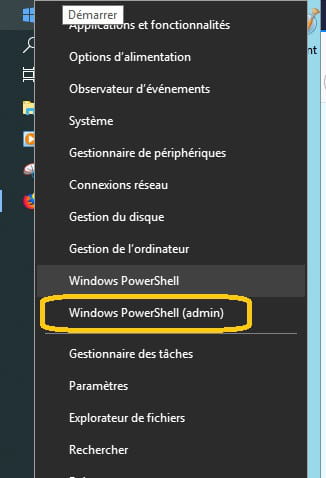
already run the command
sfc /scannow
to repair the system image, run the command
DISM.exe /Online /Cleanup-image /Restorehealth
This allows you to repair the operating system without losing data
(sometimes, there is about a 15-minute wait, let it work => a good hour)
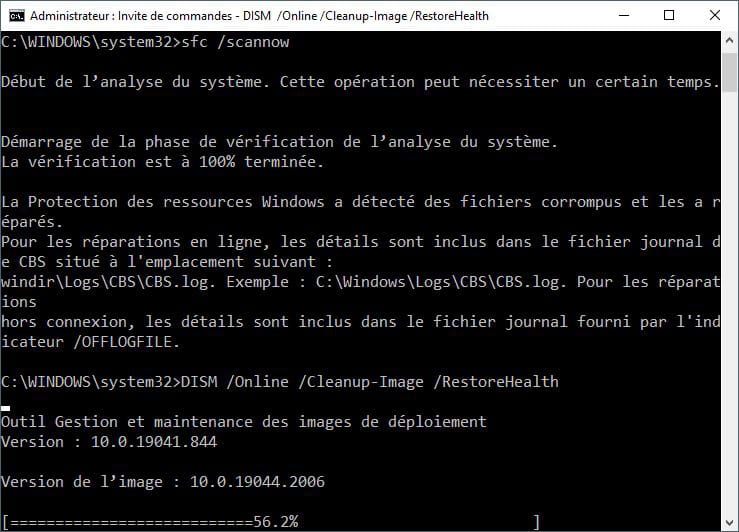
you can copy the command, and paste it in the window with "Ctrl + v"
@+
Hello,
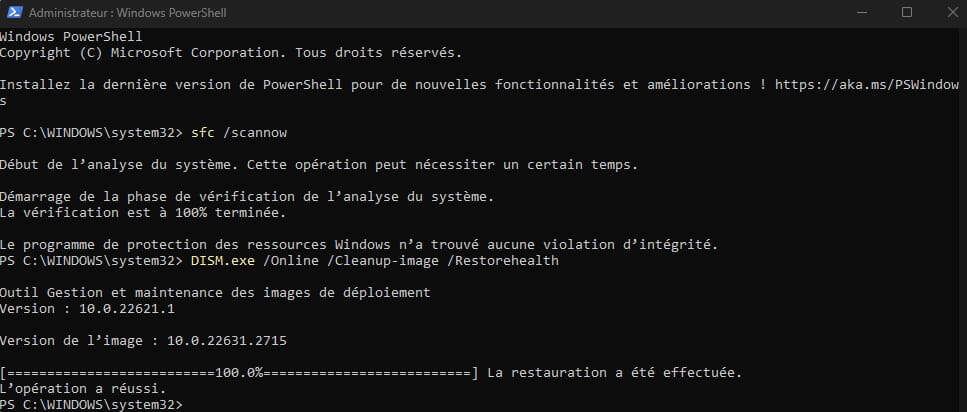
First of all, thanks for your response!
I did it and I have only one graphics card that has appeared in my Task Manager: the Intel (I am supposed to have 2, including my RTX)

However, I see that I have this:
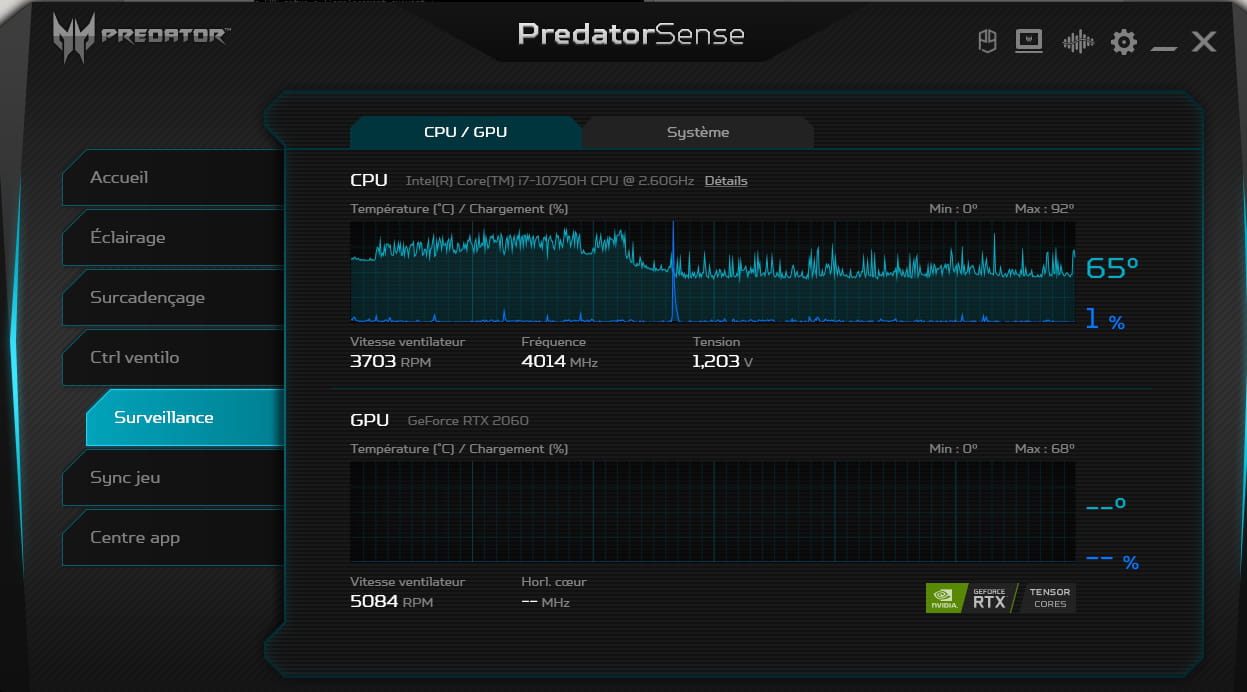
When I hover over the second one, it says: inactive distinct GPU.
If you have any new ideas that could help me, I would gladly take them, thank you in advance!
Re
If you launch a game, does the RTX 2060 take over?
It should normally be visible in the PredatorSense software
also in "Computer Management" => "Device Manager", everything is normal regarding graphics cards (CPU and GPU - uninstalled and reinstalled)
@+
Nope, my RTX isn't taking over (checked in PredatorSense and in task manager).
I'm still searching, I've reset my computer everywhere, I've done the BIOS update and unfortunately nothing works :(
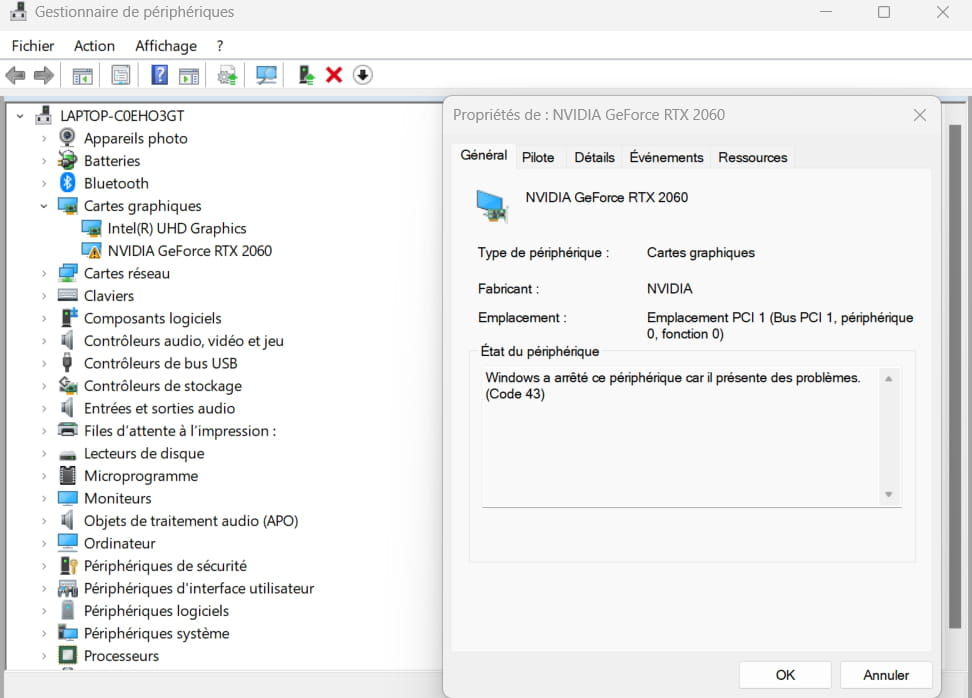
I just saw that at every restart, no matter the version of my card, it has an error -> Windows has stopped this device because it has problems. (Code 43)
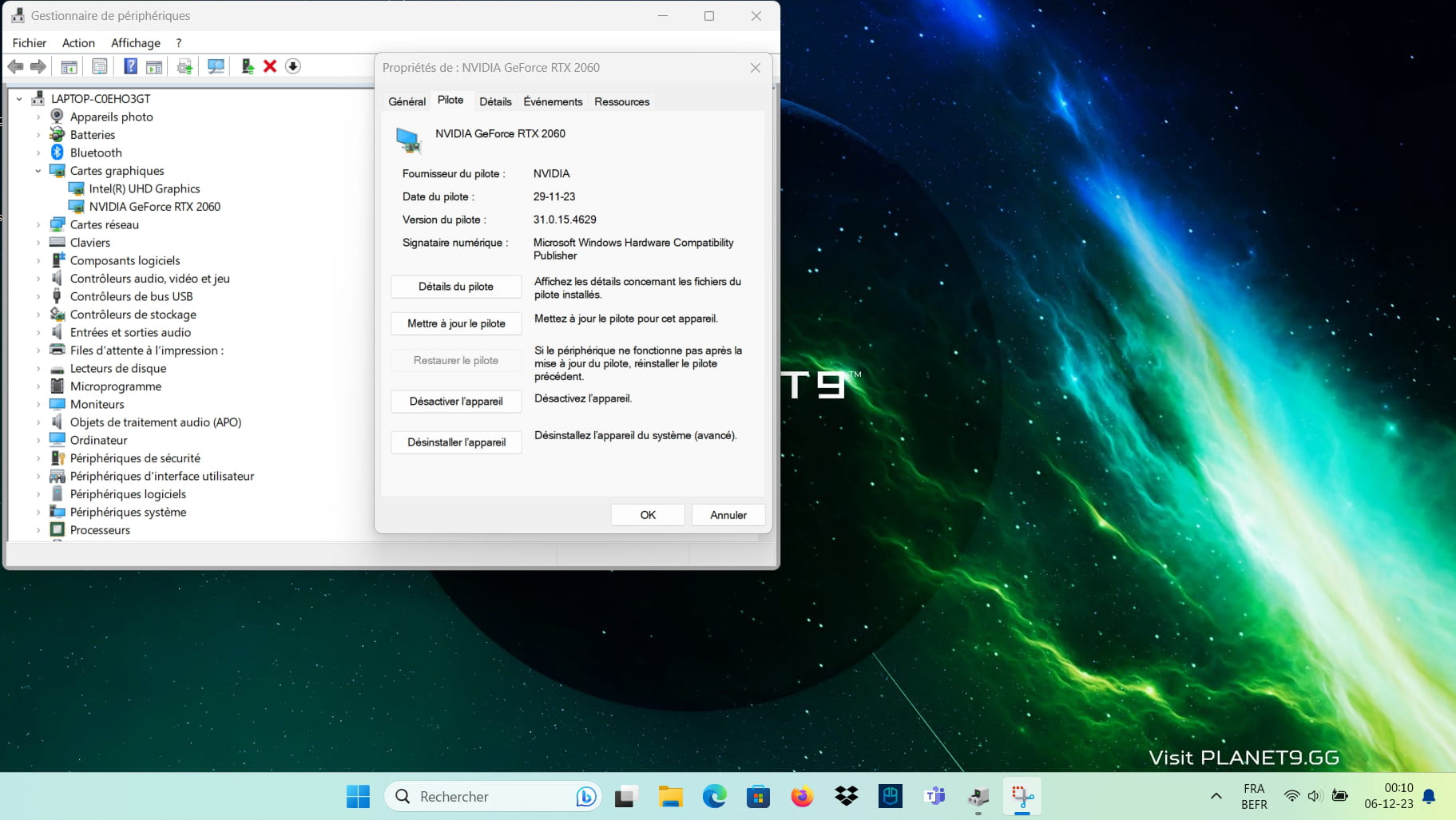
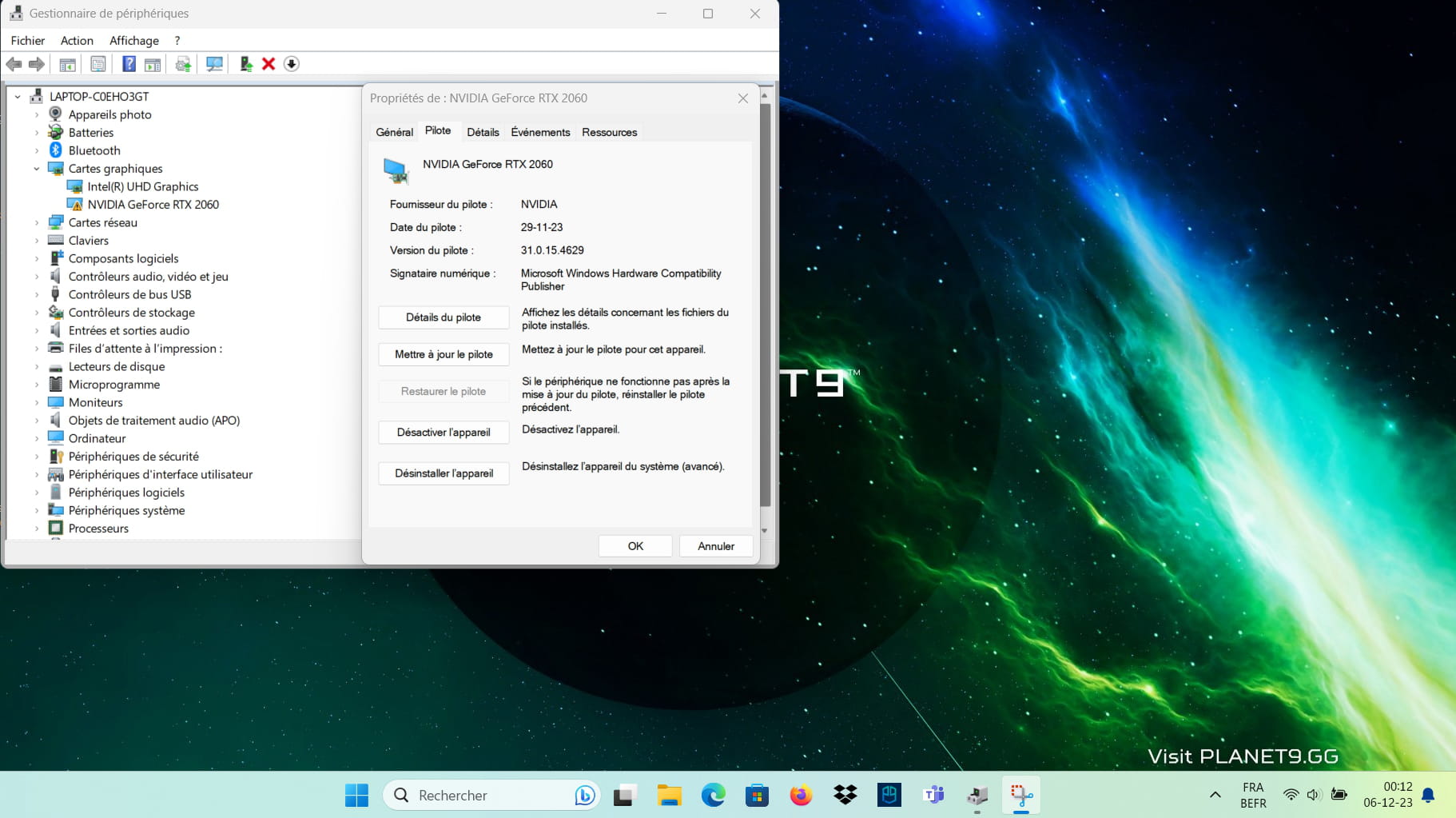
Re
can you only take the active window ??
when you uninstalled the graphics cards => those are the two cards you uninstalled = Intel GPU and Nvidia CG
and well took the drivers from the > Acer site <
to use the new version of the screenshot tool see > the Microsoft page <
=> open Paint => and " Ctrl + V " => then save
after configuring => simply press the "Print Screen" key
Hey,
I left the screen large to see the time haha I hope it's still readable or is it too small?
And yes, I reset both cards and for the RTX I took the latest driver from the official Nvidia website but I also tested it with the "GeForce Experience" software and the driver is set to the same version that is 546.29
But in any case, as I said before, no matter the driver versions because I tried the latest ones as well as the previous ones and it works (in the sense that I just don't have error 43) but as soon as I restart it reappears for any version...

Hello,
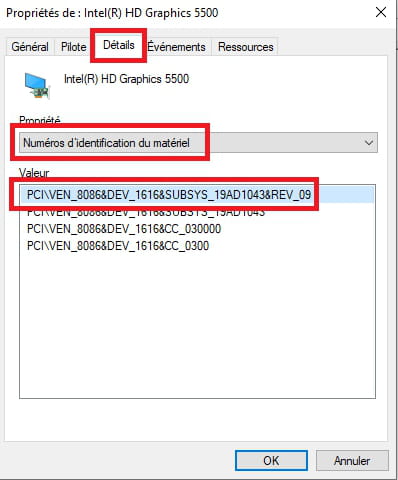
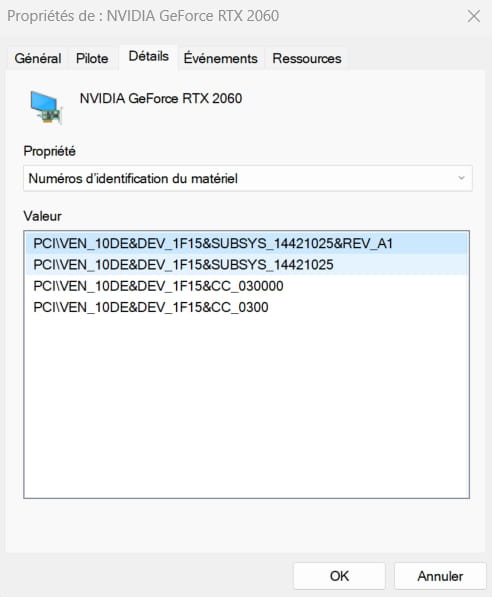
Give the device's hardware identification number
Check this --> Find the device identification number
Post the number in your next message.
Example image:
Download and install --> 7Zip 64 bit
Download this driver --> nVidia
Right-click on the driver --> 546.17-.......exe
Select --> 7Zip
Choose --> extract to "546.17-.......\"
----------------------------------------------------------------------------------------------------------------------------
Device Manager
Right-click on the nVidia card
Uninstall
Check --> delete the device
Uninstall
Windows + R
Type --> control panel and OK
Programs and Features
Uninstall --> nVidia
Restart the PC.
----------------------------------------------------------------------------------------------------
Go to Device Manager
Right-click on the device
Update driver
Browse my computer for drivers
Choose from a list of drivers...
Have Disk
Browse
Go to the unzipped driver folder --> 546.17-.......
Folder --> Display.Driver
Select the file --> nvacig.inf and OK.
Restart.

Try this driver --> nVidia
Right-click on the driver --> VGA_NVIDIA.....zip
Select --> 7Zip
Choose --> extract to "VGA_NVIDIA.......\"
--------------------------------------------------------------------------------------
Uninstall the card properly with DDU
Check this tutorial, step 2 --> Display Driver Uninstaller
Restart the PC
-------------------------------------------------------------------------------------
Go to Device Manager
Right-click on the device
Update driver
Browse my computer for drivers
Choose from a list of drivers...
Have Disk
Browse
Go to the folder of the unzipped driver --> VGA_NVIDIA.......
Folder --> VGA_NVIDIA_27.21.14.5167_W10x64......
Folder --> Display.Driver
Select the file --> nvacegpu.inf and OK.
Restart.

Hello
Attention, this is a laptop, the graphics drivers should be obtained from the manufacturer's website, those from Nvidia can damage the registry, warnings are present on the Nvidia download site.
Here with your laptop's serial number:
https://www.acer.com/fr-fr/support/drivers-and-manuals
Have you tried a factory reset?
Signature
Waiting for other responses; I'm attracting trolls....
The latest driver offered comes from the Acer website.
Perform a clean installation of Windows 10.
--> How to install Windows 10
If the problem persists, is it possible that the card is defective?
-
Big fish games are they worth it?
at 15:04 -
Saracroche: the effective french app against phone spam
on 23 May -
How to get the character µ on the android keyboard.
on 22 May -
Texture issues in enshrouded
on 22 May -
Access issue to my "contact me" profile
on 22 May -
Windows spotlight is not working.
on 20 May -
Black screen digital camera
on 19 May -
Connecting rj45 cable with fiber
on 19 May -
Sony bravia tv red led blinks 4 times
on 19 May -
Free: associating with the freebox server in progress
on 19 May